c2c-img — built-in image generation for Claude Code, powered by Codex
English | 简体中文
If you have both Claude Code and Codex (ChatGPT), this plugin lets Claude generate and edit images with Codex's built-in image_gen tool. It runs on your ChatGPT login, so you don't need an OPENAI_API_KEY.
It is designed to feel native. You say "draw me a…", and a moment later the image appears in the conversation. Say "make it brighter" or "now a portrait version", and Claude edits the last image. Claude writes the prompt, checks the result itself, and never shows you the plumbing.
| Chinese poster, text rendered exactly | Edit: change dawn to an aurora night, and nothing else | Transparent sticker (-t -s 512x512 -f webp) |
|---|---|---|
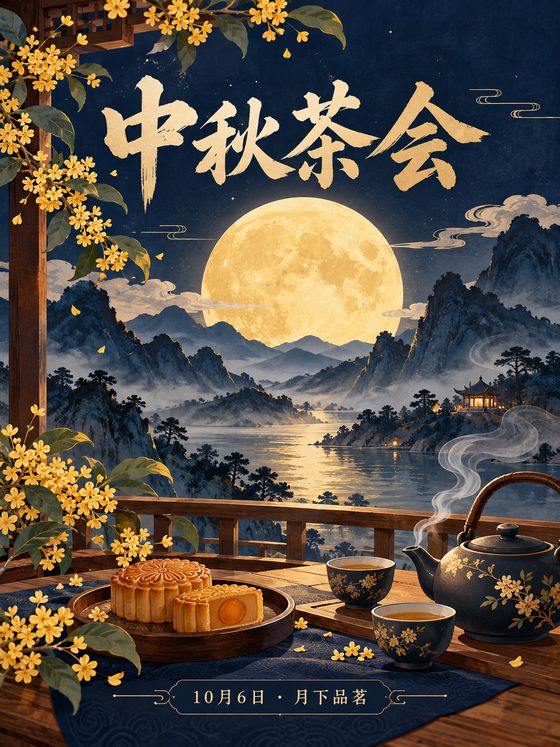 |
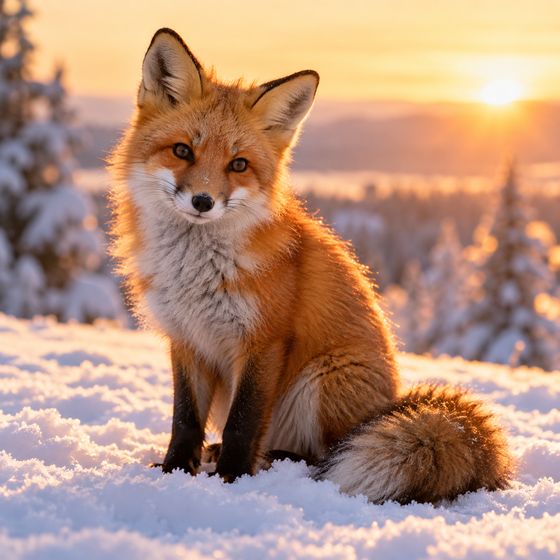 → → 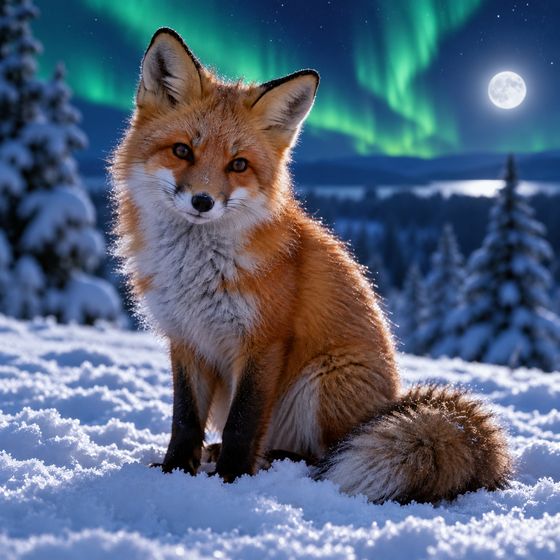 |
 |
Install
Requirements:
- The Codex CLI, from the ChatGPT desktop app or
npm i -g @openai/codex, signed in withcodex loginusing a ChatGPT account. - Python 3.9 or later.
As a Claude Code plugin (recommended):
/plugin marketplace add actionow-ai/c2c_img
/plugin install c2c-img@c2c-img
As a plain skill, for Claude Code and other agents that support Agent Skills:
npx skills add actionow-ai/c2c_img -g -a claude-code
Or copy skills/c2c-img/ into ~/.claude/skills/.
Check your setup (this generates nothing):
python3 skills/c2c-img/scripts/c2c_img.py --doctor
pip install pillow is optional. It adds webp output, and on Linux and Windows it also adds --size and jpg support. On macOS, the built-in sips already handles resizing, png and jpg.
Use it
Just ask: "Draw a cozy isometric reading nook with a sleeping cat", "make a 1200×630 OG image for this blog post", "remove the background from ./logo.png", or "做一张中秋海报". Claude picks sensible defaults (aspect ratio, style, where to save), generates the image, checks it, and shows it to you.
Under the hood, Claude calls the script:
| Option | What it does |
|---|---|
"prompt" |
Text-to-image. Codex passes the prompt through verbatim |
-i IMG (repeatable) |
Edit an image, or use it as a reference (Image 1, Image 2, …) |
-t |
Transparent background. The output has real alpha |
-s 1200x628 |
Exact size: generates at the nearest aspect ratio, then scales and center-crops |
-f png|jpg|webp |
Output format. It can also be inferred from the -o extension |
-n 3 / --batch - |
Variants of one prompt, or several different jobs from JSONL, run in parallel |
--doctor / --stop-daemon |
Check the setup, or stop the background helper |
Without -o, images are saved to ~/Pictures/c2c_img/<time>-<slug>.png. Existing files are never overwritten: a new version is saved as -v2, -v3, and so on.
How it works
Claude ─Bash─▶ c2c_img.py ─▶ 127.0.0.1 + token ─▶ daemon ─▶ codex app-server (kept warm)
                          └─ fallback ─▶ codex exec --ephemeral (lean mode), one process per image
- Daemon engine (default): keeps
codex app-serverwarm between calls, cutting the median overhead per call from 13.9 s to 6.6 s. It reads the saved path directly fromimageGenerationevents. It gets structured errors: quota with its reset time, capacity (it retries on another model), and refusals. It exits after 15 idle minutes, and it's replaced automatically when Codex or the script is upgraded. - Exec engine (fallback): runs
codex execwith the user's config ignored and 17 unneeded tools disabled, including shell. It stops Codex as soon as the image file is complete. - Both engines run Codex in an empty temp directory with a read-only sandbox. They move (not copy) the result out of
~/.codex/generated_images.
A typical new image takes about 40–50 s. Most of that is the image model itself, and it varies with server load.
Platforms and tests
macOS has been tested with a real Codex install. Linux and Windows are supported through process groups and taskkill, cross-platform file locks, and UTF-8 stdio. CI covers macOS, Ubuntu and Windows with Python 3.9 and 3.12.
python3 tests/test_offline.py
python3 tests/test_engines.py
test_offline.py: unit tests and post-processing.test_engines.py: end-to-end tests of both engines againsttests/fake_codex.py. No Codex login or quota is needed.
Limitations
- It relies on Codex internals: the app-server protocol (marked experimental),
exec --jsonevents, and thegenerated_images/layout. The two engines back each other up. After a Codex upgrade, run--doctor. - The image tool has no size parameter. The prompt sets the aspect ratio, and
-spost-processes to exact pixels. - Each image uses your ChatGPT/Codex quota.
License
MIT © 2026 actionow