intermission
A Claude Code plugin that drops you into Doom deathmatch while Claude works, and hands you back when it's done.


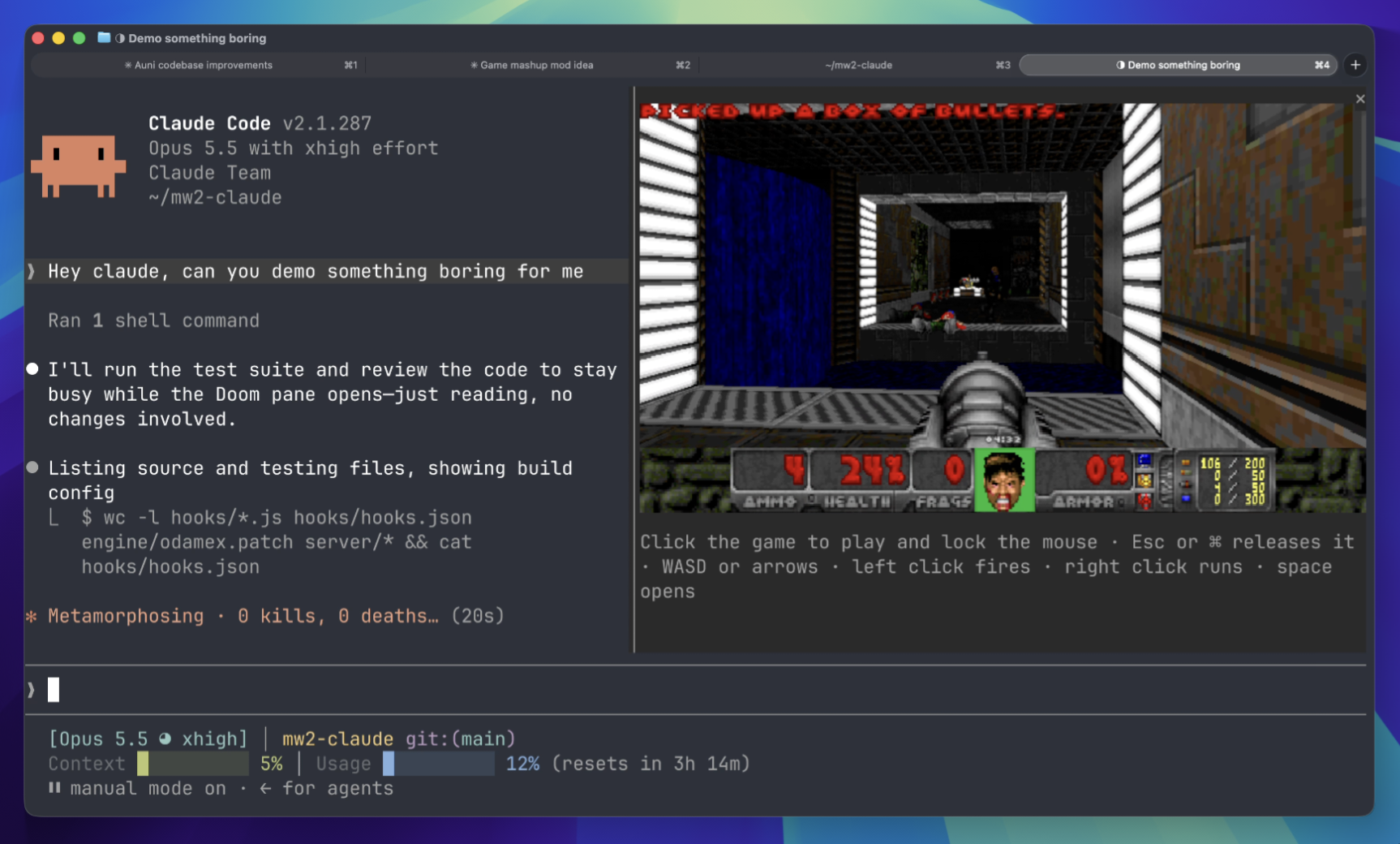
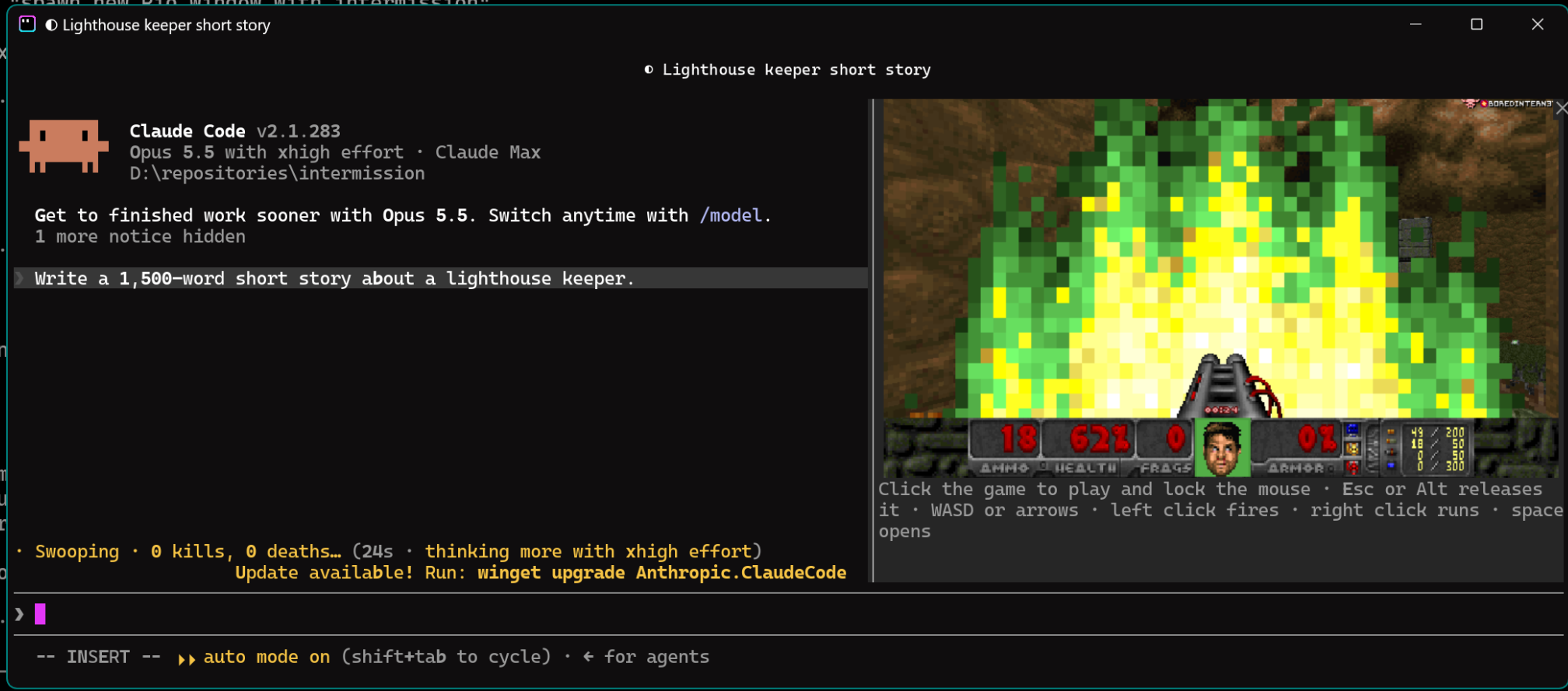
When Claude has been working for two seconds, a pane opens beside the transcript and you drop into a free-for-all on a shared server with everyone else who is waiting on Claude. When Claude finishes there's a three-second countdown and you're handed back. If Claude needs you, say for a permission prompt, you're handed back at once and dropped in again after you answer.
It's Odamex with Freedoom's maps, with monsters left in so the server is never empty.
Install
Install the plugin:
/plugin install intermission --marketplace jarrodwatts/intermissionTurn it on:
/intermissionThe first time, it downloads the game, about 20 MB.
To turn it off again, run /intermission off.
Requirements
- macOS 15 or later, on Apple silicon or Intel, in Ghostty or kitty, the terminals that can show the game's pixels
- or Windows 10 or 11 on x64, in Rio, set up as below, with the Microsoft Visual C++ Redistributable
- Claude Code 2.1.287 or later
On Windows
Rio is the one terminal on Windows that can show the game's pixels. Set it up once, before installing intermission:
Install Rio. Through winget it brings the Visual C++ Redistributable the game needs too:
winget install -e --id raphamorim.rioIf you install Rio some other way, add the Redistributable with
winget install Microsoft.VCRedist.2015+.x64.Give Rio ConPTY 1.22 or newer, which it needs to pass pictures through, as Rio's guide describes. In PowerShell run as administrator, copy
conpty.dllandOpenConsole.exefrom Microsoft's ConPTY package next torio.exe:curl.exe -L -o "$env:TEMP\conpty.zip" https://www.nuget.org/api/v2/package/Microsoft.Windows.Console.ConPTY Expand-Archive "$env:TEMP\conpty.zip" "$env:TEMP\conpty" -Force Copy-Item "$env:TEMP\conpty\runtimes\win-x64\native\conpty.dll", "$env:TEMP\conpty\build\native\runtimes\x64\OpenConsole.exe" "C:\Program Files\Rio"Both files must be there: with
conpty.dllalone, Rio falls back to the console host built into Windows, which strips the pictures out.Claude Code sends pictures only to terminals it recognizes, and Rio isn't one yet. Tell it to in Rio alone, at the top of
%USERPROFILE%\AppData\Local\rio\config.toml; set everywhere, other terminals would show stray characters in place of pictures:env-vars = ["CLAUDE_CODE_FORCE_TERMINAL_IMAGES=1"]Open a new Rio window, start
claude, and install intermission as above.
If /intermission doesn't appear once it's installed, your Claude Code may
not load mods yet; add "CLAUDE_CODE_ENABLE_FUNCTION_HOOKS=1" to the same
env-vars list.
Controls
Click the game to play. The click also locks the mouse for turning; Esc or ⌘ releases it. On Windows, Esc or Alt releases it, and the cursor stays in sight while locked.
| Move | WASD or the arrow keys |
| Turn | the mouse, once locked |
| Fire | left click |
| Run forward | hold right click |
| Open doors | space |
| Weapons | 1 to 7 |
If your terminal is too narrow for the pane to open by itself, a line above the prompt offers it instead: press 1.
What it connects to
The game connects over UDP to the intermission server at 157.245.140.115,
under a random name such as QueuedMarine42. Nothing about your session,
project or Claude's work is sent. Between rounds it stays connected as a silent
spectator, and disconnects after five minutes away.
How it works
The mod runs Odamex without a window. Each frame goes into shared memory, or on
Windows a temporary file, which the terminal paints into the pane, and the pane
passes keys and clicks back.
Terminals report key presses but not releases, so a key counts as held until
its auto-repeat stops. The changes to Odamex are in
engine/odamex.patch, applied to the commit in
engine/odamex-commit.
The server is stock Odamex; deploy.sh builds and runs it on a
droplet.
Licenses
The mod is MIT, as in LICENSE. Odamex is GPL-2.0, and so are the
changes to it in engine/. Freedoom is BSD-3-Clause.