 Prevue
Your agent finally sees the Compose UI it builds.
Compose Previews in your browser, redrawn a second after every save.
No Android Studio, no build.
English | 한국어








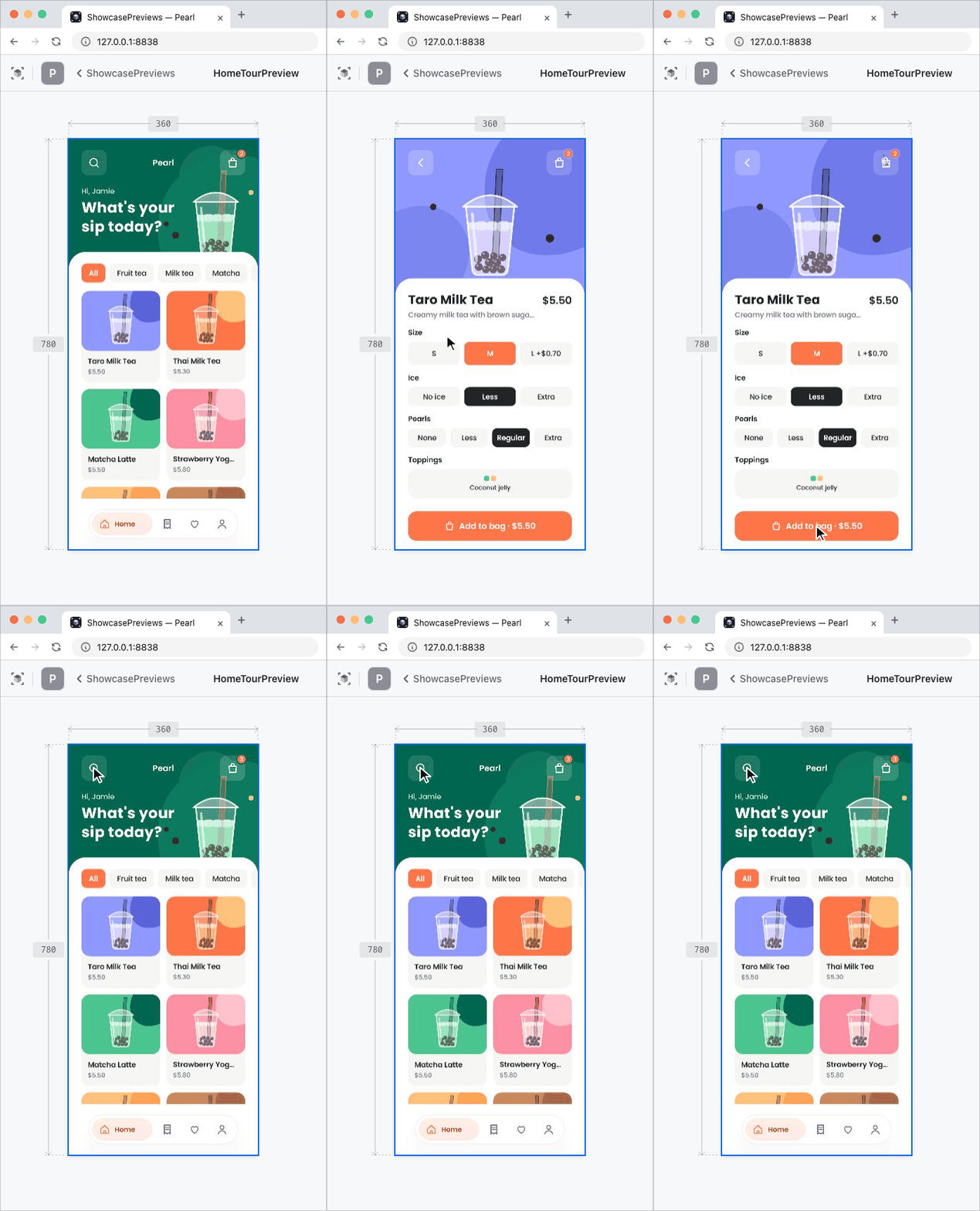
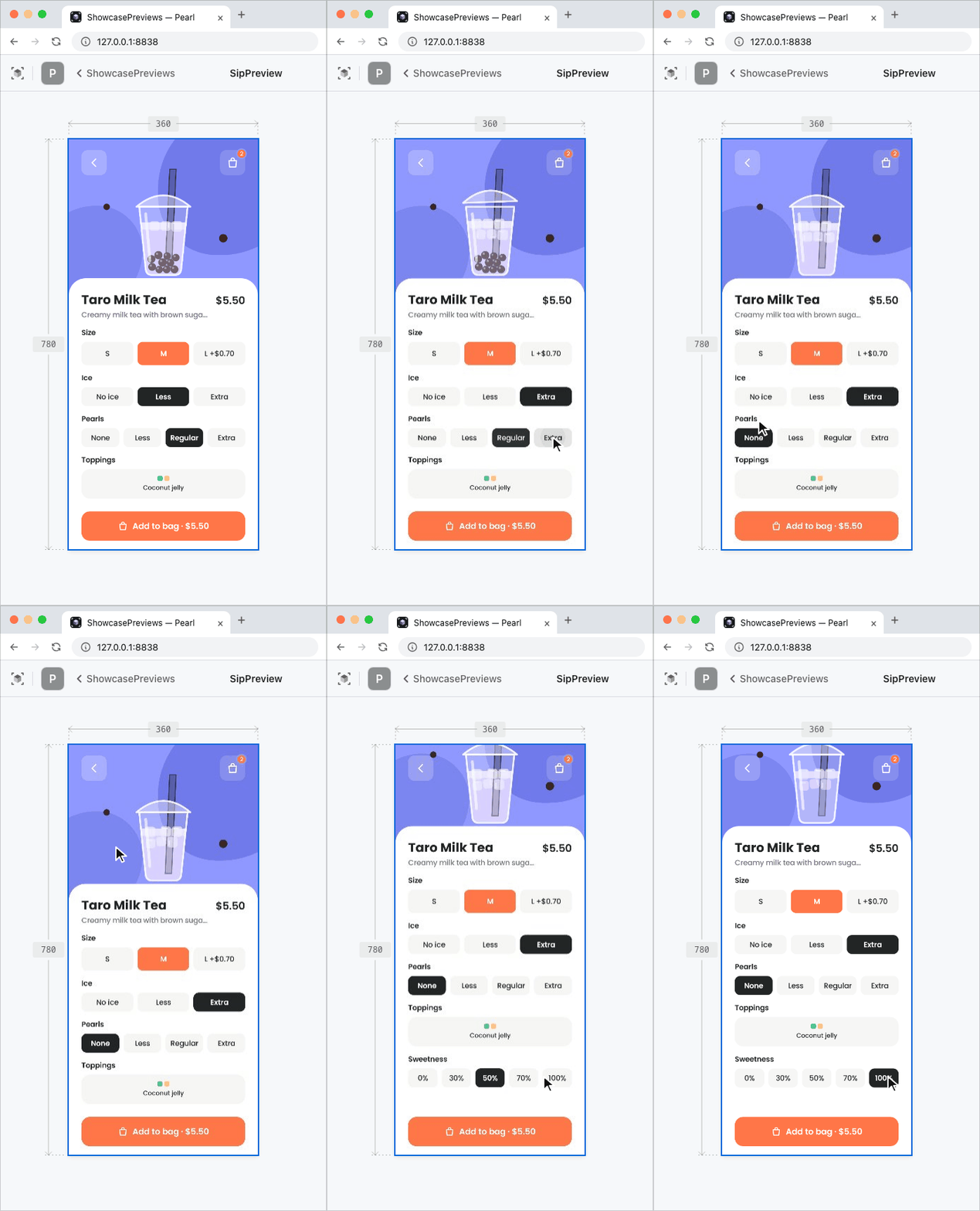
Hot swap, interactive and every screen — real renders of the sample app.
The agent codes, you still check
Your agent says the screen is done. So you open Android Studio, wait for Gradle, and find the padding is off. You take a screenshot, explain what's wrong, and wait for the next try. The agent writes the code, but you're still its eyes — every loop.
And every look costs an IDE. One Preview keeps Android Studio, a Gradle daemon, and a Kotlin daemon running, about 8GB. Give each of three agents its own worktree and you're running three Android Studios.
Here's that loop. Notice who sits in the middle of it.
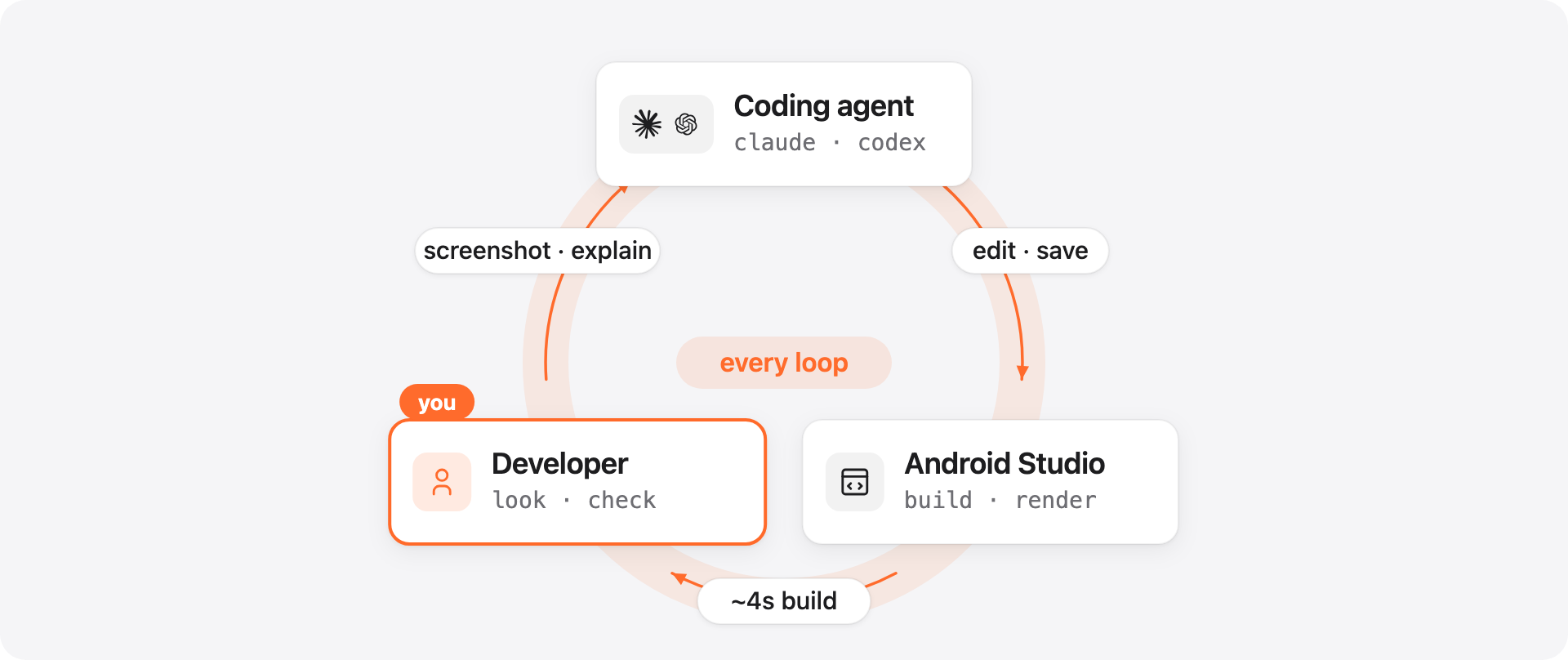
We hit this every day. With three agents on a 36GB Mac, the Android Studios started swapping and every task slowed to a crawl. Paparazzi and Roborazzi also turn composables into images, but they rebuild for every picture, so they can't keep up with an agent's edits.
Prevue takes you out of that loop.
With Prevue
Your agent checks its own work
Prevue redraws the Preview about a second after each save and hands that picture to the agent. Give it a design — a Figma frame, a screenshot, a mockup — and it edits, looks, compares, and edits again on its own. You come back to a finished screen and confirm it in your browser.
Make the ForYouScreen header match this screenshot
Same loop, but now you're outside it.
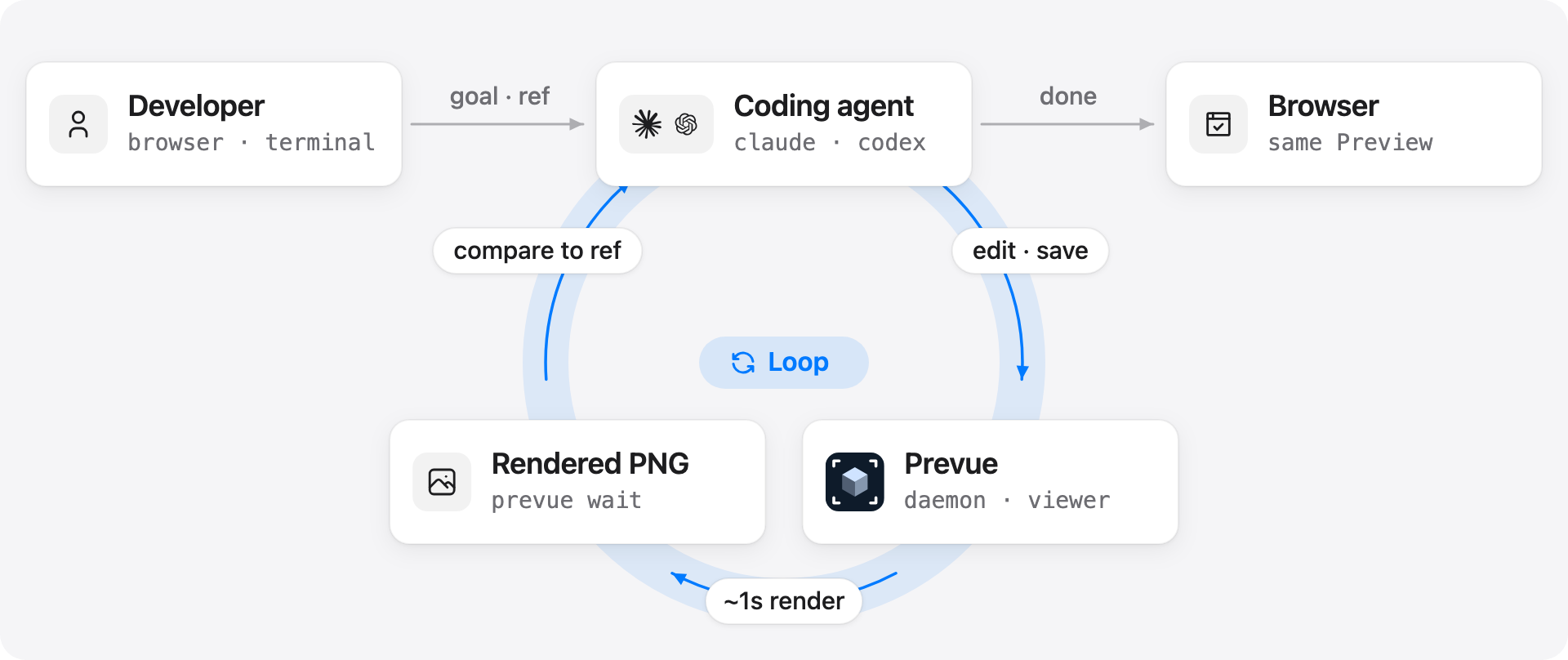
Screens that only change when you tap or drag are covered too. The agent switches the Preview into interactive mode, sends touches, and gets the new picture back.
When you look, it's already there
Save, and the Preview redraws in about a second without Gradle. Change only a value — padding, a color, a string — and it takes about 0.2 seconds. The agent and you look at the same Preview, so "it's done" and "I see it" happen at the same moment (Benchmark).
Point instead of explaining
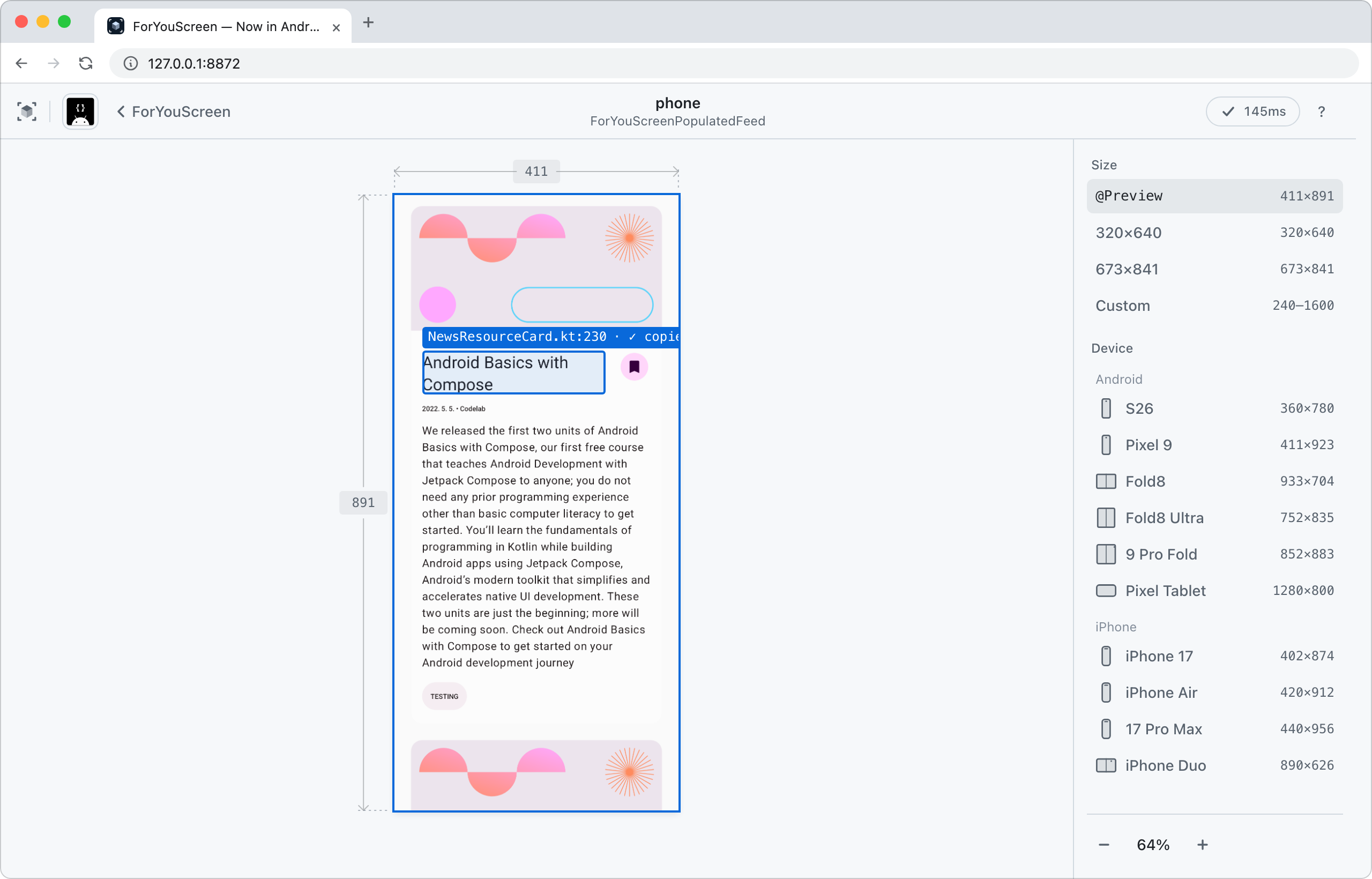
Click anything in the Preview and tell your agent what to do with it. No screenshots, no "the second card from the top."
Tighten the padding on this
The agent reads "this" as a file and line. @path#Lline is also copied to your clipboard, so you can paste it into a terminal.
The click pins a box and a file:line tag right where you pointed.
Three agents, still light
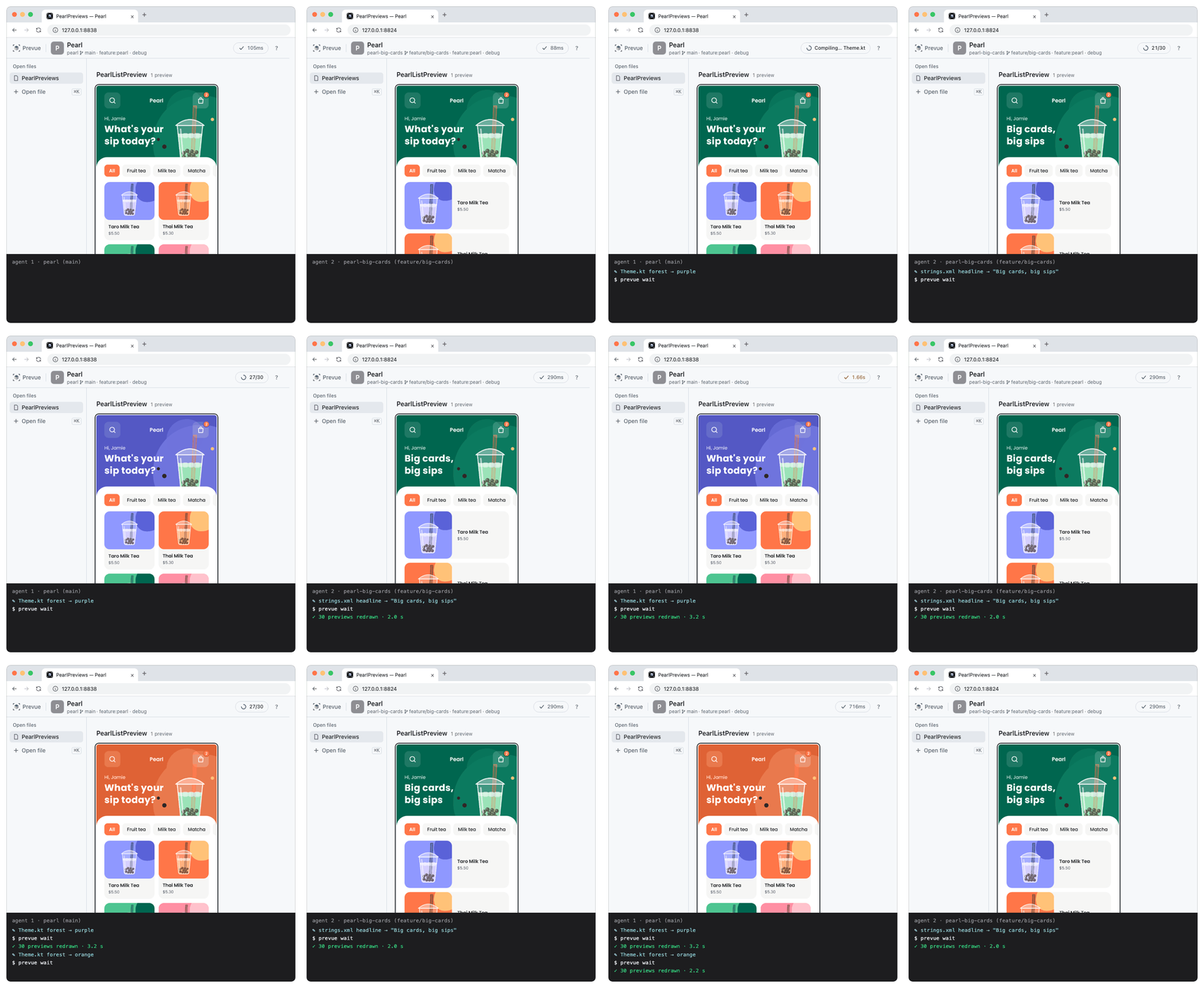
Every worktree gets its own lightweight Prevue daemon. One daemon uses about 1.4GB, 83% less memory than Android Studio.
Even when two agents save at the same time, each window redraws on its own, and when only one saves again, the other stays put.
Get started
Installing takes two commands.
If Android Studio is installed, there's no Java to set up, even if your project uses JDK 17. Without Android Studio, install JDK 21 or later and set PREVUE_JDK to its path. You also need the macOS Command Line Tools (python3); if they're missing, the agent opens the installer for you.
# Claude Code
claude plugin marketplace add https://github.com/kakao/prevue.git
claude plugin install prevue@prevue

# Codex
codex plugin marketplace add https://github.com/kakao/prevue.git
codex plugin add prevue@prevue
Then tell your agent the file name. Calling the skill directly is more reliable: /prevue in Claude Code, $prevue:prevue in Codex.
Show the Previews in ForYouScreen.kt
There's nothing to configure. The first time you run it, the agent does the setup it needs, checking with you as it goes. When it's done, your browser opens with every @Preview in that file.
Prevue doesn't change your project's build files, plugins, or tasks, and it doesn't add files to your project. Gradle runs only once per module; after that, even edits to shared modules redraw right away.
Update
Refresh the marketplace info first, then update the plugin. If you skip this step, it reads the old version info and says it is already up to date.
# Claude Code — takes effect after a restart or /reload-plugins
claude plugin marketplace update prevue
claude plugin update prevue@prevue

# Codex — there is no update, so run add again
codex plugin marketplace upgrade
codex plugin add prevue@prevue
Changes are in CHANGELOG.md.
If you get stuck, ask your agent to read prevue log. If that doesn't help, let us know in an issue.
A closer look
Press ? in the viewer for every shortcut.
Every Preview on one board
Every @Preview in a file is laid out on the board, grouped by function. Save, and they all redraw, with the time it took shown in the header.
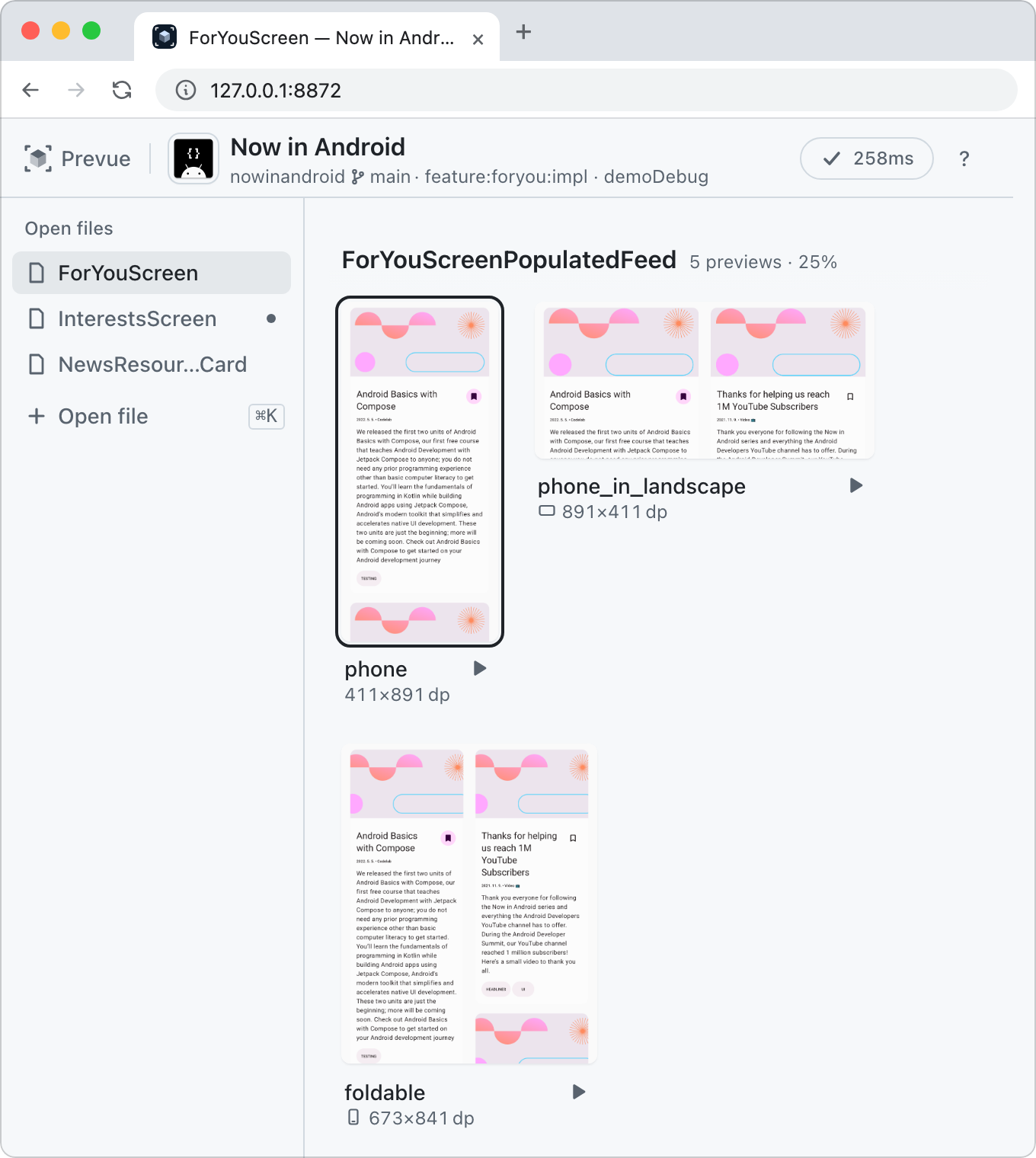
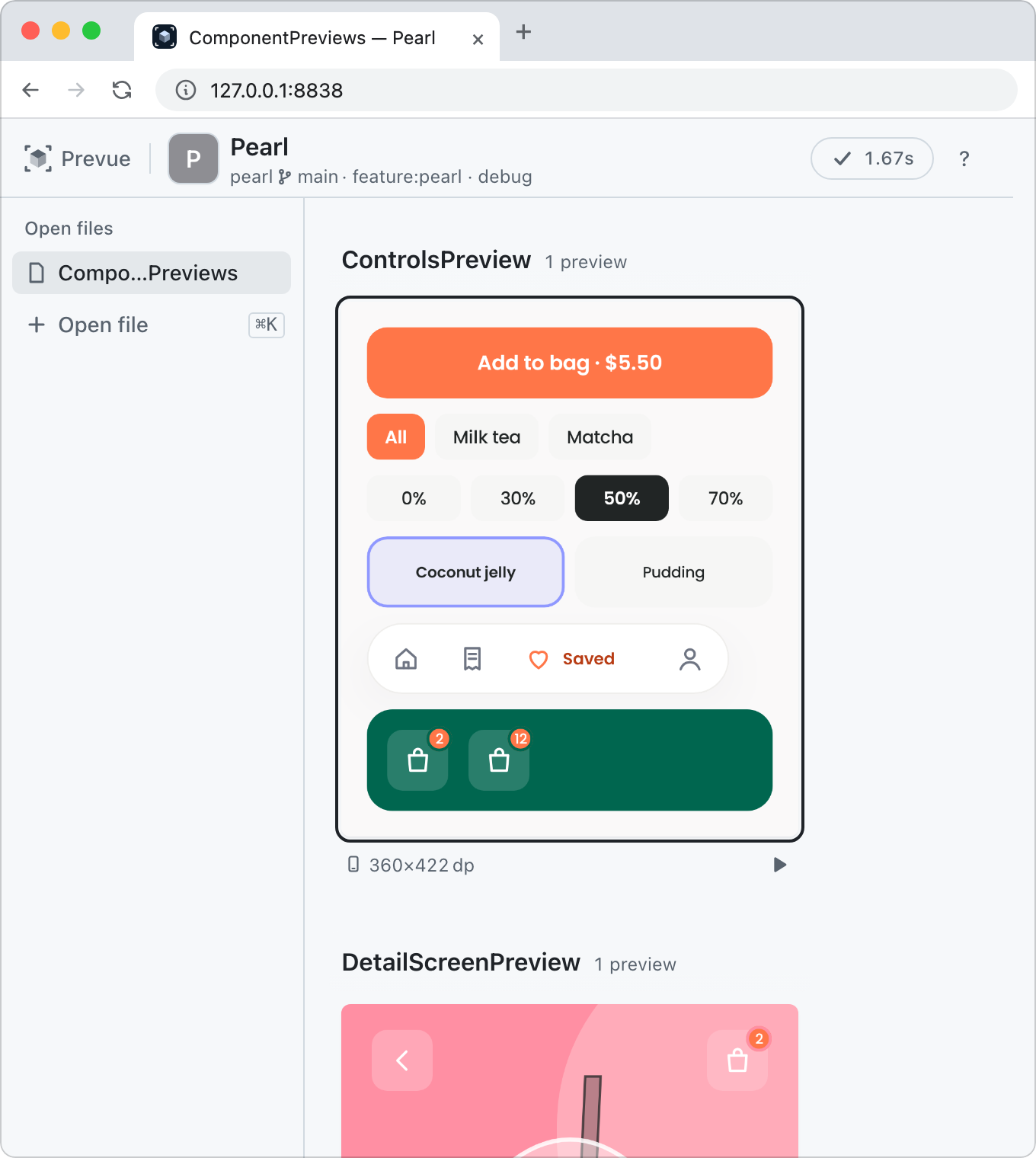
Left: Now in Android (Apache-2.0) · Right: Pearl, the sample app in fixtures/pearl
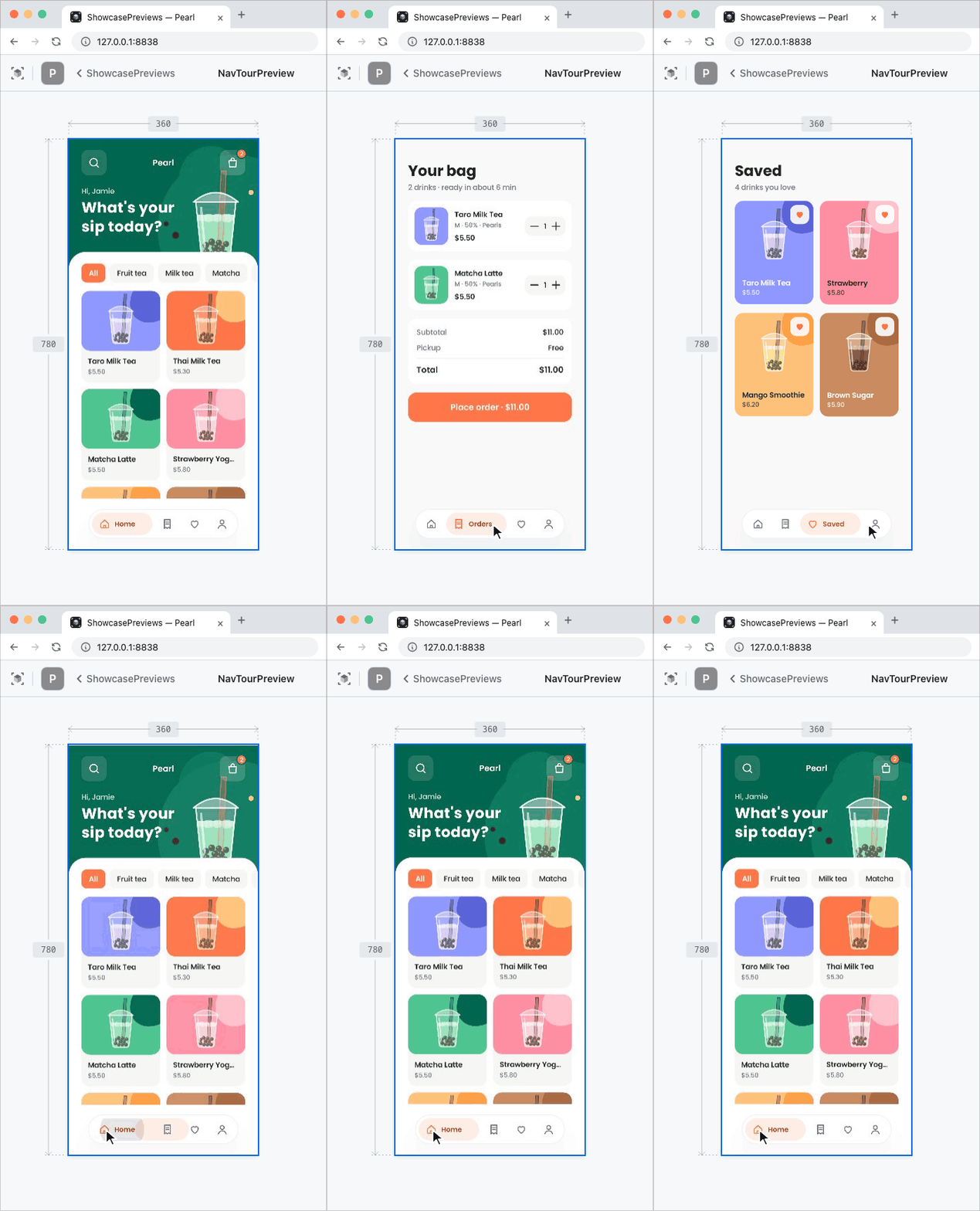
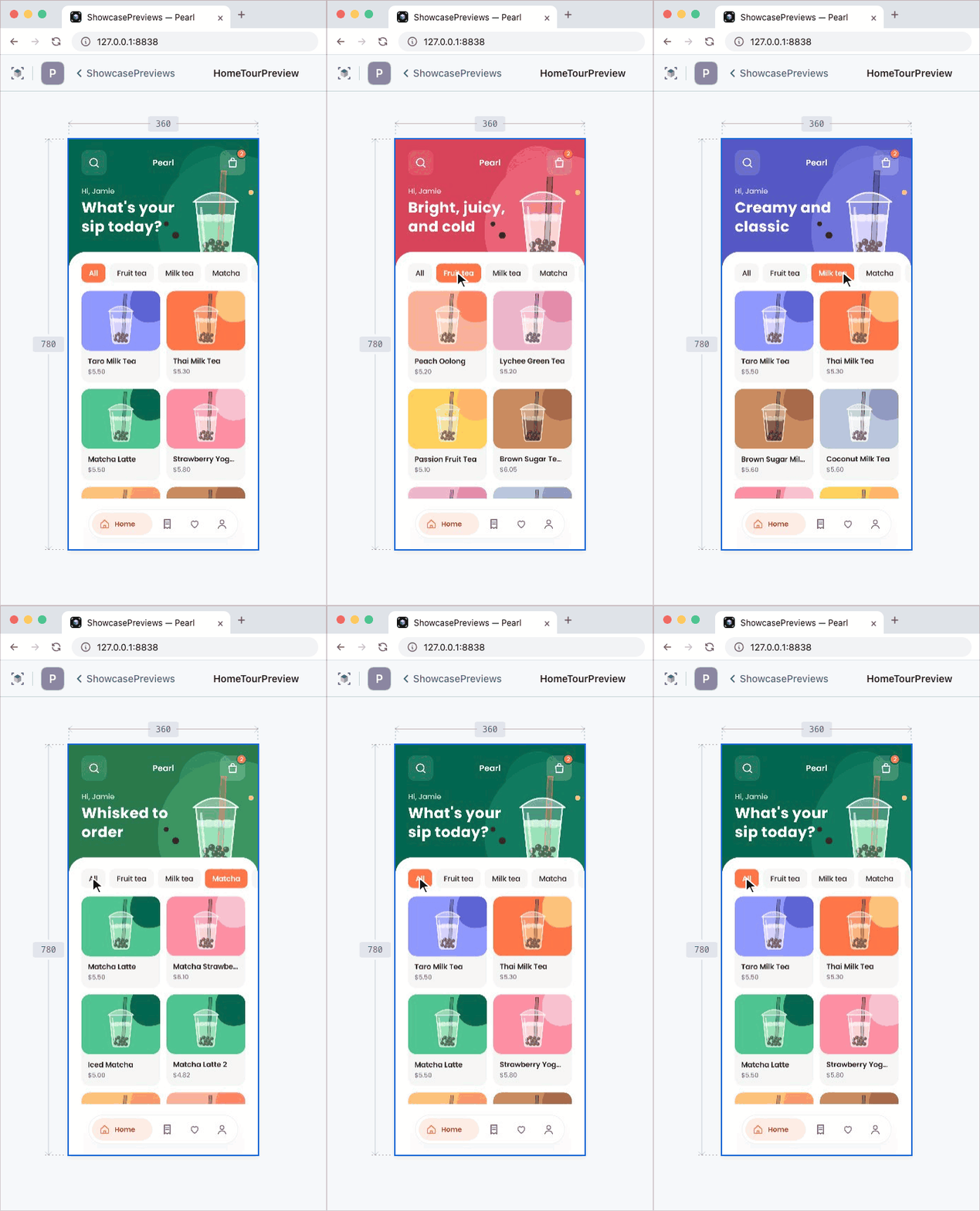
Interactive mode
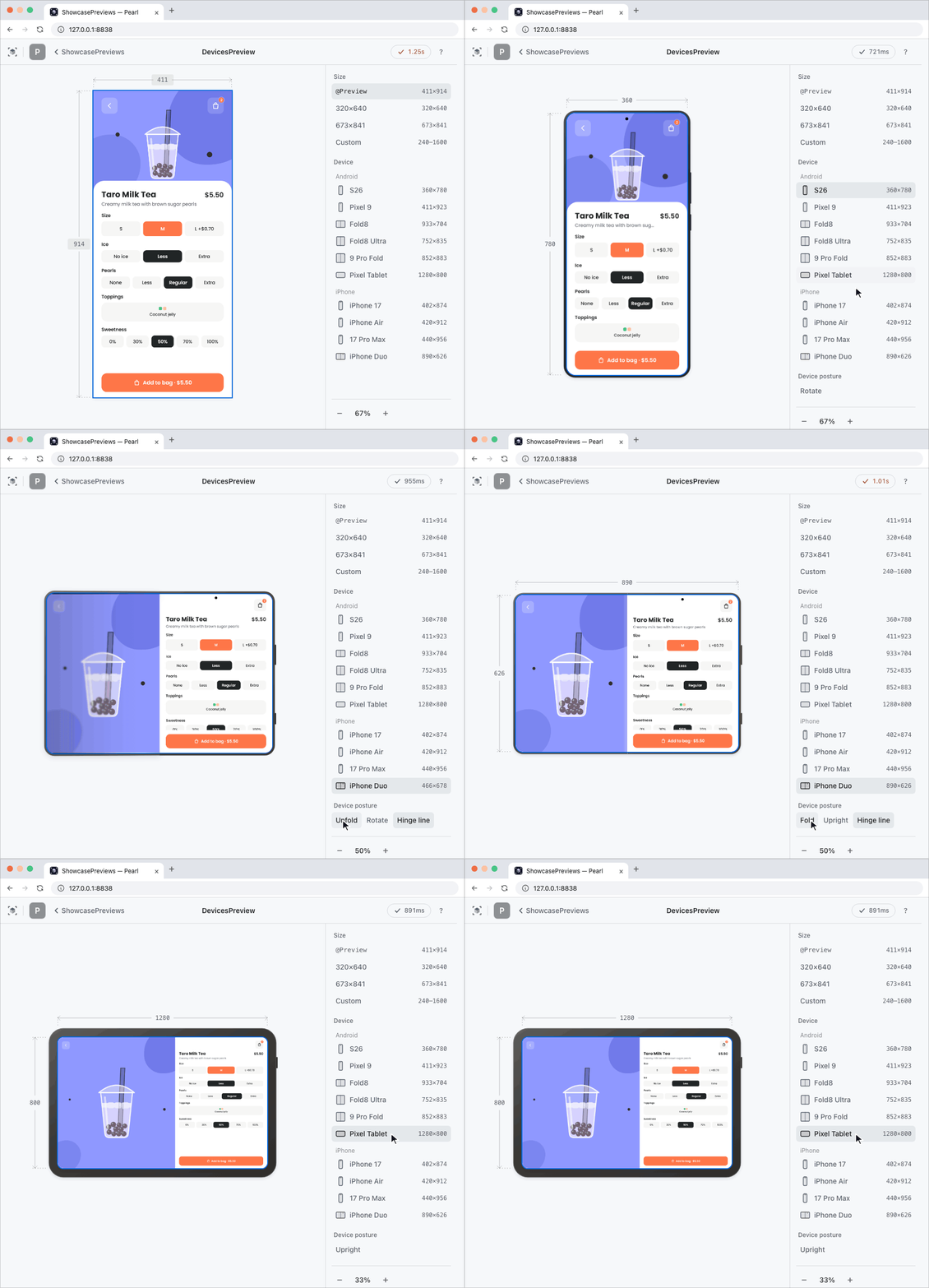
Press a card's ▶ to open it large. You can change the screen size or the device (six Android, four iPhone, foldables that fold) without touching the source.
Like Android Studio's Interactive Mode, click and drag to check motion and animations.
Quick open
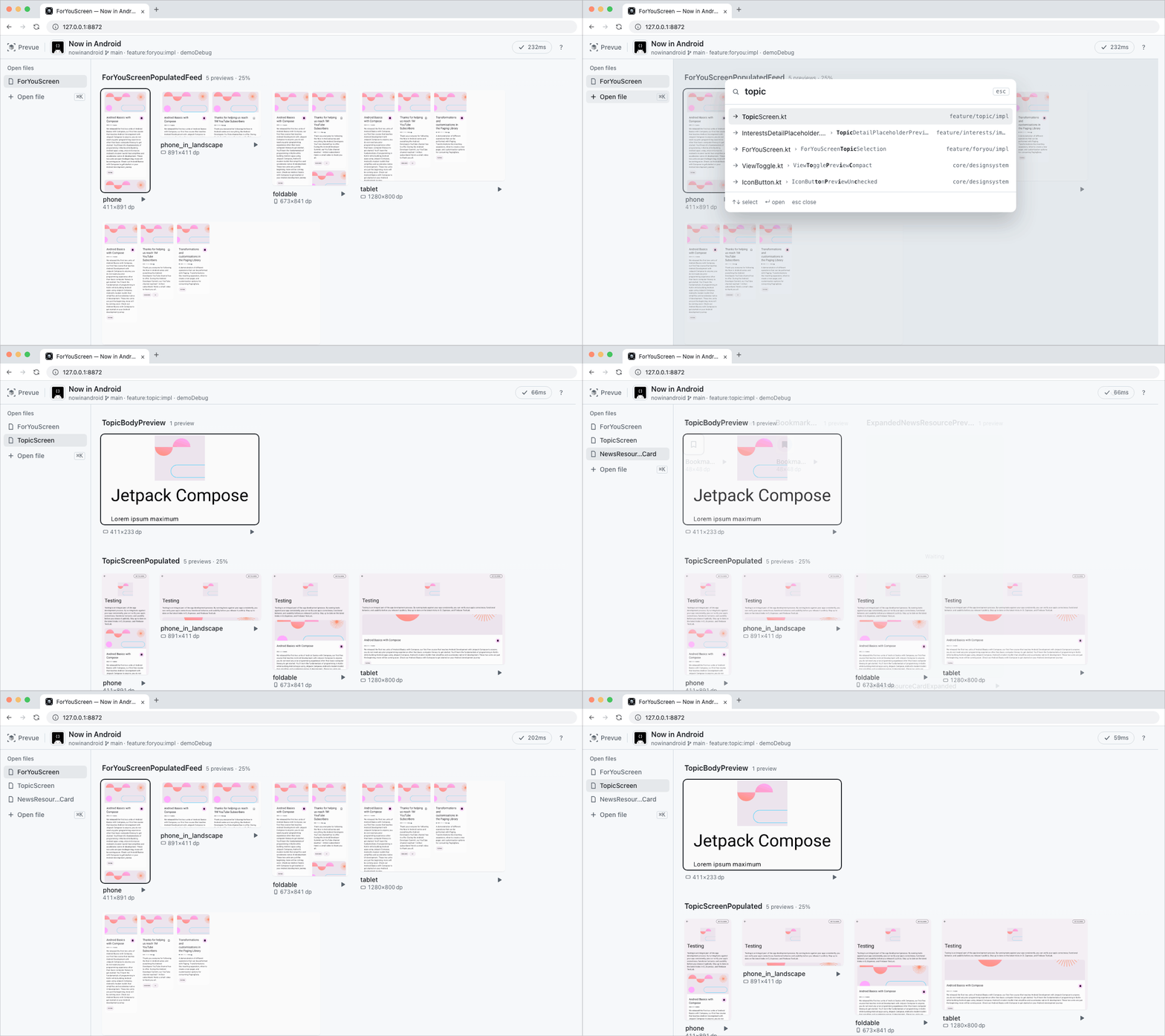
Switch between a screen file and its component files while you edit, and the open files stay in the list on the left. / or ⌘K finds a file by name, initials (fys → ForYouScreen.kt), or Preview function name.
Benchmark
Top, the same work in Android Studio and in Prevue. Bottom, how fast each kind of change shows up.
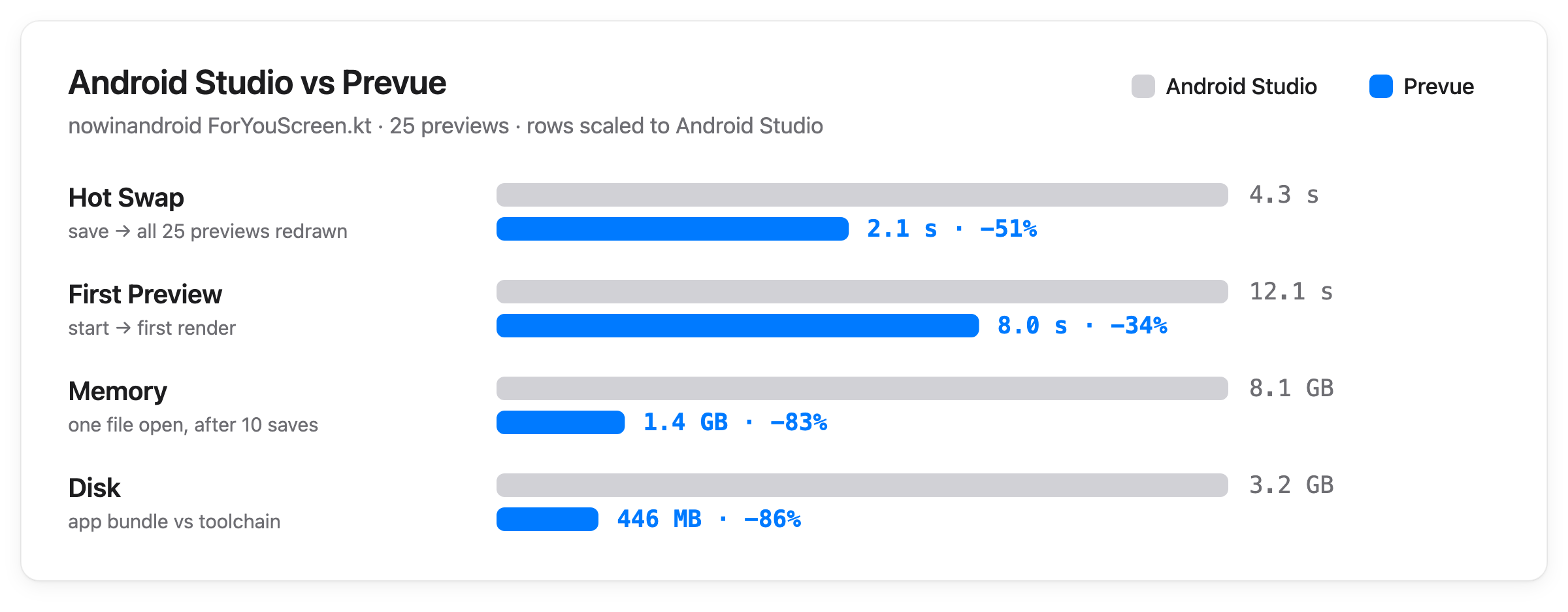
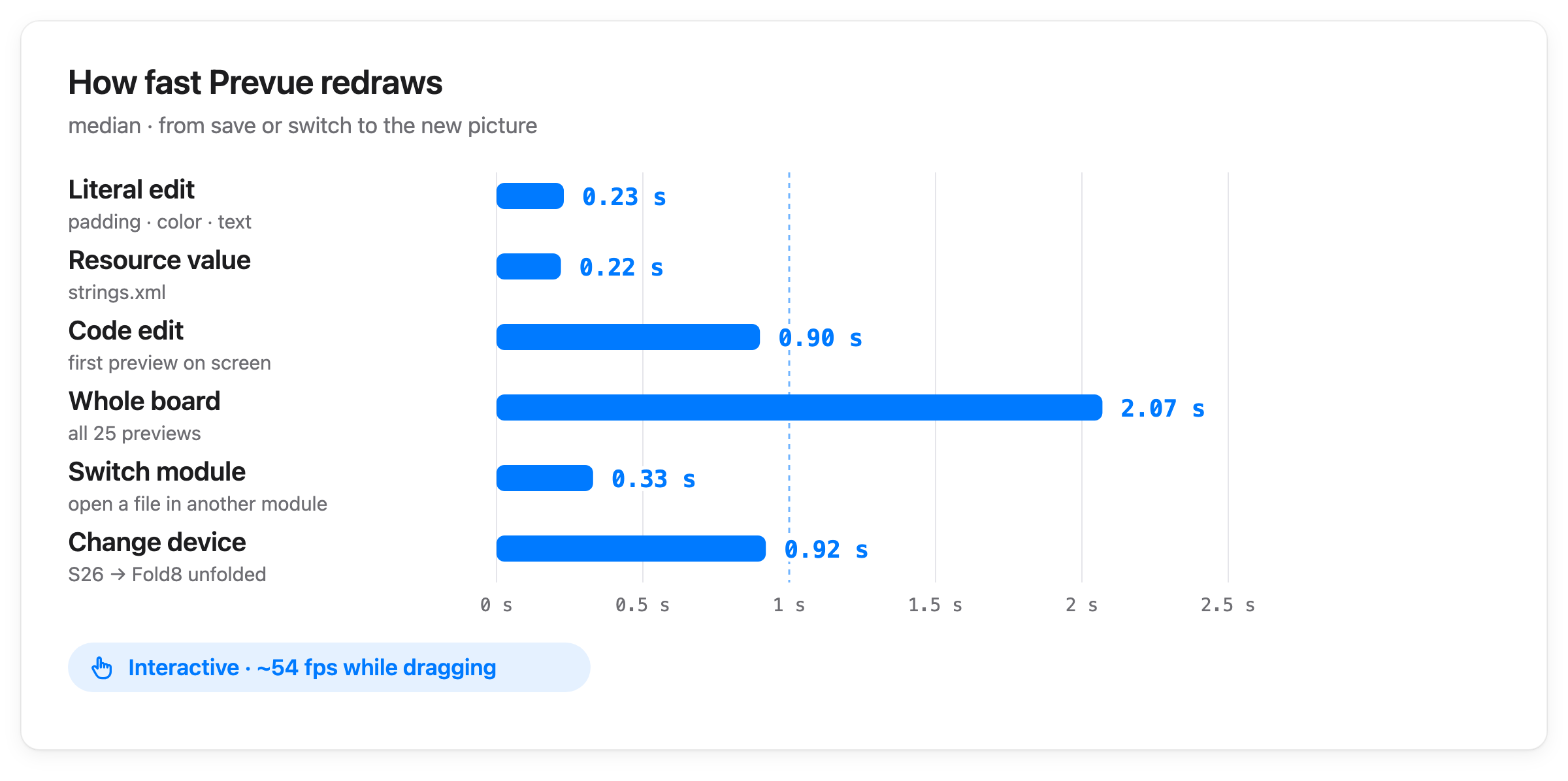
- Setup — Apple Silicon, 14 cores · 36GB RAM · nowinandroid
ForYouScreen.kt(25 Previews). Android Studio 2026.1.3 was measured on 2026-09-22 and Prevue (developfeb5c6e) on 2026-10-23. Prevue values are medians - Hot Swap — From save until all 25 show the new picture. The first one appears at 0.9 seconds
- First Preview — Android Studio from opening the project, Prevue from starting the daemon, until the first render finishes
- Memory — Android Studio is the IDE plus the Gradle daemon at one moment; Prevue is the memory use of its one daemon after 10 saves. Going back and forth between modules for a long time, it peaked at 1.6GB, and it shuts itself down after 10 minutes without use
- Disk — The Android Studio app bundle vs
~/.prevue/toolchain. With JDK 25 or later Prevue also keeps a class cache of about 200MB in~/.prevue/aotthat makes the daemon start faster - How fast Prevue redraws — Literal and resource-value saves skip compilation. Switching modules and changing devices are measured until the new picture is ready. Interactive is the frame rate on the viewer stream while dragging a feed
Commands
These are commands the agent calls, so you rarely type them. The executable is bin/prevue in the directory where the plugin is installed.
See every command and exit code with prevue --help, and each command with prevue <command> --help. Four are worth typing yourself.
| Command | What it does |
|---|---|
prevue open |
Reopens a closed viewer in the browser |
prevue stop |
Stops the daemon started in that repository (--all stops every running one) |
prevue log |
The daemon log — ask your agent to read it when you're stuck |
prevue paths |
Where the toolchain, dumps, and outputs live and how much space they take — for finding what to delete |
Supported
| Works | Doesn't work |
|---|---|
| Android modules (app · library) | Pure JVM modules |
| Debug-type variants. Picked by Android Studio's default Build Variants rules; ask your agent for another | Release variants |
Top-level @Preview functions. Multipreview and @PreviewParameter are expanded too |
Member Previews declared inside a class |
| Composables that draw without a real device | Previews that need a DI container or AndroidView — shown with the failure kinds DI · ANDROID_VIEW |
License
This software is licensed under the Apache 2 license, quoted below.
Copyright 2026 Kakao Corp. http://www.kakaocorp.com
Licensed under the Apache License, Version 2.0 (the "License"); you may not use this project except in compliance with the License. You may obtain a copy of the License at http://www.apache.org/licenses/LICENSE-2.0.
Unless required by applicable law or agreed to in writing, software distributed under the License is distributed on an "AS IS" BASIS, WITHOUT WARRANTIES OR CONDITIONS OF ANY KIND, either express or implied. See the License for the specific language governing permissions and limitations under the License.