
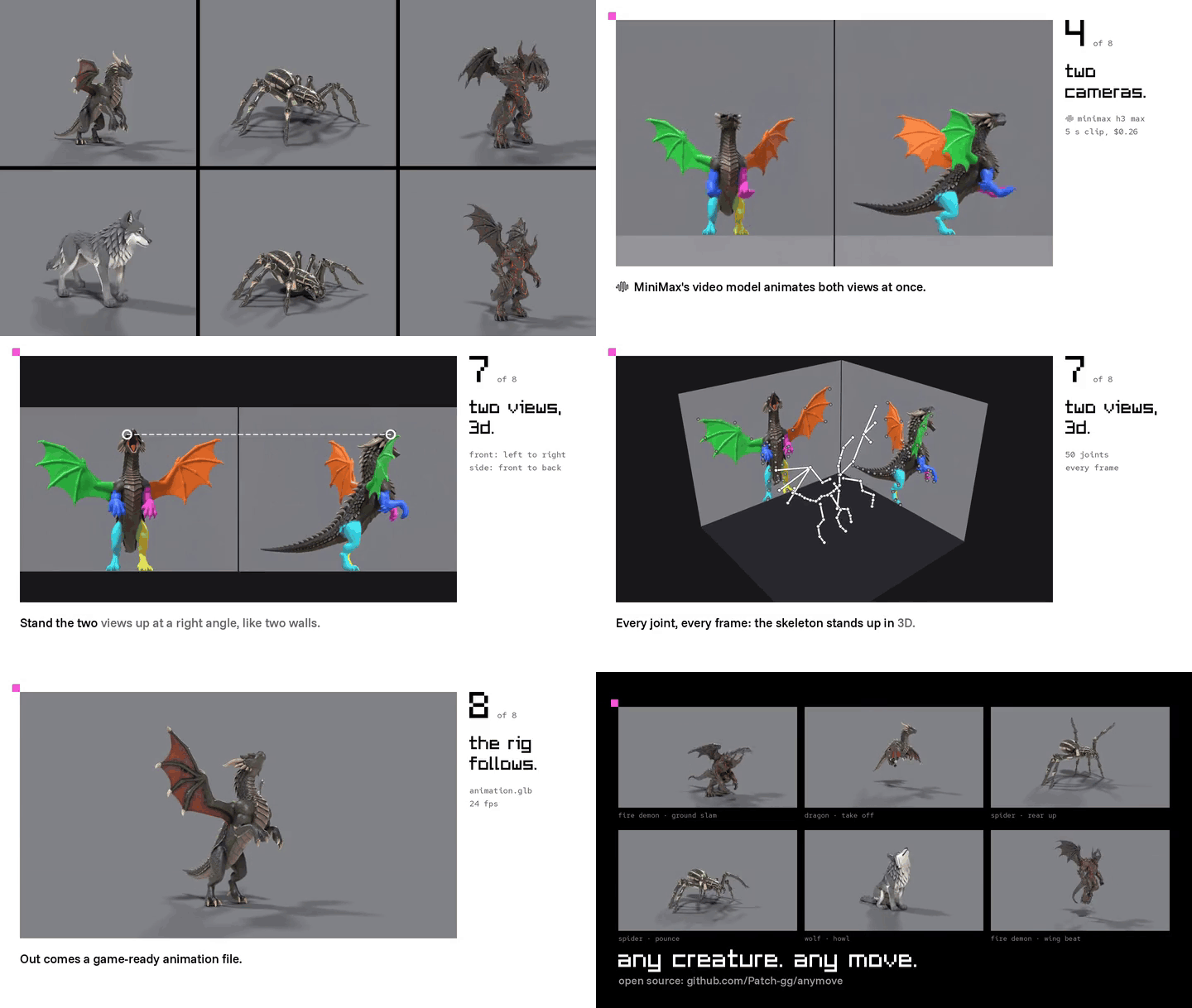
@patch_gg · dragon, giant spider, fire demon, wolf · one AI clip per move, $0.26 each, read and fitted in under a minute.
anymove turns one AI video into an animation for any rigged creature, wings, tails and eight legs included. A video model films the creature from two cameras in one frame, front on the left and side on the right. A joint reader trained on that one creature finds every joint in both views. A joint sits at the same height in both, so the pair pins it in 3D, and the rig is fitted to those joints frame by frame and exported as a GLB.
The method is @CanItCode's; the MiniMax H3 LoRA step is @Graalitoo's idea. This repo is our working version of both, with the agent skills to run it.
how it works.
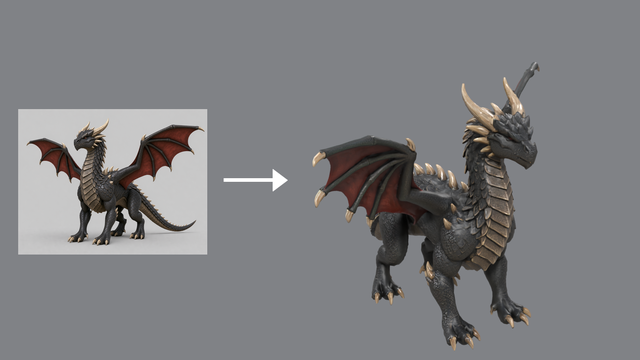 |
1 · a 3d model. One picture becomes a textured mesh at real size.   |
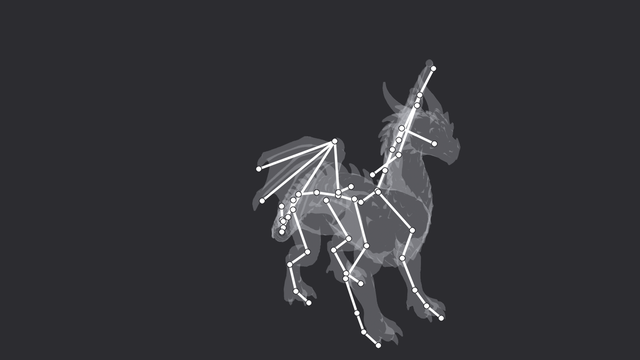 |
2 · a skeleton. Bones placed on grid views, skinned in  42 bones: legs, wings, tail |
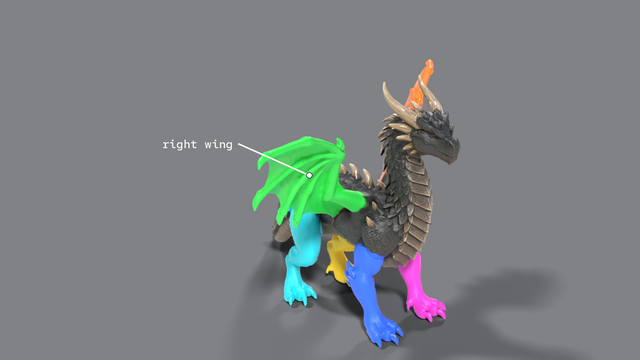 |
3 · limb colours. Every limb its own colour, so left and right never swap. 6 limbs, 6 colours |
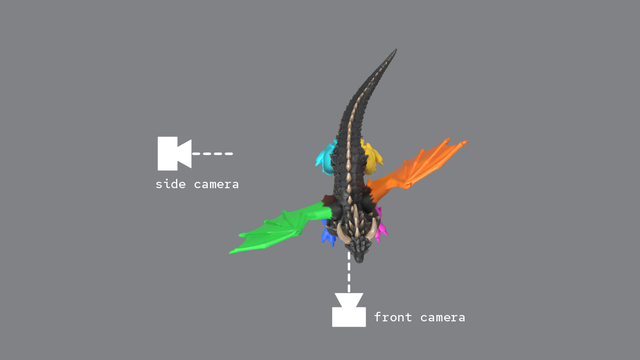 |
4 · two cameras. One camera at the front, one at the side, both views in one frame; a video model animates both at once from a prompt.   |
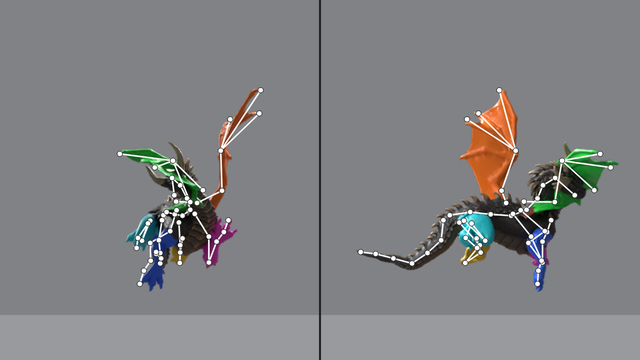 |
5 · teach a reader. A vision model learns this one dragon from random poses whose joints are known; its average miss falls from 40 px to 6 px.  |
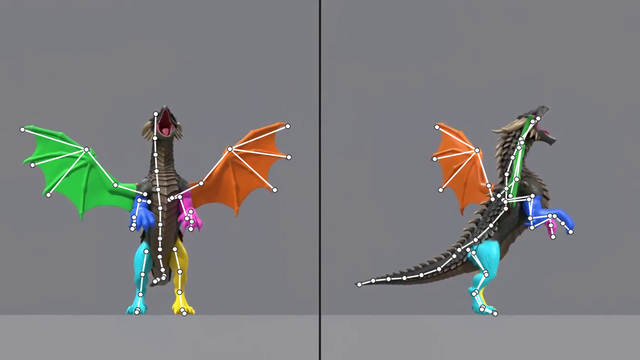 |
6 · read every joint. The reader finds every joint in both views, in every frame. 50 joints · 10 s a clip |
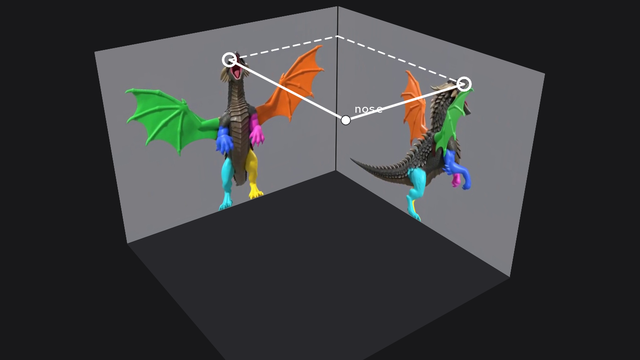 |
7 · two views, 3d. Stand the two views up as walls at a right angle: each joint is where its two lines meet. The front gives side to side, the side gives nose to tail. x from the front, y from the side, z from both |
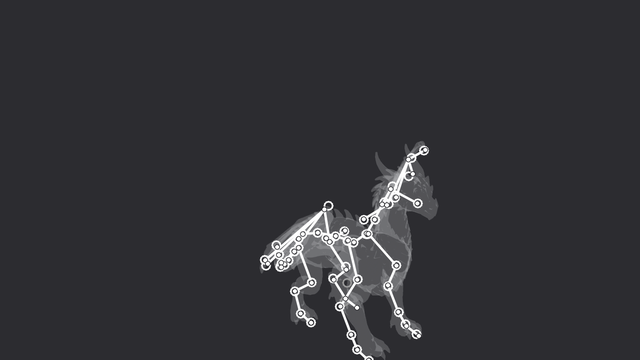 |
8 · the rig follows. The rig bends its bones onto the points, ignores the strays, and exports for any engine. glb, 24 fps, no hand edits · under a minute a clip |
docs/PIPELINE.md has the file-by-file version.
quick start.
You need an NVIDIA GPU with CUDA (24 GB to train a reader; reading and fitting need much less), Python 3.11,
Blender 5.x on your PATH (or BLENDER=/path/to/blender), and a fal key
to make new clips.
git clone https://github.com/Patch-gg/anymove && cd anymove
python3.11 -m venv .venv
.venv/bin/pip install torch==2.11.0 --index-url https://download.pytorch.org/whl/cu128
.venv/bin/pip install -r requirements.txt
cp .env.example .env                                  # then add your FAL_KEY; git ignores .env
Fit the dragon's roar on the CPU, no Blender or downloads needed. The repo carries the joints its reader found in the clip; this fits the rig to them (about 20 seconds) and prints how well the two views agree:
mkdir -p runs/dragon/clips/roar
MOCAP_CREATURE=assets/dragon .venv/bin/python -m mocap.solve examples/dragon_roar/det.npz \
  assets/dragon/rigged/rig_info.json runs/dragon/clips/roar/motion.json
The whole capture, from the AI clip to a GLB, with an example creature's mesh, trained reader and clip from the release (13 MB mesh, 355 MB reader, 4 MB clip):
tools/fetch_examples.sh dragon --readers --clips
tools/prep.sh dragon && tools/rig.sh dragon          # real size, skeleton, skin, limb paint, reference frame
tools/capture.sh dragon runs/dragon/videos/roar/s1/h3max.mp4 roar
# runs/dragon/clips/roar/render/animation.glb, and showcase.mp4 to compare it with the clip
A new move for the same dragon (two clips, about $0.52 on fal):
.venv/bin/python tools/make_prompt.py assets/dragon "the dragon whips its tail from side to side, then stands still." prompts/dragon/tailwhip.txt
tools/film.sh dragon tailwhip h3max 1,2
tools/capture.sh dragon runs/dragon/videos/tailwhip/s1/h3max.mp4 tailwhip
your own creature.
Copy the closest example in assets/ (wolf: four legs; dragon: four legs and wings; spider: eight legs; demon: two
legs, two arms, wings and a tail), put your mesh at assets/<name>/model.glb, and work through:
tools/prep.sh <name>              # set "prep" in creature.json first: real size, facing -Y
# place joints in assets/<name>/rig.json on the grid views; check with: tools/rig.sh <name> preview
tools/rig.sh <name>               # build, skin, paint, reference frame
tools/dataset.sh <name>           # 2,200 random poses, about 25 min
tools/train.sh <name>             # the joint reader, about 20 min
tools/film.sh <name> <move>       # after tools/make_prompt.py writes prompts/<name>/<move>.txt
tools/capture.sh <name> runs/<name>/videos/<move>/s1/h3max.mp4 <move>
The skills below walk an agent (or you) through each step, with the checks that tell a good capture from a bad one.
agent skills.
anymove is a Claude Code plugin and its own marketplace:
/plugin marketplace add Patch-gg/anymove
/plugin install anymove@anymove
| skill | for |
|---|---|
anymove |
the method, setup, which step comes next, costs |
anymove-rig |
mesh, facing and scale, placing joints in rig.json, building and painting the rig, framing |
anymove-film |
writing the prompt, generating clips on fal, checking them before capture |
anymove-reader |
rendering the dataset, training the reader, the exam in centimetres |
anymove-capture |
reading, fitting, the quality gates, fixing bad fits, showcase renders |
anymove-lora |
training and testing the MiniMax H3 LoRA on fal |
They're plain Agent Skills (skills/<name>/SKILL.md), so other agents can load them from that
folder too.
results.
| creature | skeleton | reader error, front / side (px) | how well the views agree (1 = same footfalls) |
|---|---|---|---|
| wolf, 1.6 m | 30 bones, 36 joints | 6.9 / 3.8 | trot 0.94 · exam: 0.94 cm mean 3D joint error |
| dragon, 3 m | 42 bones, 50 joints, wings | 6.2 / 5.5 | take off 1.00, roar 0.93, swipe 0.85, walk 0.81 |
| giant spider, 2.4 m span | 28 bones, 40 joints, 8 legs | 2.9 / 3.6 | rear up 0.99, bite 0.96, pounce 0.89 |
| fire demon, 3.6 m | 38 bones, 46 joints, wings, tail | 8.4 / 9.4 | wing beat 0.99, slam 0.84, roar 0.73 (feet planted) |
Reader error is the held-out mean on the 720-row frame; the demon stands 412 px tall, so its 8.4 px is about 2% of its height. Every clip in the table is MiniMax H3 Max. The exam renders a made-up motion with known joints in the same studio and reads it back.
what it costs.
| a mesh, Tripo H3.1 with HD texture | $0.40 |
| a 5 s two-camera clip, MiniMax H3 Max | about $0.26 (H3: $0.30) |
| training renders, 2,200 poses x 2 views | about 25 min on one RTX 4090 |
| the joint reader, 20 epochs | 17-20 min, 12 GB |
| reading a clip / fitting it | 10 s / under a minute (20 s for the dragon's roar on a CPU) |
| the H3 LoRA, 1,200 steps on fal | about $12, about 2 h |
Prices on fal as of October 2026.
limits.
- Eight-legged walking doesn't fit. The two views disagree about which legs are up (0.36-0.49). Big single gestures work best: rearing, roaring, slamming, taking off, pouncing.
- Lying down doesn't fit. The reader learns from random poses inside the joint limits, which don't include lying on a side; the wolf's death and lie-down clips failed.
- Skeletons are placed by hand on grid views (
tools/prep.sh,tools/rig.sh preview). UniRig could do it; its install pulls prebuilt flash-attn wheels. - Video models drift. Plain MiniMax H3 swapped the limb colours on 2 of 5 wolf clips; with the LoRA, 0 of 5 (one seed per move: a first read, not a benchmark). Seedance 2.5 played the views out of step on a trot.
- The LoRA's data is AI-derived. Its training clips re-render motions solved from AI clips, so the halves are in sync by construction but the motion itself is AI-made. Real dog mocap exists (AI4Animation) under a non-commercial licence.
- Ground contact is wolf- and dragon-shaped. The solver's ground term knows paw names
fpaw,ftoe,hpaw,htoe; other creatures fit without it. - Fur and cloth need extra bones: springs (
apply_motion.py --springs) or tracked tips (the wolf's tracked fur read 7-28° swings from the video).
licence.
Apache-2.0, see LICENSE. The Patch name, mark, wordmark and Patch Pixel belong to Patch and aren't covered
by it. Other companies' marks in this README belong to their owners and are shown only to credit their tools (icons
from lobe-icons, MIT, and Simple Icons, CC0).
MiniMax H3's open weights carry a community licence and hosted use on fal goes through fal's terms: check both before
shipping what you make with them. The wolf LoRA in the release (lora-wolf-twocam-h3.safetensors) is a LoRA on
MiniMax H3, so MiniMax H3's community licence applies to it, not Apache-2.0.
credits.
- The two-camera method is @CanItCode's, and the H3 LoRA step is @Graalitoo's.


- Made by Patch (@patch_gg).
