Toonify MCP
English | 繁體中文 | 日本語 | Español | Français | Deutsch | 한국어 | Русский | Português | Tiếng Việt | Bahasa Indonesia
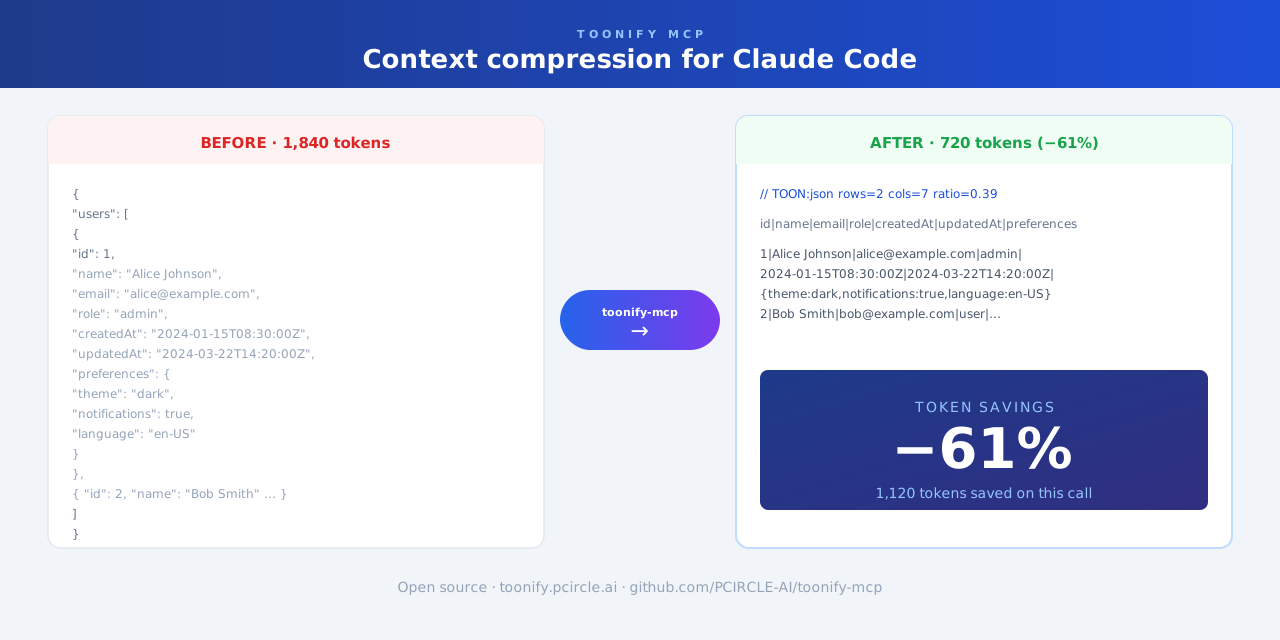
Context compression plugin for Claude Code. Automatically trims large tool output—JSON, YAML, stack traces, and logs—before it enters the context window.
Works as a Claude Code plugin (automatic, zero-config) or as an MCP server (on-demand).
Features
- Compresses large JSON, YAML, and API responses
- Reduces long test failures and stack traces
- Runs automatically in the background—no change to your Claude Code workflow required
Limitations
Skipped for short text, very small files, and content where exact original formatting must be preserved.
Installation
git clone https://github.com/PCIRCLE-AI/toonify-mcp.git
cd toonify-mcp
npm install
npm run build
npm install -g .
toonify-mcp setup
toonify-mcp doctor
toonify-mcp setup adds the local marketplace and installs, updates, or re-enables the plugin automatically.
Check status
toonify-mcp status
MCP mode (optional)
toonify-mcp setup mcp
claude mcp list
claude mcp list should show toonify: toonify-mcp - ✓ Connected.
Pipe filter (any agent CLI)
toonify-mcp compress reads stdin, compresses what's safe to compress (JSON/YAML → TOON, repetitive logs collapsed; source code, prose, and precision-sensitive numbers pass through untouched), and writes to stdout. It never breaks a pipe — when compression doesn't apply, the input comes out byte-for-byte.
curl -s https://api.example.com/users | toonify-mcp compress
This works with any agent CLI, because output is compressed before it enters the model's context. To have an agent adopt it, add a rule to your project's agent instructions (e.g. AGENTS.md):
When a command is likely to print large JSON/YAML or long logs,
pipe it through `toonify-mcp compress` (e.g. `curl ... | toonify-mcp compress`).
It only rewrites output it can compress losslessly; everything else passes through.
OpenAI Codex CLI (on-demand)
toonify-mcp setup codex
Registers toonify as an MCP server in ~/.codex/config.toml (a timestamped backup of the file is made first). Codex can then call the optimize_content tool on demand.
Note: on Codex this is on-demand, not automatic — Codex's hooks cannot yet replace tool output the way Claude Code's updatedToolOutput does, and appending a compressed copy would grow context instead of shrinking it. For automatic compression on Codex, use the pipe filter above.