Agent Plugins
dsh-agent-plugins-market
A one-stop skills, subagent, MCP and LSP manager inside DeepSeek Harness (DSH).
Run Claude Code, Codex, Cursor, Kimi and agent-plugins suites inside DSH. The plugin reads each layout in place, so you convert no manifest and copy no file. Install it from the DSH Web GUI, then manage skills, commands, agent personas, MCP services and LSP servers in one workspace.
If this plugin is useful to you, a ⭐ on GitHub is appreciated.
English | 简体中文 | Documentation | npm


Quick start · Highlights · Everyday use · Compatibility · FAQ
Pages
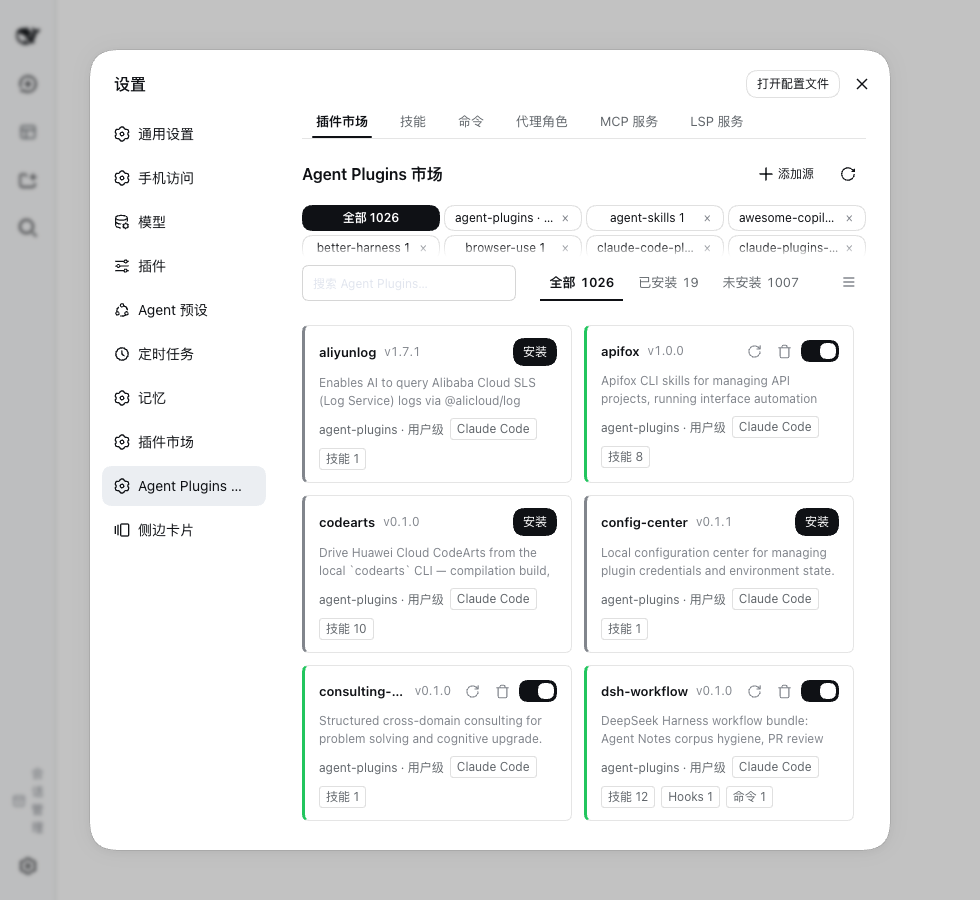 Market Add sources, preview suites, install and enable. |
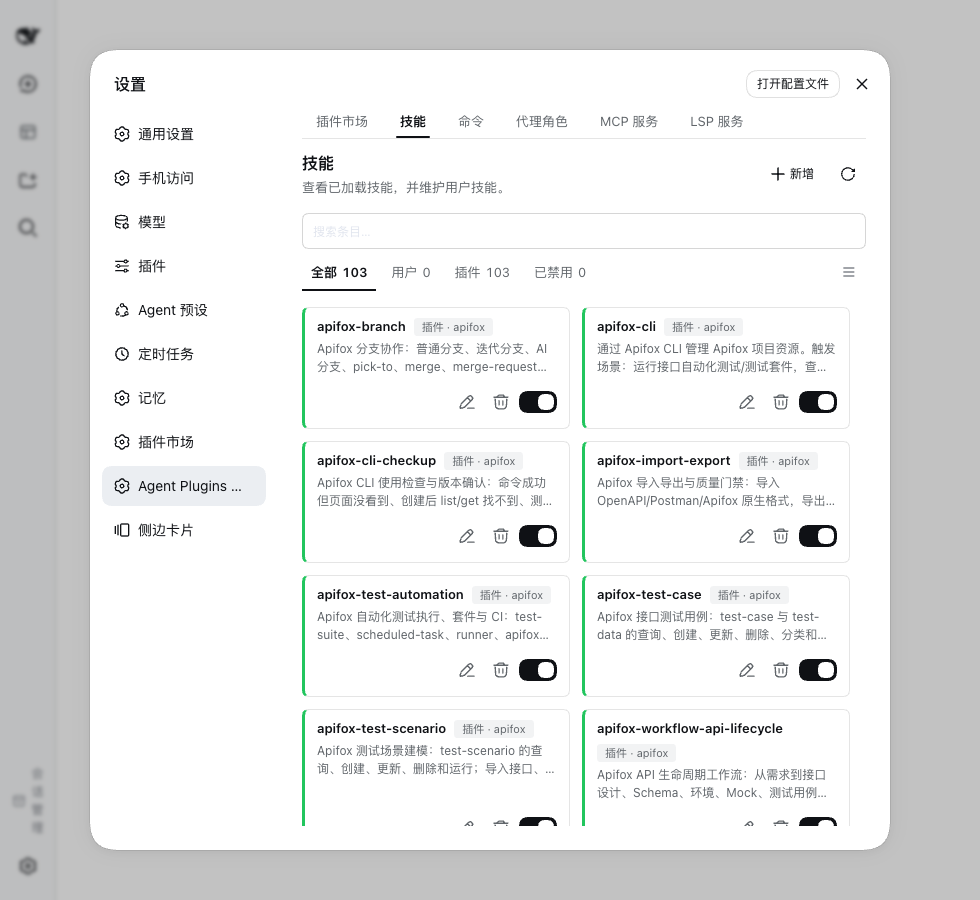 Skills Browse skills and author your own. |
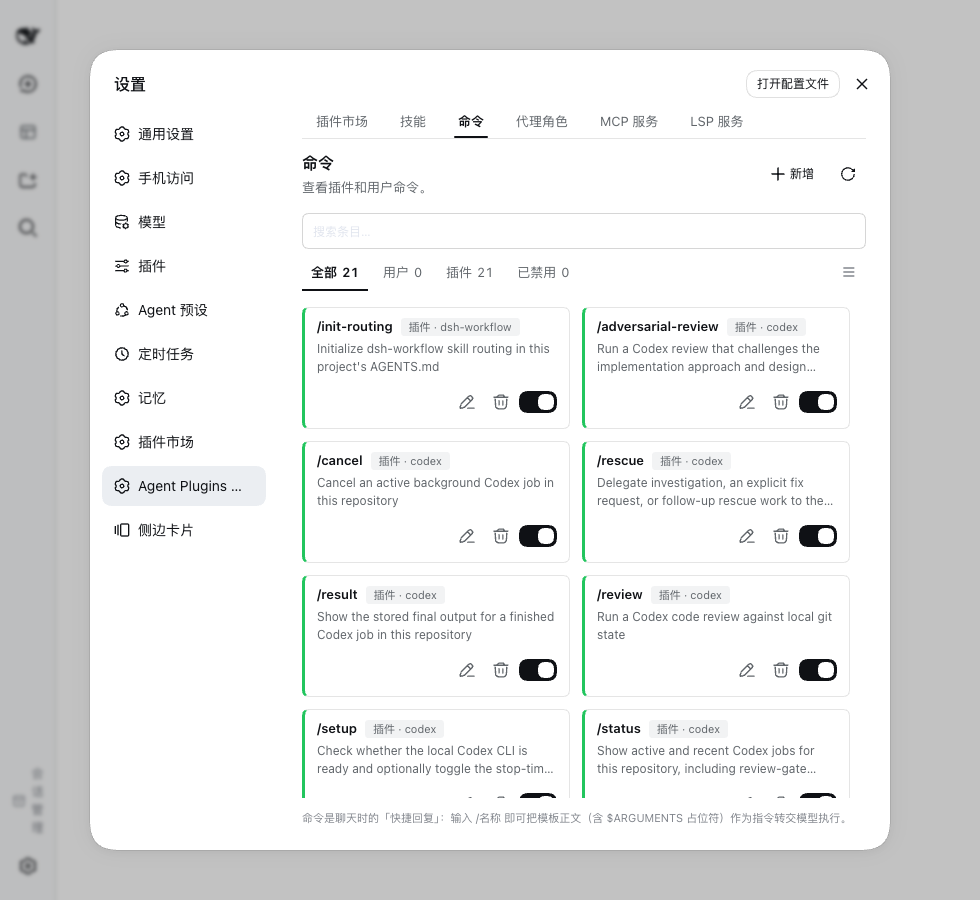 Commands Manage prompt templates invoked as /name. |
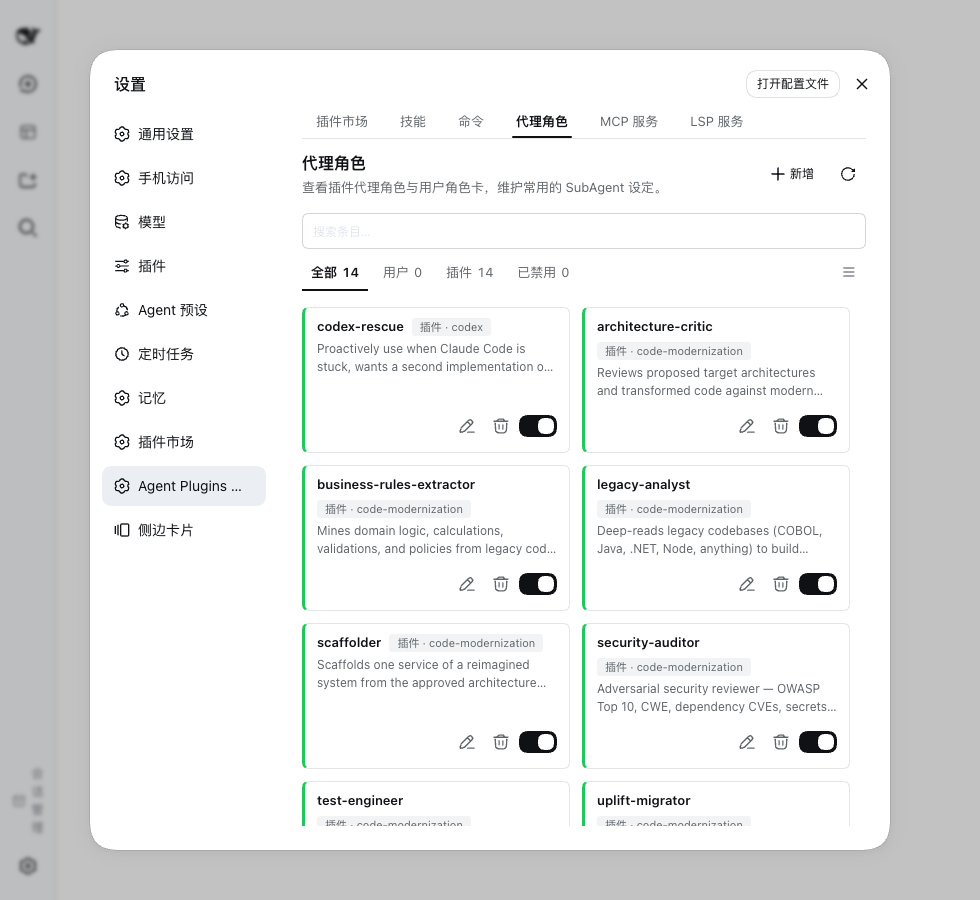 Agent personas Roles with an exact provider, model and effort. |
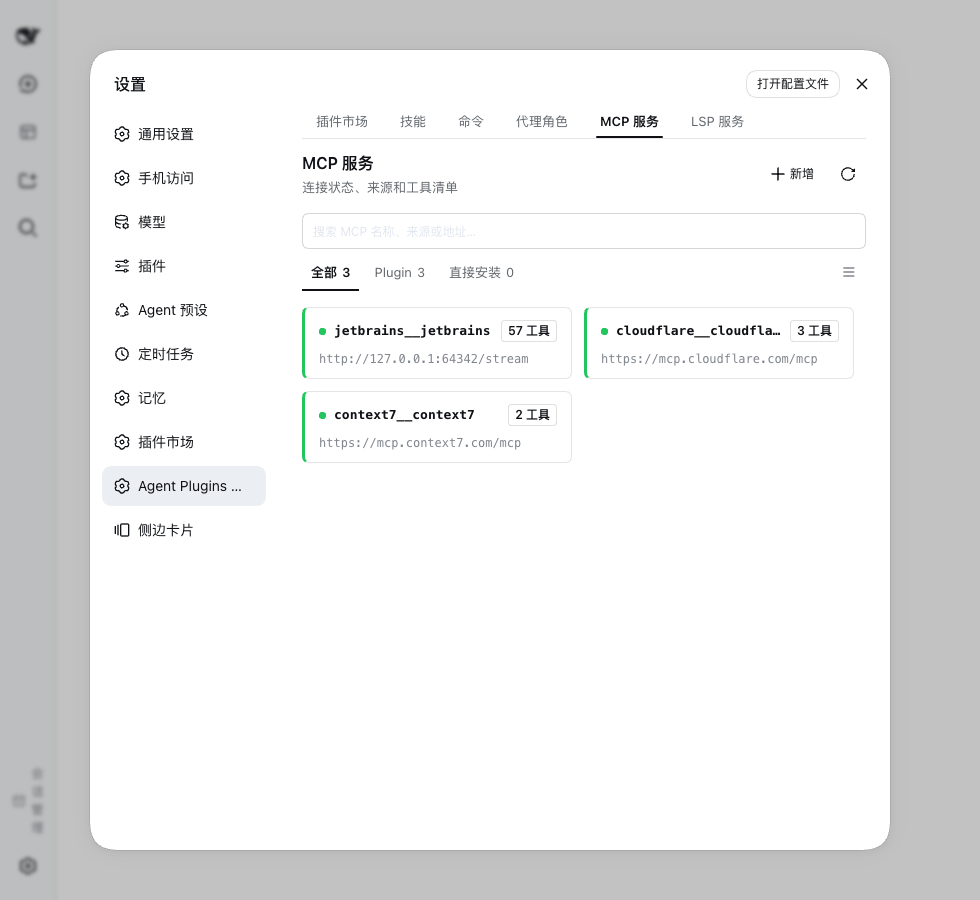 MCP services Credentials, authorization and connection status. |
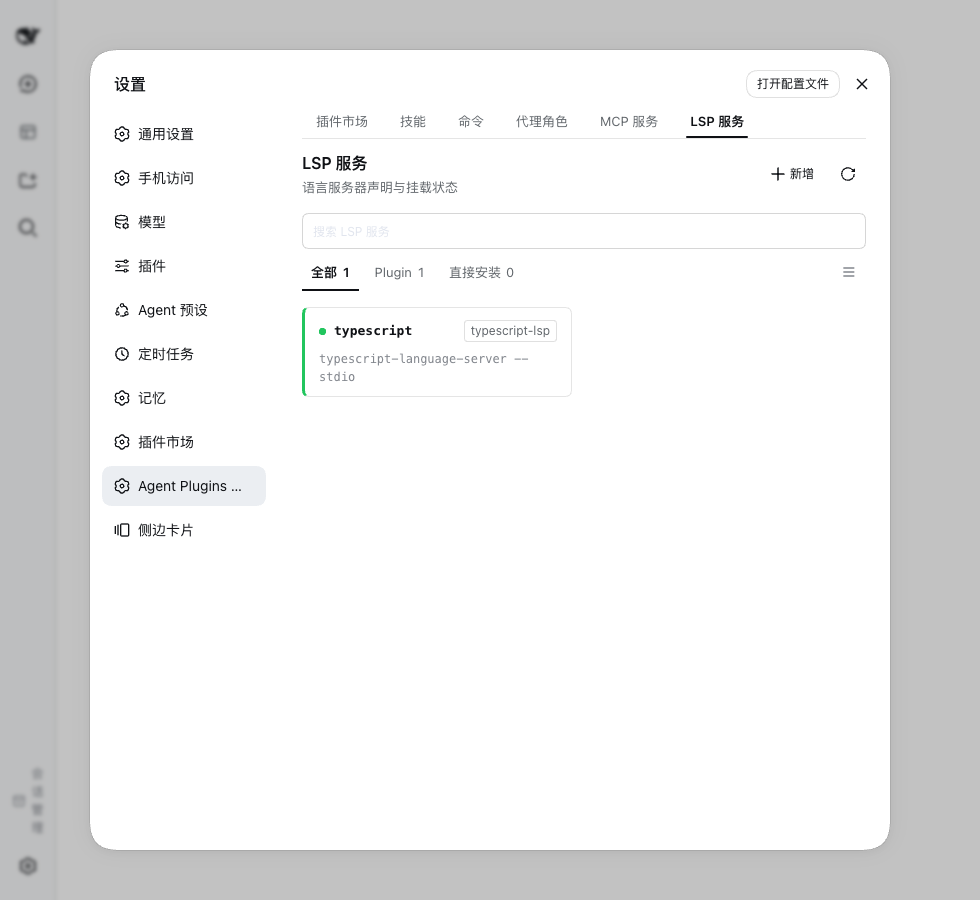 LSP servers Language server configuration and runtime status. |
Quick start
- In the DSH Web GUI, open Plugins in the sidebar.
- Press Add plugin, type
dsh-agent-plugins-market, then install it. The same dialog accepts a repository URL or a local directory. - Restart DSH, then open Settings → Agent Plugins.
- The market already lists one first-party source. Press Refresh to fetch its suites. To bring in more, add a source such as
https://github.com/anthropics/claude-plugins-official. - Open a suite, review its contents, then install it and keep it enabled. Skills appear in the Skills tab and in the
/menu. Answer any credential notice on MCP services before you use that suite's tools.
Terminal alternative: dsh plugin --profile <name> add dsh-agent-plugins-market. Requirements, profile configuration and other install options live in the install guide.
Highlights
Core
- Any skill repository works. Add a Git URL whose repository holds
skills/<name>/SKILL.mdand the market discovers it as a suite. No manifest, no conversion, no file copying. - Ten suite layouts. Claude Code, Codex, Cursor, Kimi Code, ZCode, Qoder CLI, GitHub Copilot CLI, Universal
.plugin/, agent-plugins and manifest-less skill collections. - Sources and downloads. Add a Git repository, a local directory or an archive, adopt a checkout you cloned yourself, and refresh on demand. Pick a global or China mainland mirror, and refresh every source on a 6-hour timer if you want.
- Runtime injection. Enabled suites add skills to the catalog and slash menu, commands as
/name, agent personas to the subagent catalog, MCP tools asmcp__*, hooks to lifecycle events, and language servers to thelsptool. Installing the plugin is the whole LSP setup. - One workspace. Seven tabs cover the market, the resources you author, and the services that run. Every tab has search, filters and a grid or list view.
Advanced
- MCP OAuth with nothing to declare. A remote MCP server that answers
401starts RFC 9728 discovery, dynamic client registration and PKCE authorization in your browser, and the granted token persists. OAuth is on by default, so a suite needs no declaration for it. - Per-server MCP control. Override a declaration without editing its source, switch one tool off, and set the tool-call and startup timeouts.
- Project and personal resources. Turn on Scan project Agent layouts to read skills, commands, roles, MCP servers and hooks from the project's own directories. Author your own under
~/.agents/as Markdown, and disable a resource without deleting its file. - Per-workspace control. Each workspace switches the six mounted surfaces off or on, keeps its own resource filters, and saves a resource-window setup as a favorite that works across projects.
- Hooks you can read and try. A hook row opens a declaration card with its event, matcher and timeout, plus a dry run in your home directory.
- Bilingual by default. The interface and the injected prompts follow the host language. Descriptions and documents show the original, a translation or both, and stay cached until you clear them.
Everyday use
The workspace has seven tabs:
| Tab | Use it to |
|---|---|
| Market | Add sources, preview suites, install or remove them, and switch them on or off. |
| Skills | Browse skills and create or edit your own reusable instructions. |
| Commands | Manage prompt templates invoked as /name. |
| Agent personas | Save role instructions and model settings, then delegate to them. |
| MCP services | Add a service or configure an installed one, its credentials and its authorization. |
| LSP servers | Add and configure language servers, and read their runtime status. |
| Hooks | Read each configured hook with its event, matcher and timeout. |
A source is where content comes from. A suite is an installable unit discovered there. Adding a source discovers its suites. Enabling a suite turns its runtime capabilities on.
Your own content lives under ~/.agents/: skills, commands and personas as Markdown, hooks in hooks.json, and the MCP and LSP services you add in mcp.json and lsp.json. Project-native resources stay in the project. See storage and discovery.
Compatibility
The plugin reads ten layout dialects and maps six runtime surfaces. Per-layout support and the manifest priority order are on the compatible plugins page. Evidence: the layout audit and the compatibility report.
Reading a layout does not guarantee every behavior of its original platform. Invalid declarations are diagnosed and skipped, never half-mounted.
FAQ
Why is an installed skill or tool missing?
Check that the suite and the relevant capability are enabled. The MCP and LSP panels report failures and missing credentials. Project resources also need the project-scan switch.
Where do I configure MCP tokens?
Open the service in MCP services. Missing environment references show needs-credentials. Host-managed credentials are write-only.
Do sources refresh automatically?
Only with Background source updates on. It refreshes every configured source every 6 hours, starting one interval after you enable it. The refresh button always works.
Does removing a source delete its files?
Only when you tick also delete the managed market directory in the confirmation. A local-directory source outside .sources/ is never deleted.
More questions: FAQ.
Documentation
- Install guide: prerequisites and the first suite, step by step.
- User guide: one page per task, from installation to the workspace.
- Compatible plugins: layouts, precedence and verified samples.
- Plugin specifications: per-dialect reference schemas and the
com.deepseek.harnessnamespace. - Contributing · Security · Changelog · License.
- Domain glossary · Agent roles · Release process.
Community
Scan the QR code to join the dsh-agent-plugins-market WeChat group, where we answer questions and take feature requests.