dsh-files
One package, one line of cordis config. A composer paperclip for uploads, a document-reading tool for the model, and native image support that hands JPEG/PNG/WebP/GIF to any vision-capable model.
DeepSeek Harness dual-face plugin. Three capabilities:
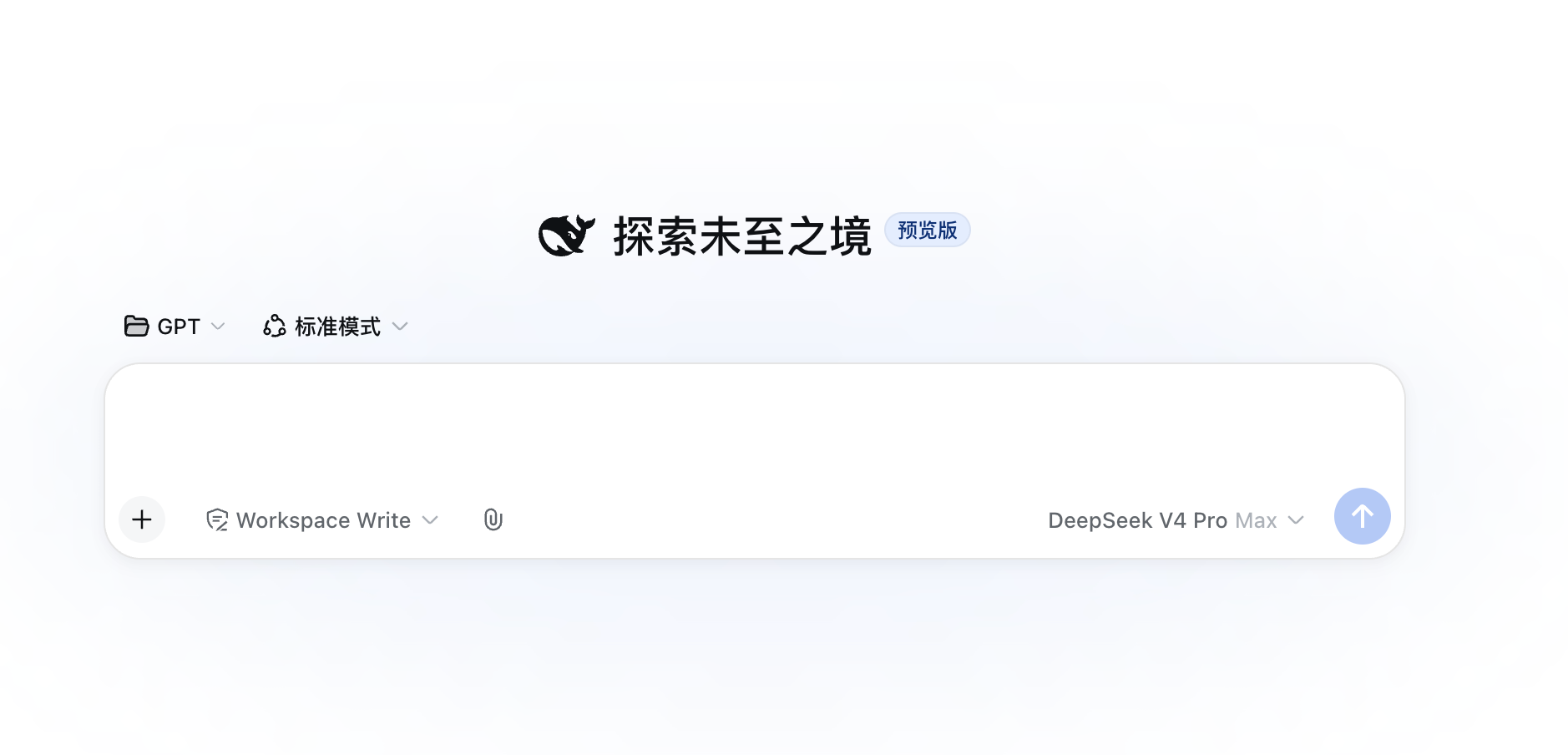
- Upload — paperclip button, folder button, and drag-and-drop anywhere;
@file candidates; local session-isolated storage with TTL sweep and sha256 dedup. Files are written under<session-workdir>/.dsh-filess/<sessionId>/so the agent's fs backend can always resolve them. - Native images — JPEG/PNG/WebP/GIF uploads are handed to the harness core attachment pipeline (
ctx.attachments→ base64image_url), so any model that declares animageinput modality actually sees the picture, rendered through the stock native image rail. - Document reading — the
read_documenttool reads text / PDF / DOCX / XLSX with content sniffing, encoding fallback, paged reads, per-sheet XLSX access, an LRU parse cache and cooperative cancellation.
Features
Upload
- Three entry points: a paperclip button in the composer toolbar for multi-select files, a folder button for an entire directory (the browser flattens the tree and preserves relative paths per sub-directory), and drag-and-drop anywhere on the page (a drag overlay hints while hovering). Batch uploads are bounded to 4 concurrent requests, and a per-file failure never blocks the rest.

- Folder batch upload: selecting or dropping a folder recursively flattens its files, keeps the sub-directory layout under the session dir, and uploads with bounded concurrency — so a whole folder's content lands in one go.
@dual-source candidates: typing@lists both the current session's uploaded files (absolute paths) and the session workspace files (relative paths the agent resolves against its cwd), so you can reference an existing worktree file without re-uploading.- Colored file cards: the badge is colored by the byte-sniffed real format (PDF red / DOC blue / XLS green / TXT gray), so a disguised file (e.g. an exe renamed to
.pdf) is never shown as its fake extension; each card shows name, size and a remove button. - Security rail: loopback host + same-origin +
sec-fetch-sitetriple check;trustedHostsfor public-domain / reverse-tunnel deploys (bare host matches any port,host:portmatches exactly, same semantics asdsh web --trusted-host); file-name sanitization (control chars, path separators, dot segments and leading dots stripped, truncated by UTF-8 bytes with code-point alignment so emoji never splits a surrogate); unknown session 403; concurrency limit (default 4) → 429; oversized body rejected early with the request drained so keep-alive is not left hanging. - Read hint: the upload response carries a
readHint(cost/estimatedChars) so the client can pre-judge how expensive a file is to read. - Lifecycle: TTL sweep (default 7 days) with empty session dirs reaped, optional per-session storage quota (
maxUploadBytesPerSession, 507 over limit), and sha256 content dedup (same content under a different name stores one file).
Native images
- Uploaded raster images (JPEG / PNG / WebP / GIF) no longer land as a local path that
read_documentcannot read — they go through the harness core attachment pipeline:createDraftImages→addImagesto the composer draft, thenserializeDraftImages→ base64image_urlat request time via the provider adapter. - Any image-capable model works: because the wire form is the supplier-neutral base64
image_url, every model that declaresinputModalities: [text, image](DeepSeek vision, Dots3, LongCat, OpenRouter vision models, …) actually sees the picture — not just DeepSeek. - Native UI: the attachment is rendered by the harness's stock
conversation.input.attachmentsrail — thumbnail, click-to-zoom lightbox, native remove — so images look native instead of a grey badge card. dsh-files does not inject that slot; it hands the image to the core and lets the official components render it.

Document reading
- Content sniffing: PDF header, ZIP central-directory members (docx/xlsx), UTF-8 (fatal), UTF-16 BOM, UTF-16 without BOM, and GB18030 — all decided from bytes, never the extension. A spoofed extension (an executable or an image renamed to
.pdf) is rejected. - Encoding chain: UTF-16 BOM → UTF-8 (fatal, rejects NUL) → GB18030 (fatal) → UTF-16 without BOM (high-confidence guard), so Chinese GBK and BOM-less UTF-16 files both read.
- Paged reads: line numbers +
offset/limitpagination for long documents; the window character budget is tiered by format (text full, xlsx 3/4, pdf/docx 1/2, seemaxOutputChars) and truncates with an explicit marker that counts surviving lines, steering the model to page incrementally. - Line-number policy by format: text (code/config) carries line numbers for precise location; PDF/DOCX/XLSX paragraph streams drop them to save tokens.
- XLSX sheet-level reads: the
sheetparameter returns that worksheet in full (not row-capped); other sheets fold into a merged read (first 5 by default) with an explicit truncation marker;list_sheetslists every sheet name without reading cells, and an out-of-range sheet reports the available list. - Timeout:
read_documentsingle-run timeoutreadTimeoutMs(default 120s) so large PDF parses don't rely on a hard-coded value. - Scanned-doc notice: a PDF with no text layer returns an explicit notice instead of an empty string, so the model doesn't mistake it for an empty file.
- Parse cache: LRU with a dual budget (entry count + bytes), keyed on
(targetKey, content sha256, format, sheet, listSheets)— content changes always invalidate it, not just the file version. - Size pre-check:
statfirst, then reject overmaxFileByteswithFS_TOO_LARGEwithout reading bytes. - Cooperative cancellation: parses listen to the execution signal and abort on user cancel / session close.
- Measured reading: the system prompt guides "probe structure first, then read precisely, stop when enough", keeping the context budget for task reasoning.
- UI projection: tool results are projected via
presentationMetainto acard: 'read', reusing the official file-read card (line numbers / highlight / scroll); the model side only receives compact line text.
Security
- Parser dependencies are maintained libraries with no known vulnerabilities:
pdfjs-dist(Mozilla),mammoth,read-excel-file(read-only). - ZIP central-directory probing never expands members; member count and member-name length are capped, and malicious archives are rejected safely.
- File reads go through
ctx.fs, inheriting the session sandbox and fs-observation policy with the same privileges as the built-in read tool. - Upload content is not hard-allowlisted (all extensions allowed by default); the session sandbox is the backstop.
Install
dsh plugin --profile web add dsh-files
# restart dsh web
Configuration
- id: upload-toolkit
  name: 'dsh-files'
  config:
    maxFileBytes: 25165824        # per-document read byte cap
    readLimit: 800                # default lines per call (cheap pagination)
    sheetRowLimit: 200            # rows kept per worksheet
    maxSheets: 5                  # sheets read per workbook
    cacheEntries: 16              # parse-cache entry count
    cacheMaxBytes: 67108864       # parse-cache byte budget
    maxOutputChars: 24000         # per-call window budget (text full; xlsx 3/4; pdf/docx 1/2; truncate w/ marker)
    readTimeoutMs: 120000         # read_document single-run timeout
    uploadMaxBytes: 25165824      # per-upload byte cap
    allowedExtensions: []         # upload extension allowlist (empty = all)
    uploadTtlMs: 604800000        # upload retention (7 days)
    sweepIntervalMs: 3600000      # sweep interval
    maxConcurrentUploads: 4       # concurrent upload bodies
    maxUploadBytesPerSession: 0   # per-session storage quota (0 = unlimited)
    uploadDir: /abs/path          # fallback upload root when there is no sessions service
    trustedHosts: []              # extra trusted upload hosts, e.g. dsh.example.com or dsh.example.com:443 (bare host matches any port); default empty = loopback only
trustedHosts shares the semantics of dsh web --trusted-host: when serving over a public domain / reverse tunnel (Caddy, frp), the browser Origin is https://domain while TLS terminates upstream. The default loopback-only upload rail would silently 403 every upload (the old paperclip "did nothing"). Add the deploy domain to trustedHosts to restore uploads; the Origin check compares only the host part, so upstream TLS termination still passes.
Development
pnpm install
pnpm test          # upload / parse / cache regression
pnpm build         # esbuild client bundle
npx tsc --noEmit   # type check
License
MIT