gflow-studio

English · Tiếng Việt
Generate images and videos with Google Flow from your terminal. gflow-studio drives Imagen and Nano Banana (images) and Veo / Omni Flash (videos) through your own Flow account, so a whole storyboard can run as one batch command instead of an afternoon of clicking.
gflow-studio is maintained by ABM.DũngTQ for an animation pipeline. It is built on ffroliva/gflow-cli, keeps every upstream feature (currently 0.91.0) and adds 1080p downloads, a hidden browser on macOS, safer batches and a video batch runner. The command is still gflow, so scripts written for gflow-cli keep working. The full list is under What this edition adds.





What it does · What this edition adds · Setup · Usage · Batches · Hiding the browser · Demo · When something fails · Documentation · Author and credits
⚠️ Read this before you install. gflow-studio is not affiliated with Google. It reverse-engineers Flow and drives a real Chrome window signed in to your Google account, so automation happens on your account and under Google's terms. Flow can change its pages at any time. Images are free; Veo video generation spends your Flow credits. Read the DISCLAIMER and docs/ACCOUNT_SAFETY.md.
What it does
| You want to… | Command |
|---|---|
| Generate an image from text | gflow image t2i "a red paper lantern on a wooden table" |
| Edit or combine images | gflow image i2i "same cat, now wearing a scarf" --ref cat.png |
| Make a video from text | gflow video t2v "slow push-in on a forest clearing" --aspect 16:9 |
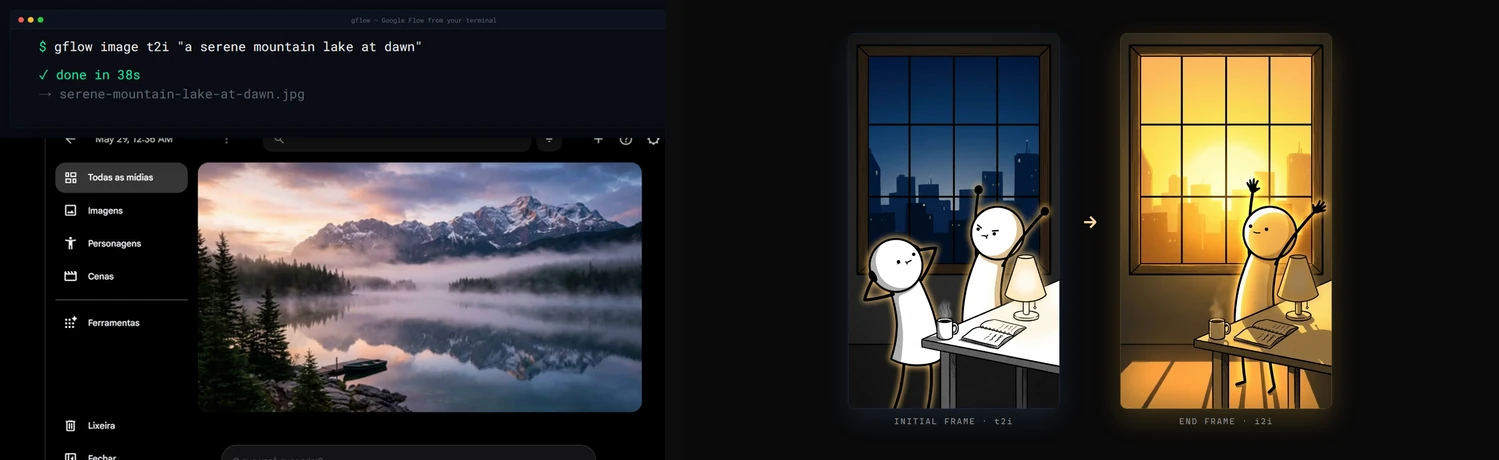
| Animate a still image | gflow video i2v "the lantern sways" --initial-frame lantern.jpg |
| Make a video from reference images | gflow video r2v "..." --ref hero.png --ref room.png |
| Get the clip in 1080p | add --upscale to t2v, i2v, r2v or video batch |
| Run a whole image storyboard | gflow run --config storyboard.json |
| Run many image-to-video clips in one session | gflow video batch --config videos.json |
| Keep the same character across shots | gflow character create ..., then reference it |
| Extend a clip past 8 seconds | gflow video extend <media_id> "the camera keeps rising" |
| Check your Veo credits | gflow credits user |
| Let an AI agent use Flow | gflow mcp run (stdio) or gflow serve (HTTP) |
| Diagnose your setup | gflow doctor |
Every command takes --profile to pick a Google account and --project to work inside an existing Flow project. Most commands take --json for scripts. gflow docs prints the bundled documentation offline.
What this edition adds
On top of upstream 0.91.0:
--upscale: keep the 1080p clip. After a video downloads, Flow's 1080p export (no extra credits) replaces the 720p file at the same path. If the export fails, the 720p clip is kept and the command prints a retry command. Works onvideo t2v,i2v,r2v,video batchand the MCP toolgflow_generate_video(upscale=True).gflow video batch. Runs 1–50 image-to-video rows from a JSON file in one browser session and one Flow project, with--resume,--jitterand--json. A clip that was generated and billed but failed to download is fetched again for free instead of being lost.- A hidden browser on macOS.
GFLOW_CLI_WINDOW_MODE=backgroundruns Chrome as a background-only app: no Dock icon, and it does not take keyboard focus while you work. - Batches stop when Google pushes back.
gflow run,image batchand multi-promptimage t2istop at the first WAF 403, rate limit or expired session, even with--continue-on-error, and exit with that error's code. A flagged account no longer receives the rest of the batch. - Named references in
gflow run. Give a reference image a name ({"name": "cuong", "path": "cuong.png"}) and write@cuongin the prompt. A row can take several references (refs) and its ownoutputpath. - Automatic session renewal. If the Google session expired before anything was submitted, gflow renews it once and retries. It never retries after a generation was sent. Turn it off with
GFLOW_CLI_AUTO_RENEW=false. - Fixes.
-oon another disk no longer fails after generation. Long image batches re-upload a reference that scrolled out of the project. The Chrome tab is brought forward only when it is actually hidden.
CHANGELOG.md § Unreleased has the details. The headless measurements behind the browser work are in docs/superpowers/spikes/2026-10-28-headless-generation.md.
Setup
Requirements
- A Google account with access to Google Flow. Video generation needs Flow credits.
- Google Chrome installed normally.
- uv, which installs Python 3.11+ for you.
- macOS, Windows or Linux with a desktop. Chrome must be able to open a window for the one-time sign-in.
1. Install
uv tool install "git+https://github.com/abm-dungtq/gflow-studio.git@main"
uvx --from "git+https://github.com/abm-dungtq/gflow-studio.git@main" playwright install chromium
gflow --version
To upgrade later, run the same uv tool install command with --force. The package on PyPI (uv tool install gflow-cli) is the upstream project and does not include these features.
2. Sign in once
gflow auth login --browser chrome --profile main
A Chrome window opens. Sign in to Google and wait until the Flow workspace appears; gflow saves the session in its own profile folder. --browser chrome matters: generation later reopens the profile as real Chrome. Repeat with another --profile name for each Google account.
3. Check
gflow auth status
gflow credits user --profile main
gflow doctor
None of these spend credits. gflow doctor exits 33 when it finds something to fix and tells you what.
4. Optional settings
Copy .env.template to .env in the folder you run gflow from, or to the gflow home folder for a machine-wide setting. Useful ones:
| Setting | What it does |
|---|---|
GFLOW_CLI_WINDOW_MODE=background |
macOS: run Chrome hidden, without taking focus |
GFLOW_CLI_OUTPUT_DIR=./out |
Where files go when you do not pass -o |
GFLOW_CLI_PROJECT=<id> |
Default Flow project, so runs stop creating new ones |
GFLOW_CLI_JITTER_RANGE=10-30 |
Pause between batch submissions; widen it if you see WAF 403s |
GFLOW_CLI_LEASE_WAIT_SECONDS=600 |
Wait for a profile another gflow command is using instead of failing |
Every setting is documented in docs/CONFIGURATION.md. Only .env is read; a .env.local file is ignored.
Usage
Images (free)
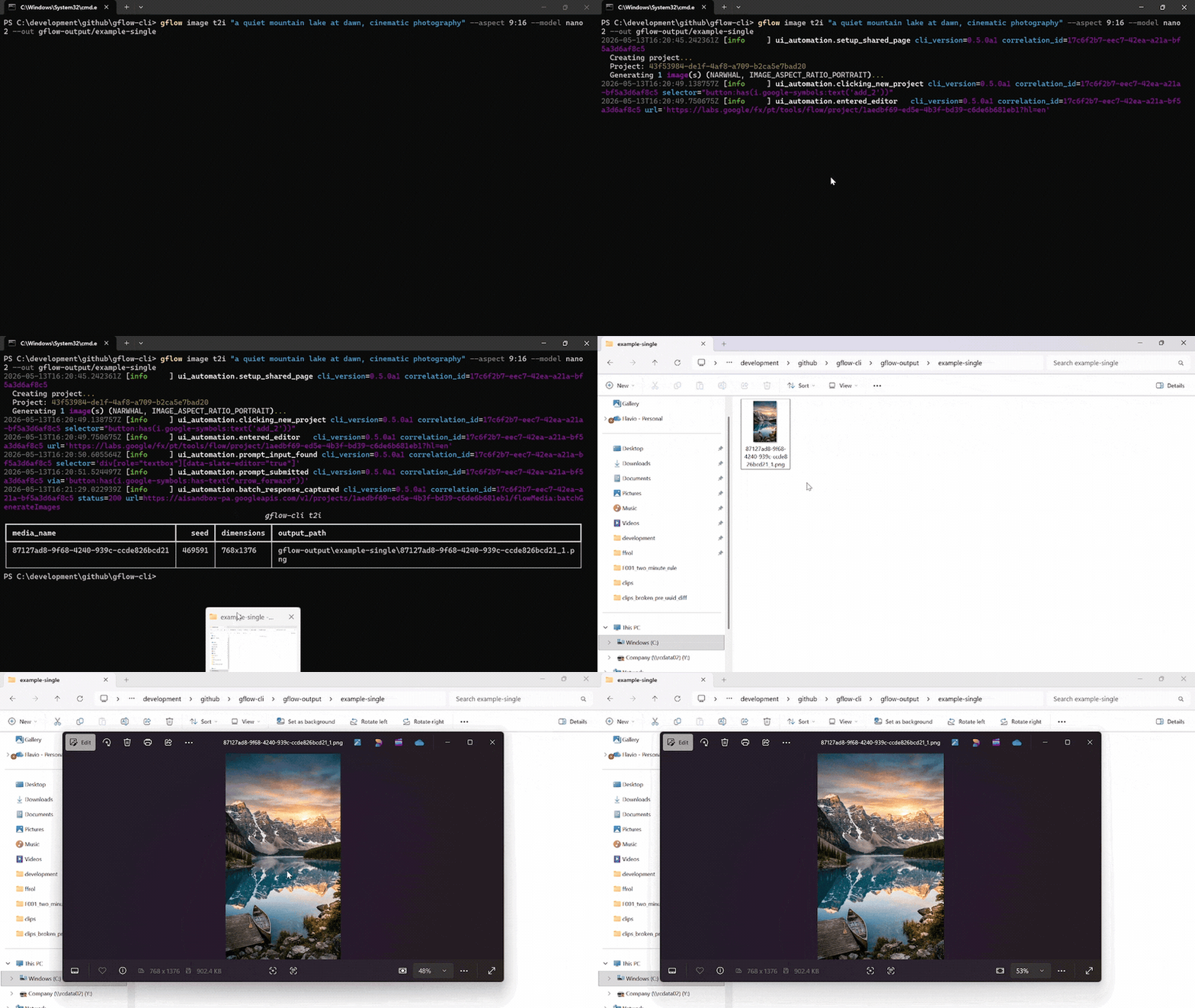
gflow image t2i "a hot air balloon over Tokyo at sunrise" --aspect 16:9 -o out/balloon.png
gflow image t2i "a cat mom, flat 2D" --model nano2 -n 4 --out out/cats/
gflow image i2i "the same cockroach, now sitting on a keyboard" --ref refs/cuong.png -o out/k1.png
Models: nano2 (Nano Banana 2.1, default), nano2-lite, nano-pro, imagen4. Aspect ratios: 16:9, 4:3, 1:1, 3:4, 9:16. -n makes 1–4 variations.
Videos (spend credits)
gflow video t2v "slow cinematic push-in on a sunlit forest clearing" --aspect 16:9 -o out/forest.mp4
gflow video i2v "the paper lantern sways gently, slow push in" \
  --initial-frame out/lantern.jpg --model veo-lite --aspect 16:9 --upscale -o out/lantern.mp4
gflow video upscale <media_id> --scale 1080p      # 1080p for a clip you already made
Models: omni-flash, veo-lite, veo-fast, veo-quality. --duration is 4, 6 or 8 seconds; 10 seconds is Omni Flash only. --end-frame sets the last frame for i2v.
Projects, characters and catalog
gflow project list --profile main          # projects gflow knows about
gflow character create --project <id> --name "Aria" --face-prompt "..." --body-prompt "..."
gflow data --help                          # query everything you generated
For AI agents (MCP)
gflow mcp setup          # register the stdio server with your agent
gflow mcp run --no-spend # a server without the generation tools
The CLI and the MCP server expose the same features. docs/MCP.md lists every tool.
Batches
An image storyboard: gflow run
storyboard.json:
{
  "prompts": [
    {"text": "@cuong stands on a desk at night, flat 2D", "aspect_ratio": "16:9",
     "refs": [{"name": "cuong", "path": "refs/cuong.png"}], "output": "gen/k1.jpg"},
    {"text": "@cuong jumps onto the keyboard", "aspect_ratio": "16:9",
     "refs": [{"name": "cuong", "path": "refs/cuong.png"}], "output": "gen/k2.jpg"}
  ]
}
gflow run --config storyboard.json --profile main --project <id>
gflow run --config storyboard.json --profile main --project <id> --resume
Each reference file is uploaded once per run. --resume skips rows whose output already exists, so a rerun after a failure only makes what is missing.
Image-to-video in one session: gflow video batch
videos.json:
{
  "project": "<existing-flow-project-id>",
  "videos": [
    {"start": "gen/k1.jpg", "prompt": "the cockroach looks around, slow push in",
     "model": "omni-flash", "duration": 4, "aspect": "16:9", "output": "clips/v1.mp4"},
    {"start": "gen/k2.jpg", "prompt_file": "prompts/v2.txt",
     "model": "omni-flash", "duration": 6, "aspect": "16:9", "output": "clips/v2.mp4"}
  ]
}
gflow video batch --config videos.json --profile main --upscale --json
A submitted row is never sent twice, because a clip Flow accepted may already be billed. If a row fails, rerun with --resume.
Hiding the browser
Google only serves Flow to a real browser, so gflow drives a real Chrome window. How much of it you see depends on the platform:
| Platform | Setting | Result |
|---|---|---|
| macOS | GFLOW_CLI_WINDOW_MODE=background |
Hidden, no Dock icon, never takes focus. Recommended. |
| macOS, Windows, Linux | offscreen (default) |
The window opens off-screen, but Chrome takes keyboard focus when it starts. |
| any | GFLOW_CLI_HEADLESS=true |
No window at all. Experimental, see below. |
| any | normal |
A visible window, useful for watching a run. |
Headless real Chrome generated images 6 out of 6 times on one test account (macOS, 2026-10-28), with no 403 and no reCAPTCHA error. Its user agent says HeadlessChrome, and video, Windows and long-term account effects were not measured, so headed Chrome stays the supported default. Try headless on a test account first.
Demo
A real two-row gflow run on a test account (2026-10-29, about one minute, no credits):
$ gflow run --config run.json --profile thu-headless --project <project-id> --output-dir tmp/f7/out
  project: <project-id> (existing)
                                   gflow run
┏━━━┳━━━━━━━━━━━━━━━━━━━━━━━━━━━━━┳━━━━━━━┳━━━━━━━━┳━━━━━━━━━━━━━━━━━━━━━━━━━━━┓
┃ # ┃ prompt                      ┃ ratio ┃ status ┃ detail                    ┃
┡━━━╇━━━━━━━━━━━━━━━━━━━━━━━━━━━━━╇━━━━━━━╇━━━━━━━━╇━━━━━━━━━━━━━━━━━━━━━━━━━━━┩
│ 0 │ a small red paper lantern   │ 16:9  │ OK     │ tmp/f7/out/prompt_0_0.jpg │
│   │ on a wooden table, soft     │       │        │                           │
│   │ light                       │       │        │                           │
│ 1 │ a green ceramic teapot on a │ 16:9  │ OK     │ tmp/f7/out/prompt_1_0.jpg │
│   │ windowsill, morning light   │       │        │                           │
└───┴─────────────────────────────┴───────┴────────┴───────────────────────────┘

2/2 succeeded · 0 failure(s) · 0 skipped
The first lantern image was then animated with gflow video i2v --model veo-lite --upscale on the same account. The result was a 4-second clip at 1920×1080, with "upscaled": "1080p" in the JSON output.
When something fails
gflow fails loudly with a stable exit code rather than resubmitting, so a broken run does not silently spend credits.
| Exit | Meaning | What to do |
|---|---|---|
| 3 / 8 | Session expired or missing | gflow auth renew, or gflow auth login again |
| 4 | Rate limited | Wait, then widen --jitter |
| 5 | Refused by content policy | Rephrase that prompt; batches continue past it |
| 10 | WAF 403: Google blocked the request | Stop and wait. Do not loop retries on this account |
| 11 | Configuration problem, or the profile is busy | Read the message; it names the field or the lock |
| 23 | Flow changed its page | gflow update, then report it |
| 37 | Not enough Veo credits | Top up, or use a cheaper model |
Every error is printed as RFC 9457 problem details with a remediation hint. KNOWN_ISSUES.md lists current problems and workarounds.
Documentation
| Topic | Read |
|---|---|
| Getting started | User guide · Usage, every command · Configuration |
| Accounts | Authentication · Account safety · Known issues |
| Production | Characters · Movie manifests · Prompt tools · Reference strategies |
| Agents | MCP server · AGENTS.md · llms.txt |
| Internals | Architecture · Development · Changelog |
docs/INDEX.md indexes everything.
Support the original project
gflow-cli is built by one person upstream, and every release there is verified against real Flow with real credits. If this tool saves you time, sponsor the original author:


Tiers are listed in docs/SPONSORS.md.
No sponsors yet. Be the first — every public sponsor is listed here.
Author and credits
- gflow-studio: ABM.DũngTQ · 0976202028 · github.com/abm-dungtq/gflow-studio
- Original project: gflow-cli by Flavio Oliva (
ffroliva). The core of this tool is Flavio's work; fixes that apply upstream are worth sending there. - License: MIT, © 2026 Flavio Oliva, kept unchanged in this fork. The license covers the code only. Google's own terms govern Flow and everything you generate with it. See the DISCLAIMER.