RecordForge
Record browser workflows and replay them deterministically. RecordForge attaches to any Chromium-family browser over CDP, captures your real actions (clicks, typing, hovers, selects, scrolls, file uploads, context menus, navigation), compiles them into a deterministic replay script, and replays them with real input events — no page re-reading and no LLM in the replay loop.
It ships as an MCP server (drop into Claude Code, Codex, Hermes, Cline, or any MCP client) and a CLI.
record -> compile -> replay

Why deterministic replay?
Most browser agents re-read the page and re-decide every step through the model. That is slow, non-deterministic, and burns tokens. RecordForge captures a workflow once, compiles it into a fixed script of {op, finders, value, wait} steps, and replays it in a single pass with a fixed locator strategy. A step either succeeds or stops with the exact step index and reason — never a guess.
Features
- Capture everything: click, type, hover, select, scroll, file upload, context menu, Enter/submit, and navigation — across every frame in the tab (including dynamically created iframes).
- Robust locators: each element is located by a priority chain (stable id → class → name → data-testid → placeholder → aria-label → title → label → visible text → table column → structural path), with ordered fallbacks (
text:,xpath:, CSS). - React / Ant Design aware: transient state classes (
ant-*-open,-active,-hover) and hash-prefixed dynamic ids are filtered at capture time; form fields are set through the native value setter so controlled components see the change. - Secrets never recorded:
type=passwordandautocomplete-sensitive fields (current-password,new-password,one-time-code,cc-number,cc-csc) are captured as a{SECRET:name}placeholder — the value never crosses the CDP boundary. Secrets are resolved at replay time from a local store, never written into the recording or the skill. - Business inputs parameterized: every typed value becomes a
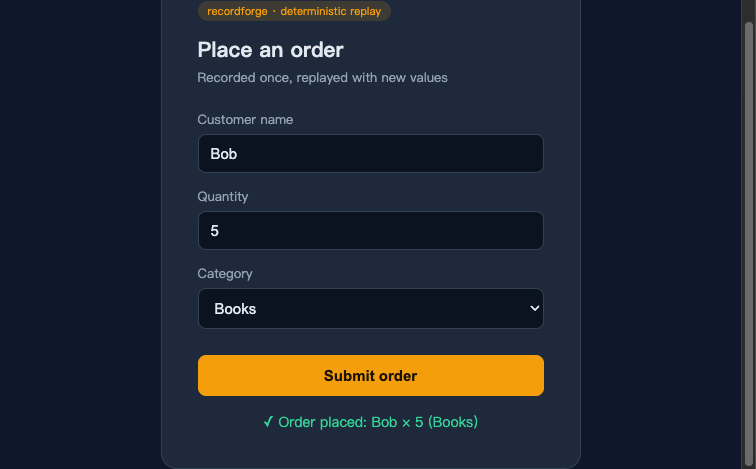
{{name}}placeholder, so replaying never re-creates the exact record you demonstrated. - Post-navigation verification: after each navigation the replay waits for the next step's element to appear instead of blindly clicking after a fixed delay.
Install
The tool is agent-agnostic: install it once and every agent uses it the same way. The only per-agent part is the MCP wiring and where the emitted skill goes (see below).
From npm (once published):
npm install -g @anyforgex/recordforge
From source:
git clone https://github.com/anyforge/recordforge recordforge
cd recordforge
./install.sh          # npm install + npm link
Requires Node 18+ and a Chromium-family browser (Chrome, Chromium, Edge, Brave).
Quick start (CLI)
# 1. Record — launches a fresh Chrome; do the workflow, then press Ctrl-C
recordforge record --name order-status

# 2. Compile the recording into a deterministic skill
recordforge compile ~/.recordforge/recordings/order-status-<timestamp>.json --name order-status

# 3. Replay, filling the parameterized values
recordforge replay ~/.recordforge/skills/order-status.json 金额=800 事由=出差
Or record against a browser you already have open:
# start Chrome with remote debugging
google-chrome --remote-debugging-port=9222 --user-data-dir=/tmp/rf-profile

# record the active tab
recordforge record --cdp http://127.0.0.1:9222 --name checkout
MCP integration
Add recordforge as an MCP server and any MCP-capable agent discovers record_start, record_stop, compile, replay, list, and the secret_* tools. The recordforge-mcp command comes from npm install -g @anyforgex/recordforge; from a source checkout use node /abs/path/to/recordforge/src/index.js.
Claude Code (.mcp.json in your project, or ~/.claude.json):
{
  "mcpServers": {
    "recordforge": {
      "command": "recordforge-mcp"
    }
  }
}
Codex (~/.codex/config.toml):
[mcp_servers.recordforge]
command = "recordforge-mcp"
Hermes: hermes mcp add recordforge -- recordforge-mcp
The agent then drives the same flow through tools instead of a shell: record_start → (you do the workflow) → record_stop → compile → replay.
How it works
| Stage | What happens |
|---|---|
| record | A self-contained capture script is injected into every frame over CDP. Steps stream to the host in real time through a CDP binding, so a click that navigates never loses its step. |
| compile | Deterministic, no LLM: captured steps are normalized, redundant submits dropped, every typed value parameterized, secrets routed to the store, and a replay script with ordered finders is emitted. A learn_prompt is also produced for the host agent to optionally enrich the description and variable names. |
| replay | The script runs in one pass over CDP: each step resolves its element through the injected finder runtime and dispatches a real mouse/keyboard event (or the native value setter for form fields). Stops on the first failure with the step index and reason. |
Emit a portable Agent Skill
Compile a recording, then emit it as a universal Agent Skill — a SKILL.md (frontmatter name + description) loadable by any agent that implements the Agent Skills spec:
recordforge emit ~/.recordforge/skills/order-status.json --name order-status
The bundle contains SKILL.md (the skill), skill.json (the replay payload), and README.md (per-agent install + MCP wiring).
| Agent | SKILL.md install path | MCP wiring |
|---|---|---|
| Hermes | ~/.hermes/skills/<name>/ |
hermes mcp add recordforge -- recordforge-mcp |
| Claude Code | ~/.claude/skills/<name>/ or .claude/skills/<name>/ |
.mcp.json |
| Codex | [[skills.config]] path=... in ~/.codex/config.toml |
[mcp_servers.recordforge] |
| Pi | ~/.pi/agent/skills/<name>/ or .pi/skills/<name>/ |
pi mcp add recordforge -- recordforge-mcp |
| OpenClaw | ~/.openclaw/workspace/skills/<name>/ |
gateway settings |
| DeepSeek Harness (dsh) | native bundle in dsh/ — dsh plugin add ./dsh |
native tools |
Install the usage skill
The repo ships a portable "recordforge" usage skill — skill/recordforge/SKILL.md — that teaches an agent the recordforge workflow (record → compile → emit → replay, secrets, MCP). Install it into any agent that implements the Agent Skills spec:
| Agent | Install |
|---|---|
| Claude Code | copy to ~/.claude/skills/recordforge/ |
| Codex | reference via [[skills.config]] path=... in ~/.codex/config.toml |
| Pi | copy to ~/.pi/agent/skills/recordforge/ |
| OpenClaw | copy to ~/.openclaw/workspace/skills/recordforge/ |
| Hermes | copy to ~/.hermes/skills/recordforge/ |
This is distinct from the skills recordforge emit generates — this one teaches how to use recordforge; emit turns one recorded workflow into a replayable skill.
Secrets
Secrets live in a local store (~/.recordforge/secrets.json, mode 0600) and are resolved only at replay time, keyed by name:
recordforge secret set password     # prompts with input masked
recordforge secret list             # names only, values never printed
recordforge secret delete password
v1 note: the store is a plaintext file, unencrypted, intended for one machine. An OS-keyring backend is planned. If you expose a secret to an agent through the MCP
secret_settool, that value necessarily transits the MCP channel — prefer the CLI masked prompt for secrets the agent must not see.
Locator model
A recorded step carries one primary locator plus ordered fallbacks. Locator prefixes:
| Prefix | Meaning |
|---|---|
#id |
element id (hash-prefixed session ids are matched by their stable suffix) |
css |
CSS selector (prefers stable semantic classes over :nth-of-type) |
text:... |
visible text |
label:... |
associated <label> text |
col:... |
table column header |
xpath:... |
indexed XPath (iframe-relative) |
[name=], [placeholder=], [aria-label=], [title=] |
attribute selectors |
Limitations
- Multi-tab: supported — recording and replay span every tab, switched by URL. Two non-current tabs with the same URL are ambiguous and resolved by first match.
- Iframes: recorded and replayed; cross-origin iframe clicks fall back to a JS
click()(CDP cannot compute coordinates across origins). - Coarse scroll: window scrolling is captured as a step, not pixel-exact; scrolls inside nested scrollable elements are not captured.
- Secret store is plaintext (v2 will add an OS-keyring backend).
- DeepSeek Harness plugin is untested against a live dsh (developer preview).
Development
npm test          # end-to-end record/compile/replay + MCP smoke test
node test/e2e.js  # live browser test (needs Chrome)
node test/mcp-smoke.js
License
MIT
Sponsor
If recordforge helps you, consider sponsoring its development: