
OCR any scanned PDF or image from Claude, Cursor and other MCP clients.




Website · Docs · Get an API key
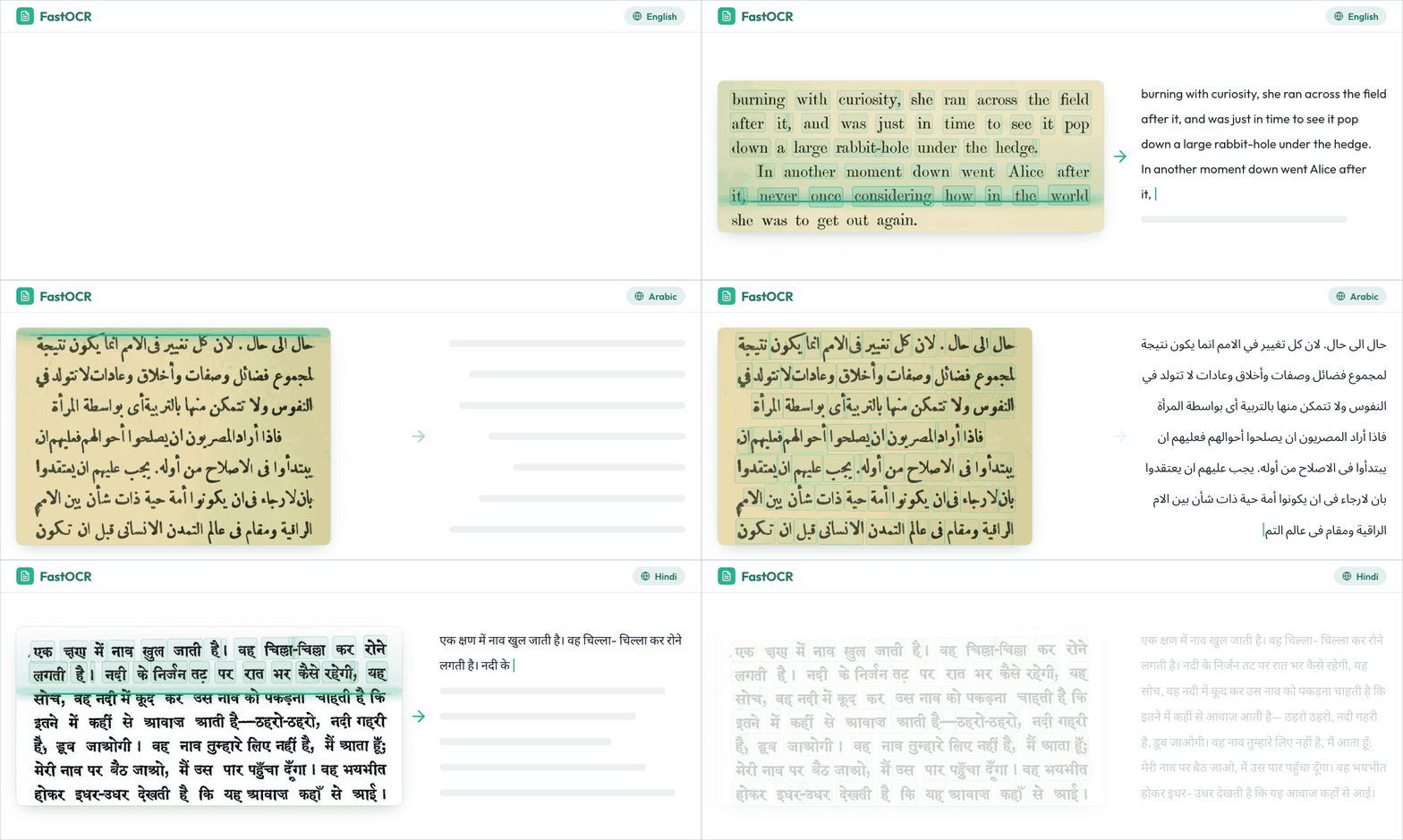
An MCP server that lets your client OCR a local scanned PDF or image over stdio; files go only to the FastOCR API.
Quickstart
- Create an API key in the developer console.
- Add the server to Claude Code:
claude mcp add fastocr -e FASTOCR_API_KEY=your_api_key -- uvx fastocr-mcp
- Ask: "OCR ~/Scans/contract.pdf".
With uv there is nothing to install; the client runs uvx fastocr-mcp. Prefer pip? Run pip install fastocr-mcp and use the command fastocr-mcp. Python 3.10 or newer.
Other clients
Every client needs the same command, uvx fastocr-mcp, and your key in FASTOCR_API_KEY.
Claude Desktop
Add this to claude_desktop_config.json (Settings > Developer > Edit Config), then restart Claude Desktop:
{
  "mcpServers": {
    "fastocr": {
      "command": "uvx",
      "args": ["fastocr-mcp"],
      "env": { "FASTOCR_API_KEY": "your_api_key" }
    }
  }
}
Cursor
Add this to ~/.cursor/mcp.json (all projects) or .cursor/mcp.json (one project):
{
  "mcpServers": {
    "fastocr": {
      "type": "stdio",
      "command": "uvx",
      "args": ["fastocr-mcp"],
      "env": { "FASTOCR_API_KEY": "your_api_key" }
    }
  }
}
VS Code
Add this to .vscode/mcp.json in your workspace. VS Code uses servers, not mcpServers:
{
  "servers": {
    "fastocr": {
      "type": "stdio",
      "command": "uvx",
      "args": ["fastocr-mcp"],
      "env": { "FASTOCR_API_KEY": "your_api_key" }
    }
  }
}
If you installed with pip, use "command": "fastocr-mcp" and "args": [].
Examples
Ask your client in plain language:
- "OCR ~/Downloads/scanned-contract.pdf and summarize the termination clause."
- "Read the text in /Users/me/Desktop/receipt.jpg."
- "Make a searchable copy of /Users/me/archive/1998-letters.pdf."
- "List my last five FastOCR documents."
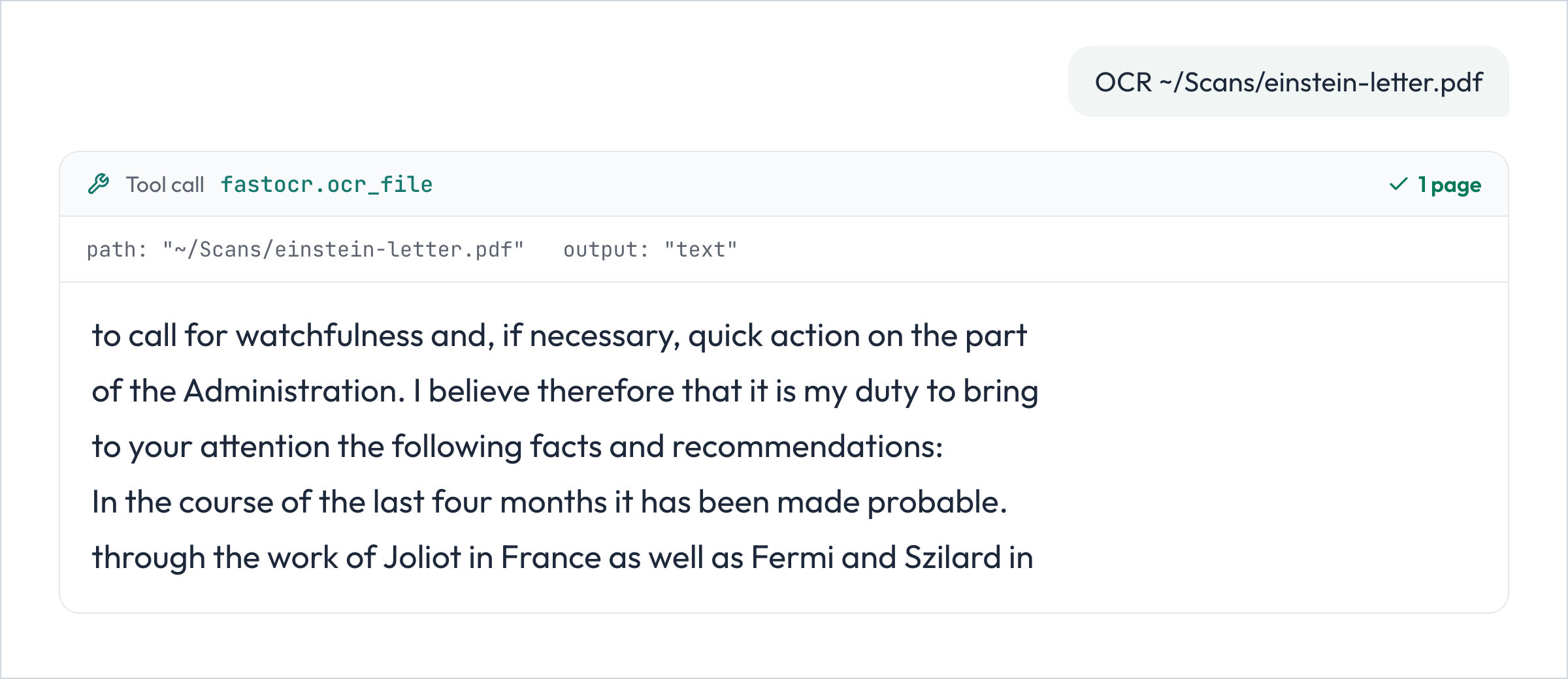
The text above is the unedited output FastOCR returned for a scanned page.
Tools
| Tool | What it does |
|---|---|
ocr_file(path, output="text", output_path=None) |
Uploads a local PDF or image, runs OCR and waits up to 45 seconds; a larger document returns its id for get_document. output="text" returns the text (text over 20,000 characters is cut, and the full text is saved to output_path or <file>.ocr.txt next to the input file). output="pdf" saves a searchable PDF to output_path or <file>.searchable.pdf. |
ocr_pdf(path, output="text", output_path=None) |
The same tool as ocr_file under its earlier name, kept so existing setups keep working. |
get_document(document_id, output="status", output_path=None) |
Status and page counts of a document; with output="text" or "pdf", waits up to 45 seconds and fetches the finished result. Fetching a result again costs no pages. |
list_documents(limit=20) |
The most recent documents in the account, newest first. |
delete_document(document_id) |
Deletes a document and its stored files on FastOCR. Local files are not touched. |
What you get back
| You get | How |
|---|---|
| The text of the document | ocr_file(path), or get_document(id, output="text") |
| A searchable PDF | ocr_file(path, output="pdf"), saved beside the input |
| Status and page counts | get_document(id) |
| Your recent documents | list_documents() |
Languages and files
- 100+ languages, detected automatically. No language setting is needed.
- PDF files up to 1 GiB, and PNG, JPG, JPEG, GIF, WebP and BMP images up to 20 MiB. An image counts as one page.
- Built on the official
fastocr-sdkand the official MCP Python SDK.
Pages and pricing
Any signed-in FastOCR account can create an API key and start right away. Each account gets 50 free document pages per month; an image is one page. When you need more, buy a prepaid API page pack by card in the developer console. You accept the API terms with your first key.
Errors and configuration
Tool errors are written for the agent to act on: a rejected key, an account out of pages (buy_pages), too many documents processing at once (concurrency_limit), a missing file, or an unsupported file type. Each message says what to do next. A document that runs out of pages fails with buy_pages; the tool says so and links to the developer console. Error codes are listed in the API docs.
| Variable | Purpose |
|---|---|
FASTOCR_API_KEY |
Required. Your API key. |
FASTOCR_BASE_URL |
Optional. Overrides https://api.fastocr.org. |
Support and license
Questions: support@fastocr.org. Bugs and requests: GitHub issues. Python SDK: fastocr-python. MIT license; see LICENSE. Made by FastOCR.