
Website · Sign up · Documentation · Contact

Automata MCP safely gives Claude (or Codex or any AI Agent) access to your WhatsApp, Telegram, email and PostgreSQL. Connect an account or a database once, mint a connector token scoped to the chats or tables you choose, and paste its URL into Claude as a custom connector. Claude can then read, search and summarise your conversations, query your data, and — only if you allow it — send messages and write rows.
Use the hosted version at mcp.getautomata.app — free for one connection, with a 7-day trial of Pro — or run your own with one click on Railway or with Docker.
Screenshots
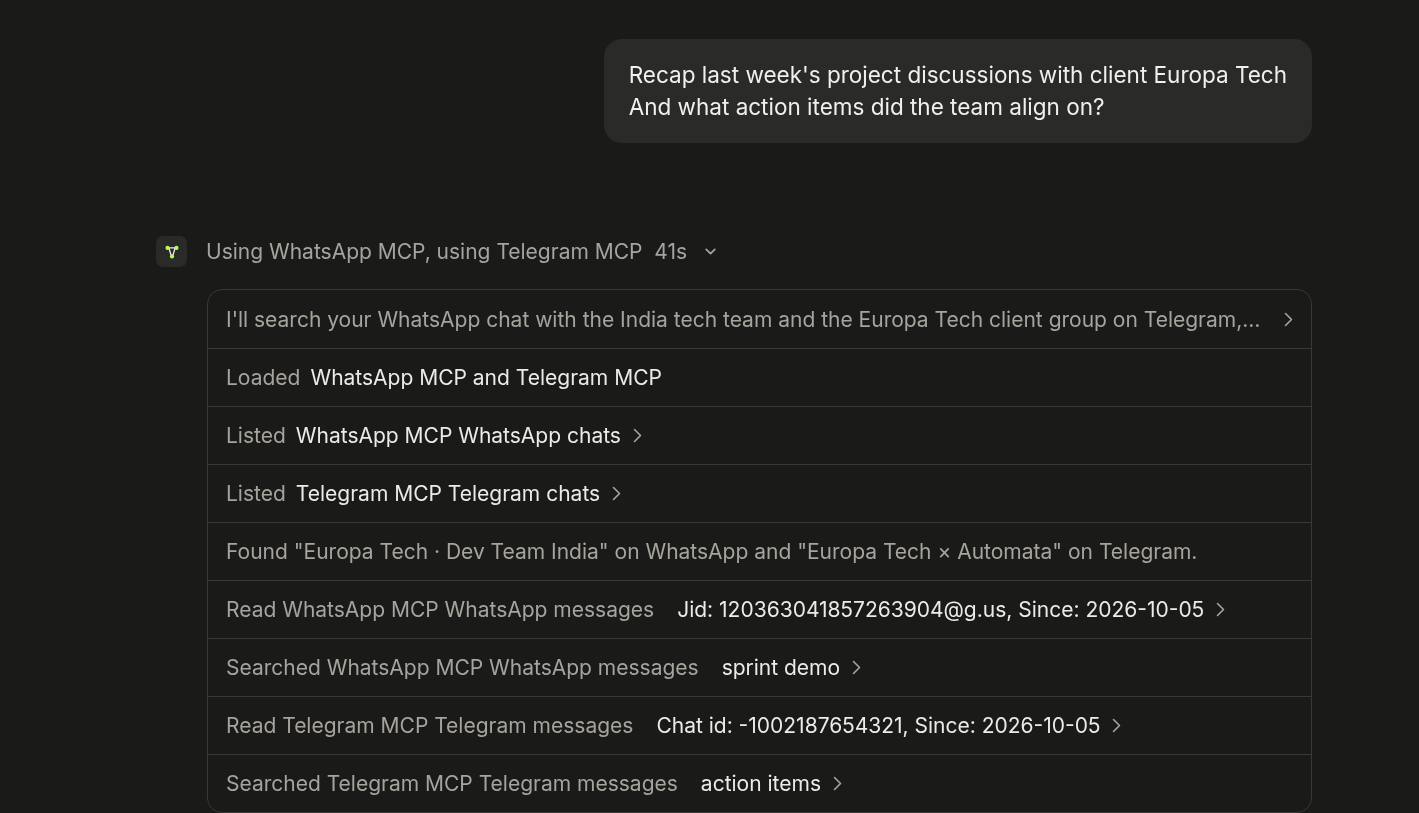
Claude pulls a meeting plan from a WhatsApp group and the numbers from your database, in one answer.
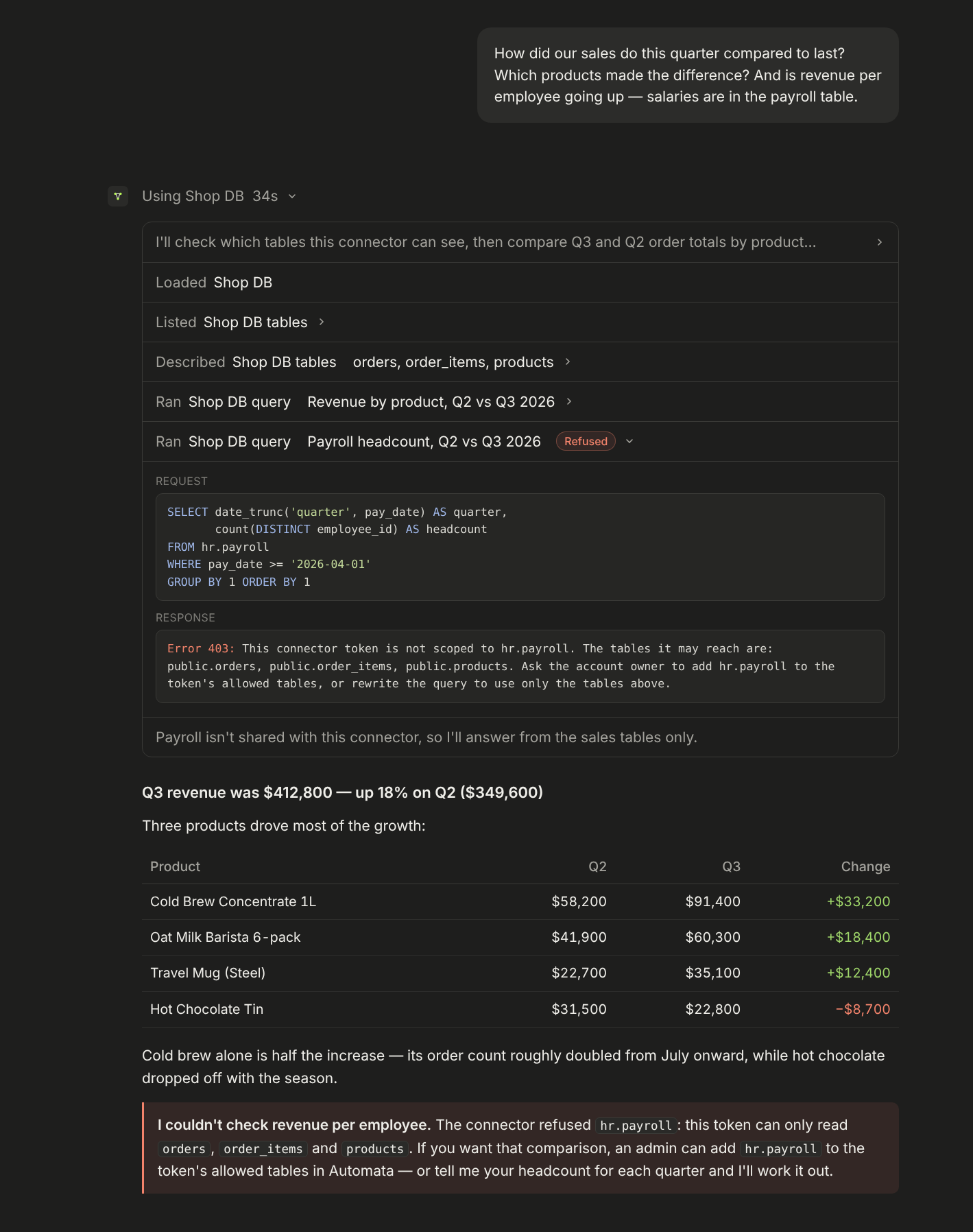
Ask about your sales in plain English; tables you didn't share, like payroll, stay out of reach.
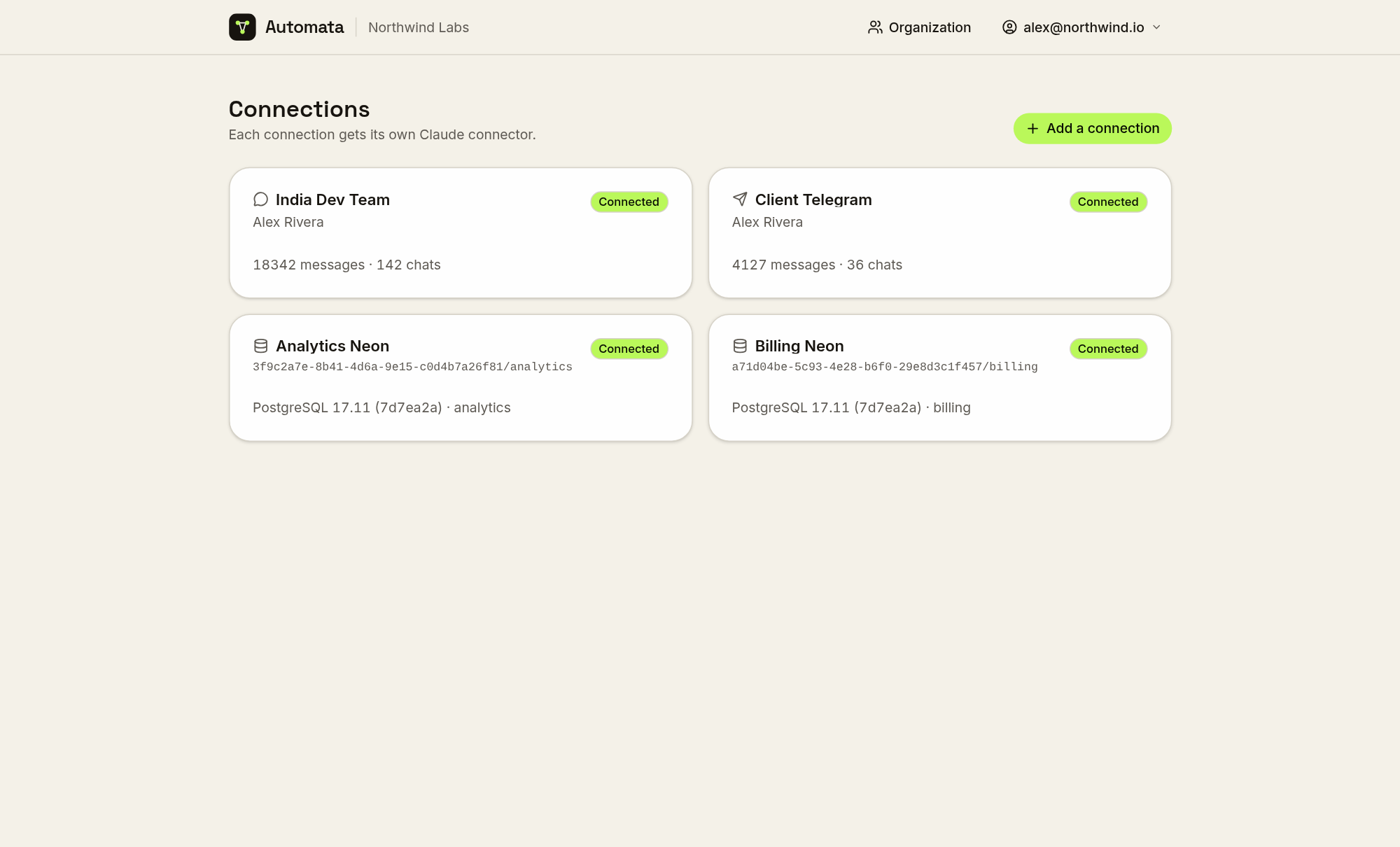
Every connection — WhatsApp, Telegram or PostgreSQL — gets its own Claude connector.
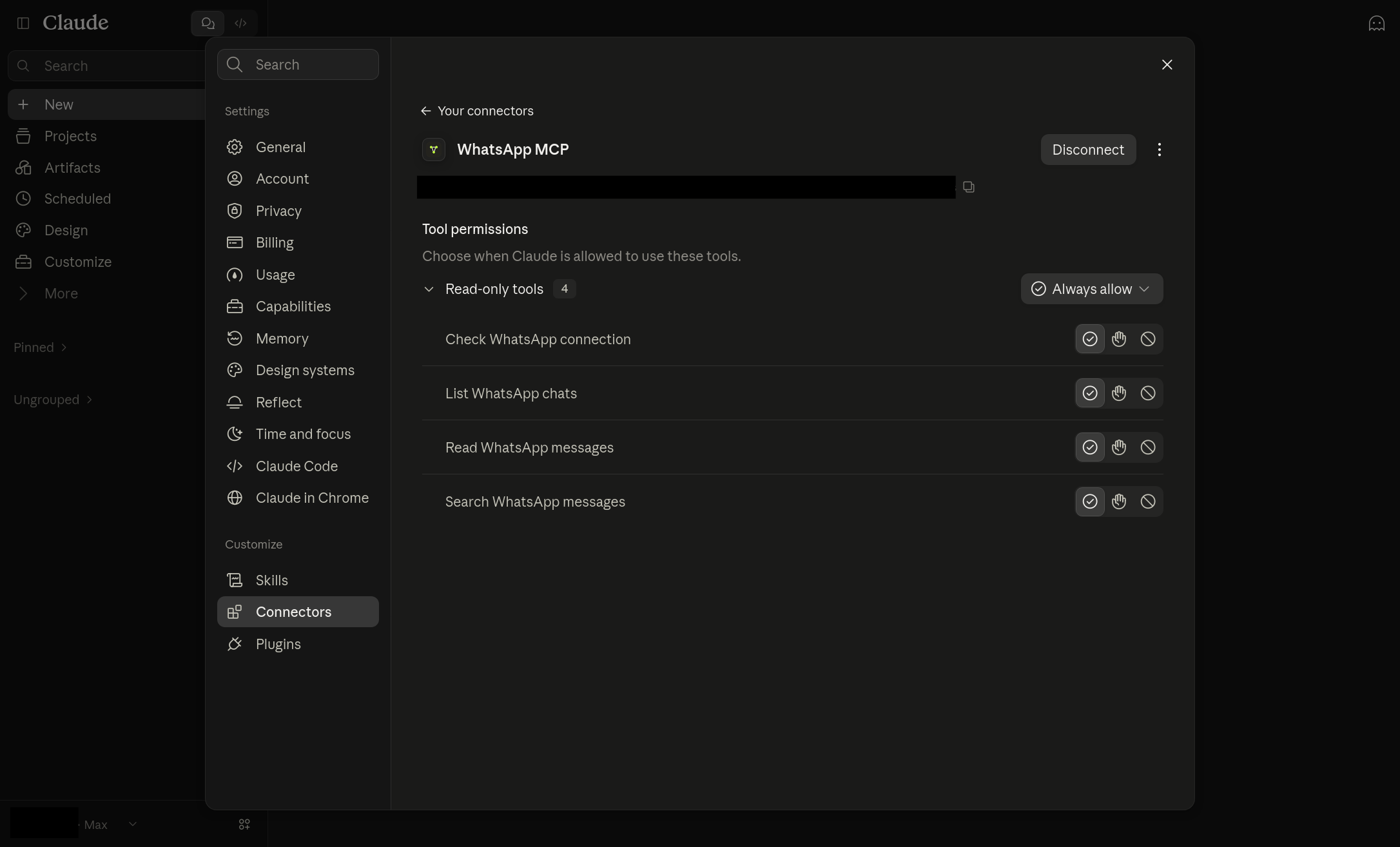
Added to Claude as a custom connector, with per-tool permissions.
Features
- Four kinds of connection. A WhatsApp account paired by QR, a Telegram account linked by QR, an email mailbox over IMAP, or a PostgreSQL database by connection string.
- Twenty-two MCP tools. Check status, list chats, read and search messages, send text; list, search and read email, fetch attachments and save drafts; list and describe tables, run queries and — when granted — write statements. See the tool list.
- Your history, not just what arrives next. WhatsApp history is imported when a number is paired; Telegram chats are synced and backfilled.
- Scoped connector tokens. Each token reaches exactly one connection, and can be narrowed to specific chats, folders, tables and tools. Tokens are shown once, stored only as a hash, and can expire, be rotated or be revoked.
- Read-only databases by default. Queries run in read-only transactions, one statement at a time, checked against the token's table allowlist by inspecting the query plan. Writes need the write tool granted explicitly, and roll back if they would touch more rows than allowed.
- Answers Claude can trust. Every page says when there is more, reactions and WhatsApp's control records are filtered and counted, duplicate copies of a message are collapsed, and @-mentions are resolved to names.
- Built for teams. Organizations with admins and members, email invitations, and connections assigned to the people who should use them.
- Two-factor sign-in. Authenticator apps, passkeys and security keys, with recovery codes. See two-factor authentication.
- Disconnect alerts. When a WhatsApp or Telegram connection drops, everyone who can reach it gets an email — and another when it recovers.
- Bring your own backend. Point a connection at your own Evolution API server or Telegram bridge instead of the deployment's.
Quick start
Hosted
Sign up at mcp.getautomata.app and skip to Connect Claude. Free covers one connection, one connector token and one user; Pro is $19/month after a 7-day trial, with unlimited connections and tokens and five users included ($10/user after).
Railway (one click)
- Deploy the template.
- Open the web service's domain and sign up — the first account is the admin.
- Optional: set
TELEGRAM_API_ID/TELEGRAM_API_HASHon the bridge for Telegram, and theNUXT_SMTP_*variables on the web service for email.
Every service and variable is explained in Deploying to Railway.
Docker (single container)
docker run -d --name automata --restart unless-stopped --stop-timeout 30 \
  -p 3000:3000 -v automata_data:/data \
  -e NUXT_PUBLIC_APP_URL=https://automata.example.com \
  ghcr.io/ju-li/automata-mcp-aio:1
Postgres, Redis, Evolution API, the web app and the Telegram bridge in one container; secrets are generated into the volume on first boot. Back up the volume — see Single container.
Docker Compose
git clone https://github.com/ju-li/automata-mcp.git && cd automata-mcp
cp .env.selfhost.example .env
for k in POSTGRES_PASSWORD WEBHOOK_SECRET EVOLUTION_API_KEY TELEGRAM_BRIDGE_ADMIN_KEY TELEGRAM_SESSION_ENCRYPTION_KEY; do
  echo "$k=$(openssl rand -hex 32)"; done >> .env

docker compose up -d                                         # database connections
docker compose --profile whatsapp up -d                      # + WhatsApp
docker compose --profile whatsapp --profile telegram up -d   # + Telegram
Open http://localhost:3000 and sign up. Set NUXT_PUBLIC_APP_URL in .env to
the public https:// address before Claude connects — connector URLs are built
from it. See Self-hosting.
[!WARNING] Pairing binds a real WhatsApp number, and numbers that pair and unpair repeatedly can be banned — use a spare SIM. Never run
docker compose down -vor delete the single container's volume: either deletes every paired session.
Connect Claude
- Create a connection and pair it, link it, or paste a connection string.
- On its dashboard, create a connector token and choose what it may reach.
- In Claude, open Settings → Connectors → Add custom connector and paste the
connector URL. For Claude Code:
claude mcp add --transport http <name> <url>.
Documentation
- Product documentation: https://www.getautomata.app/docs
- Running and developing this repository: docs/ — self-hosting, Railway, WhatsApp, Telegram, email, PostgreSQL, alerts, two-factor, development