Purser
The engine of Quicken, with your AI as the front end.
Purser is a headless personal-finance engine. It does the work a desktop finance app does: syncing your bank accounts, categorizing transactions, tracking bills, reconciling statements, forecasting cash flow and valuing investments. But it has no app for you to click through. You talk to your own AI agent (Claude, Codex, an OpenClaw agent or any other MCP client), and the agent works with Purser through purpose-built tools.
Your financial data stays on your own hardware, and you decide how little of it your AI ever sees.
📖 Documentation: https://mlamoure.github.io/purser/
Why Purser
- Headless by design. There's no front end to learn. Your AI is the interface; Purser is the engine underneath. A small web UI covers setup and administration.
- Your data stays local. Purser runs on your own machine with Docker. Bank data comes straight to your server and is encrypted at rest. There's no Purser cloud and no account to create.
- Share as little as possible with AI. Anything your agent reads goes to
its model provider, so Purser keeps that to a minimum:
- Exact answers without the raw rows. Totals, balances, net worth and forecasts are computed on your server, so your agent can answer "how much did we spend on dining?" without reading every transaction.
- Privacy switches. Optionally replace payee names with stable references
(
py_8k2mq4x7ra) and withhold individual amounts. Totals stay exact. - Show it to you, not to the AI. When you want to see transactions, your agent sends you a link to view them in Purser instead of repeating the details in chat.
- Nothing hidden. Every response names what was withheld, and every read is logged, so you can see exactly what your agent saw.
- Built for an AI to operate safely. Your agent gets a scoped
read + writetoken. It can never create tokens or widen its own access. Every change it makes is attributed to it, audited and reversible.
What you can ask
- "How much did we spend on groceries last month, compared with the month before?"
- "What's our net worth, and how has it changed this year?"
- "Will checking stay above $500 until the end of the month?"
- "Which bills haven't come in yet?"
- "Here's my card statement email. Set the payment to the statement balance."
- "Anything new or unusual since yesterday?"
What the engine does
All your finances in one place
- Automatic bank sync through SimpleFIN Bridge: checking, savings, credit cards and brokerage accounts, updated daily.
- Bring your history from Quicken (QIF) or CSV exports, with a preview before anything is saved. Importing the same file twice never creates duplicates.
- Investments: holdings from your brokerage feed or tracked by hand, priced daily and included in net worth.
Finances you can trust
- A true double-entry ledger behind a simple API. Every transaction balances, and recorded entries are never quietly edited: corrections are linked reversals.
- The original bank data is kept exactly as it arrived, so everything can be traced back to its source.
- Reconciliation against your statements.
- Transfers between your own accounts are recognized and linked, so they never count as spending.
Bills and what's coming
- Recurring bills and income are detected for you or added as schedules, and each expected payment is matched to what actually arrives.
- Late bills and price changes are flagged.
- Cash-flow forecasting projects each account forward from your schedules, with no guesswork models, and warns you before an account drops below the floor you set.
Organized without the busywork
- 100 ready-made categories in a hierarchy you can reshape.
- Rules categorize transactions and rename payees automatically. A new rule stays a draft until you activate it.
- A review inbox for new transactions, and a suggestions inbox for the bills, transfer links and matches Purser proposes.
- Memories: short notes about your finances ("the HOA bill is annual") that your agent gets as context.
- Optional server-side AI categorization, off by default. It can use a local model (Ollama, LM Studio) as well as a hosted provider. Everything else works without it.
The admin interface
Day to day you work through your AI. A small web UI covers setup and administration and lets you see everything yourself. These screenshots use Purser's built-in demo data.
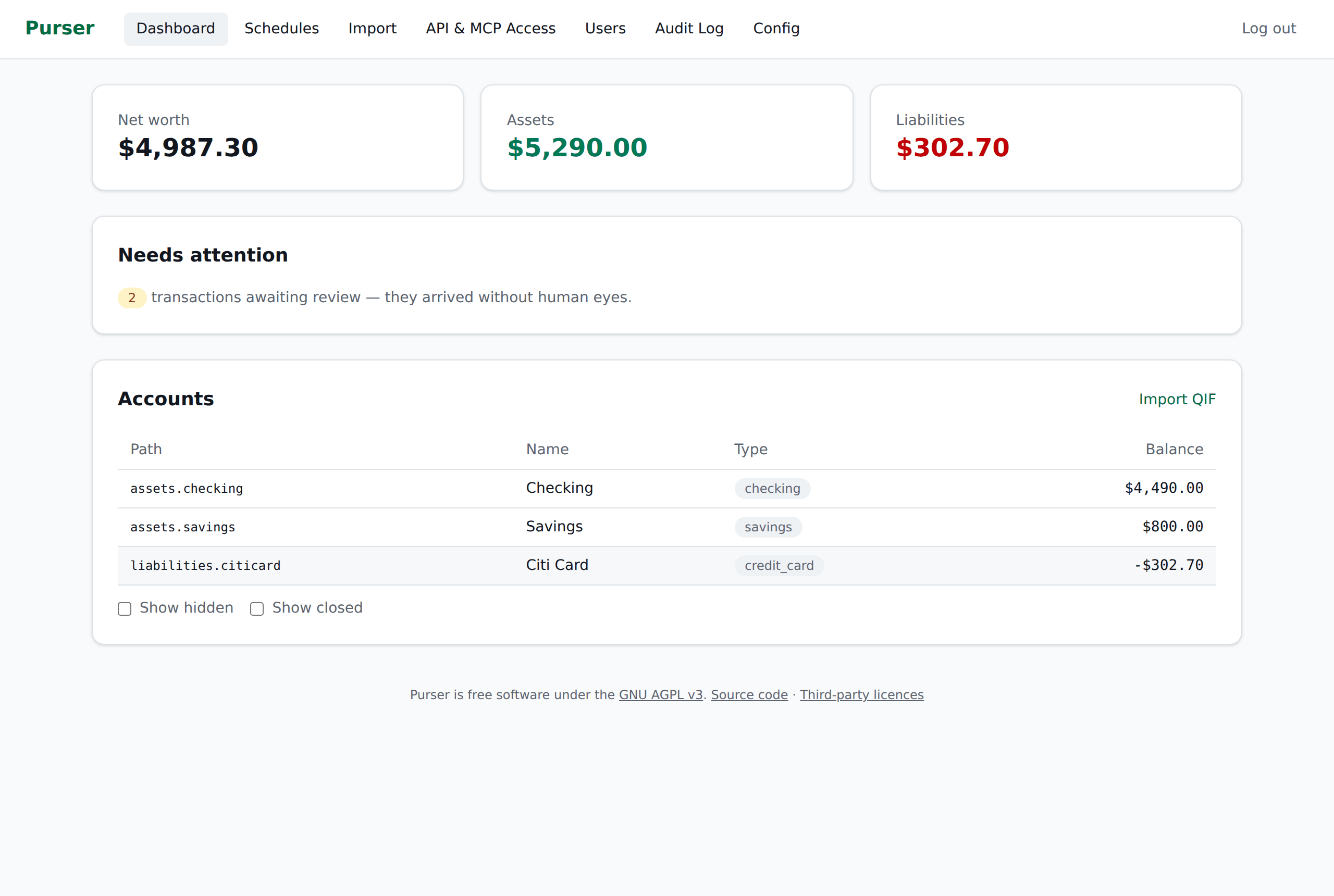 Dashboard: net worth, what needs your attention, every account Dashboard: net worth, what needs your attention, every account |
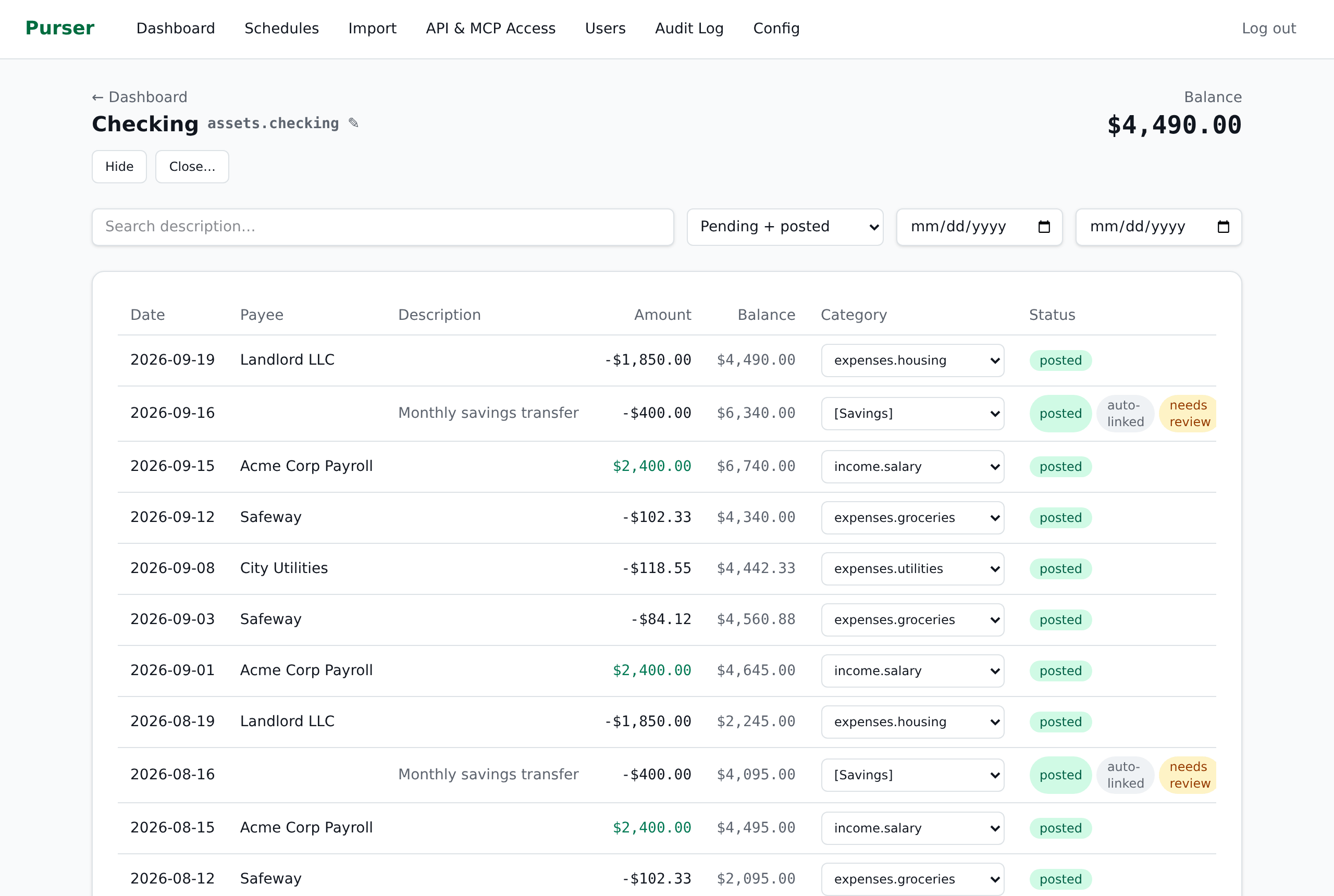 Account register: transactions, running balance, categories, transfer links Account register: transactions, running balance, categories, transfer links |
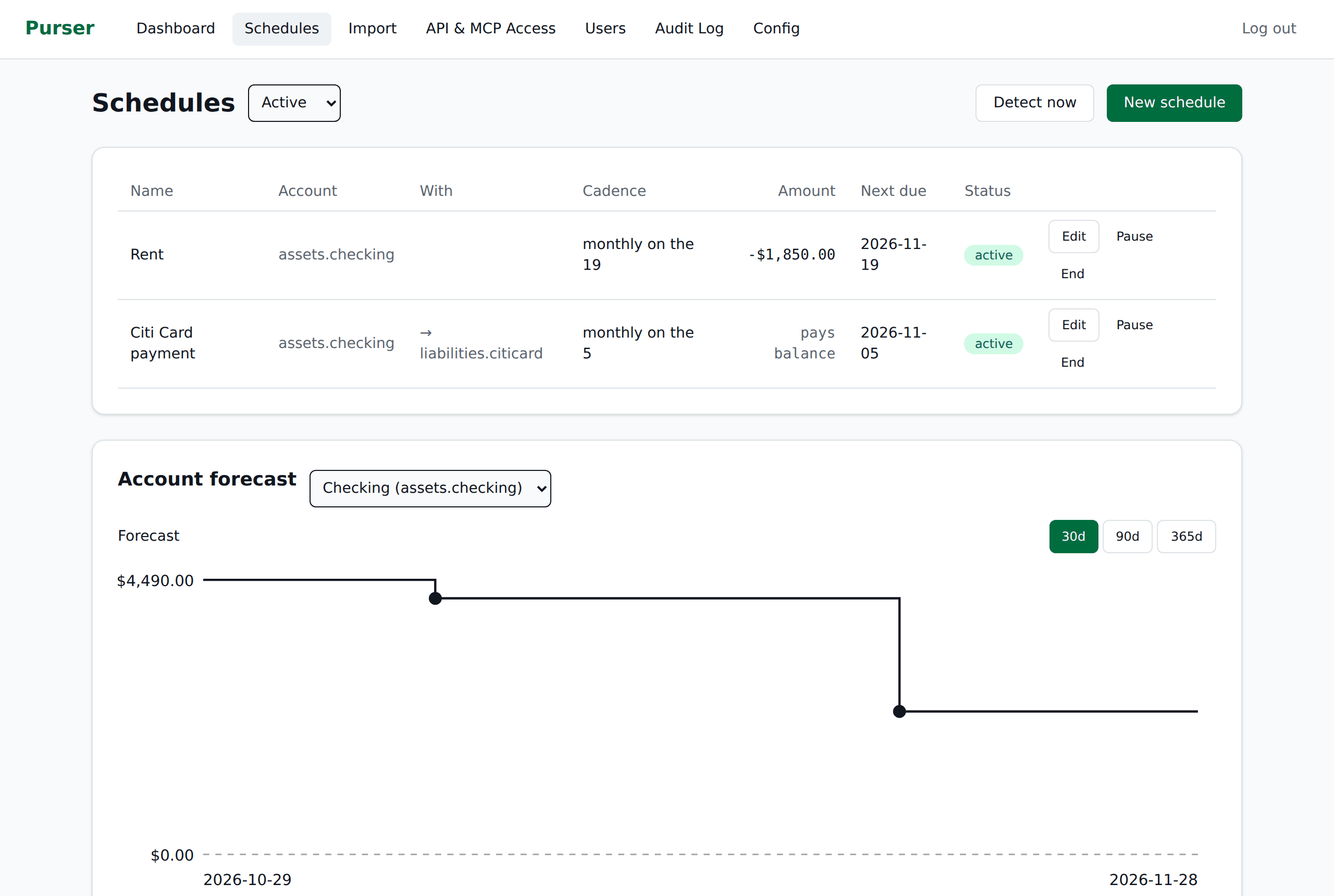 Schedules and forecast: recurring bills and income, with each account projected forward Schedules and forecast: recurring bills and income, with each account projected forward |
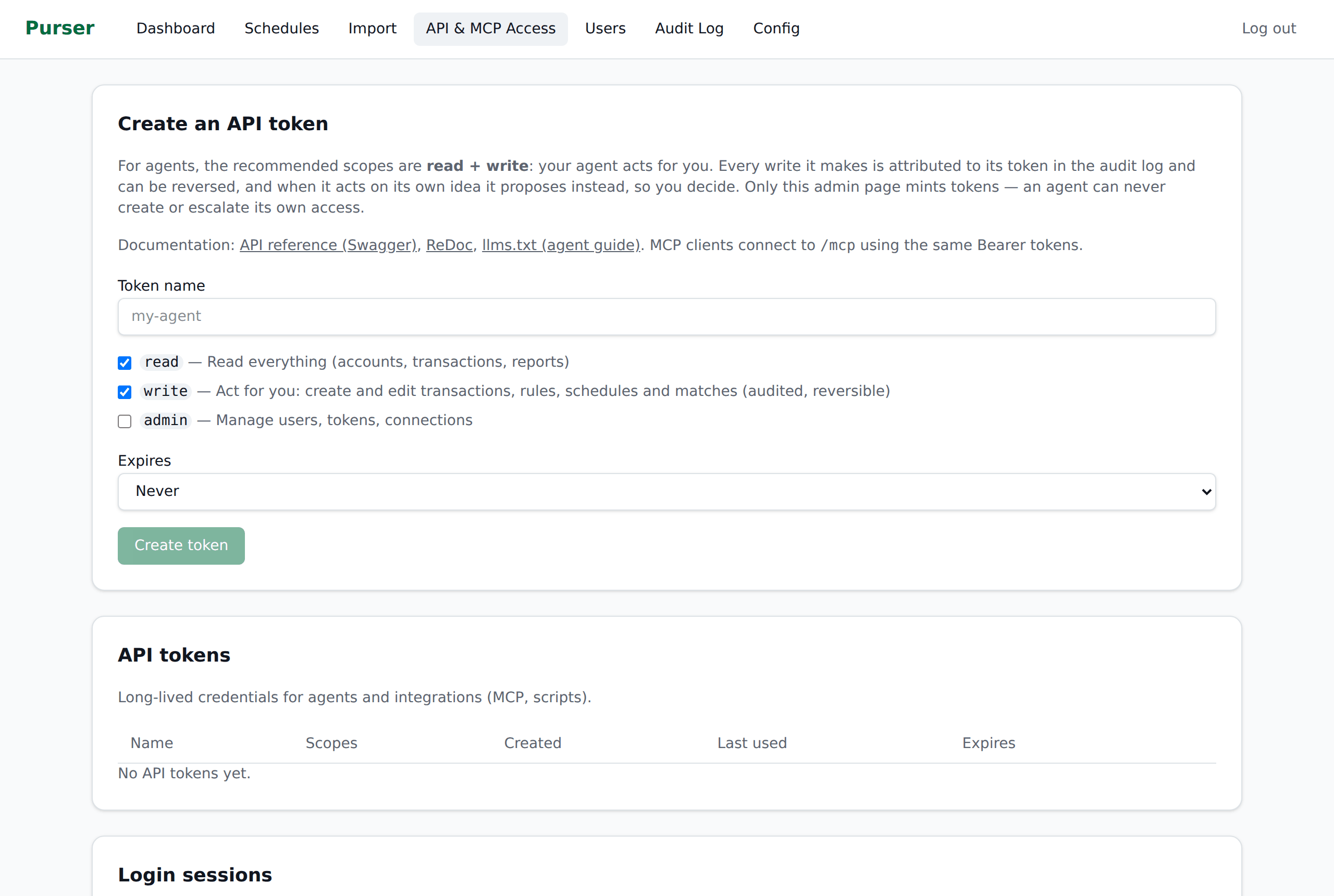 API & MCP access: mint a scoped token for your agent API & MCP access: mint a scoped token for your agent |
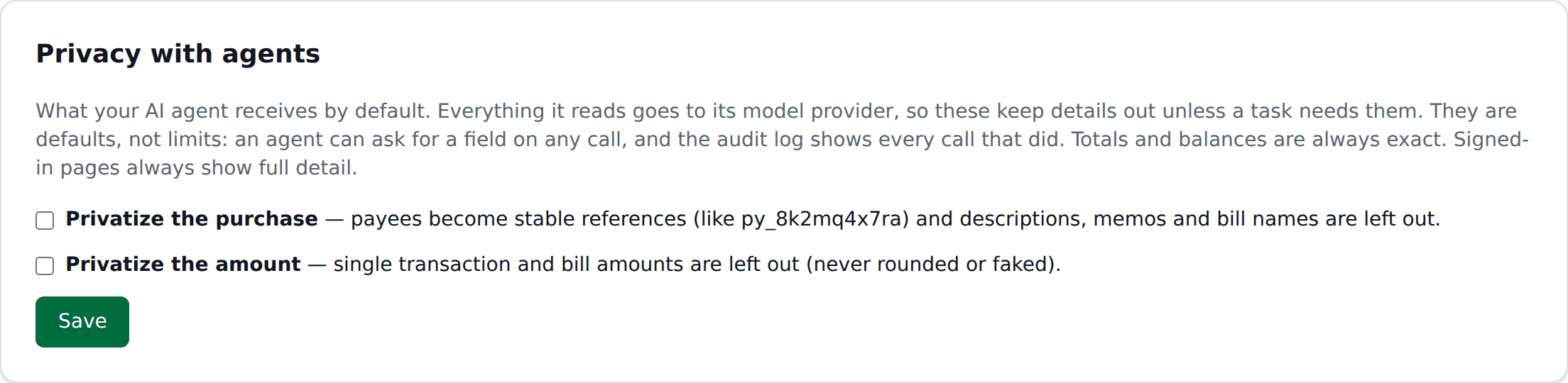 Privacy with agents: keep payees and amounts out of what your AI receives Privacy with agents: keep payees and amounts out of what your AI receives |
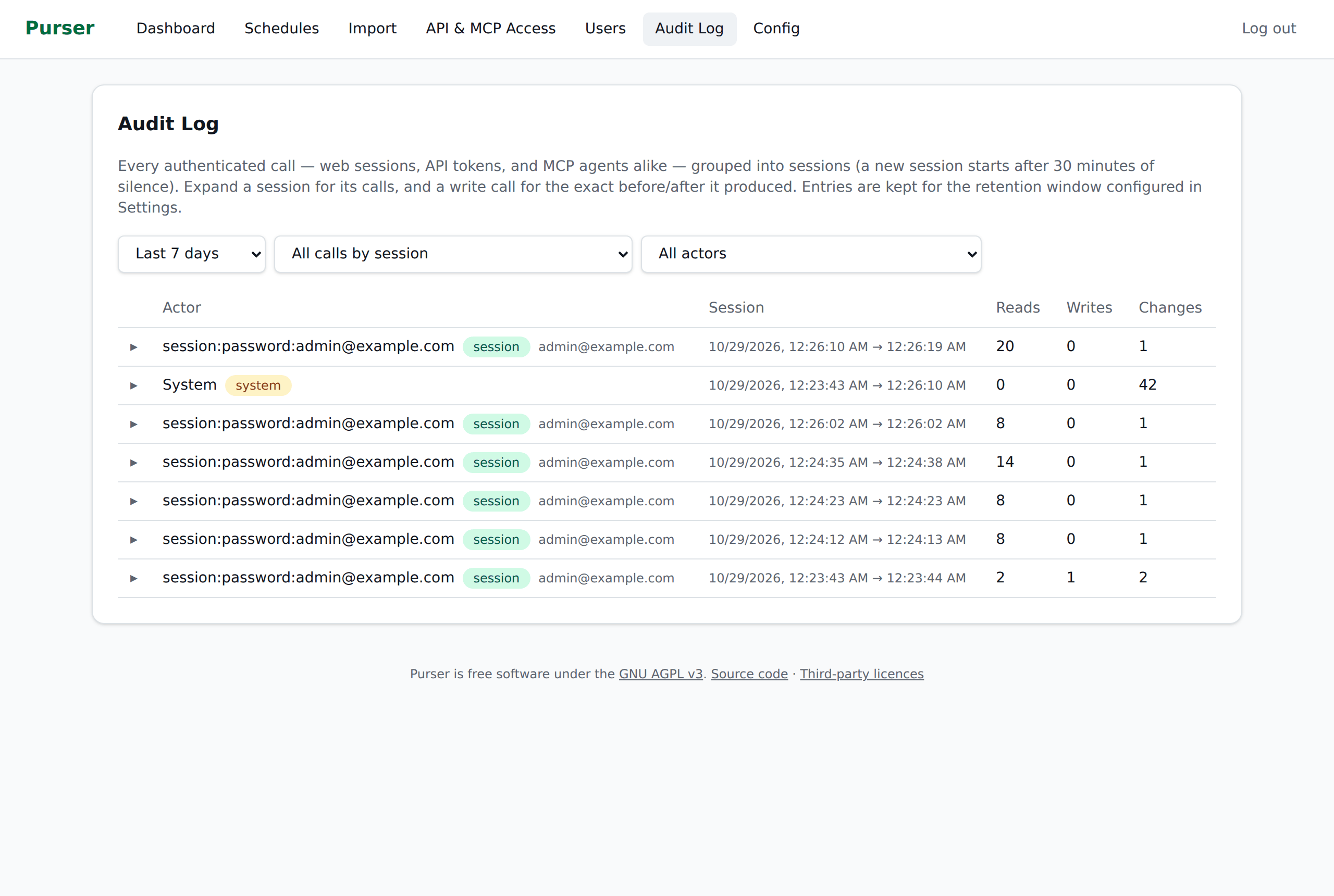 Audit log: every read and write, by person or agent Audit log: every read and write, by person or agent |
Get started
Purser runs with Docker on Linux (amd64 or arm64) and on Macs with Apple Silicon. Your AI agent can install it for you. Give it this one sentence:
Set up Purser for me by following https://mlamoure.github.io/purser/tutorials/ai-setup/
Your agent installs Purser and stops at the few steps only you should take: storing your encryption key, creating the admin account and approving its access token. Then it connects itself.
Prefer to do it yourself? Follow the Quickstart.
Agents that load skills can also use skills/purser/SKILL.md.
Learn more
- Privacy and agents
- How the ledger works
- Connect an agent and the MCP tool catalog
- Security model
- Backup and restore
Bugs, ideas and security
Report bugs and ideas in GitHub Issues. Report security problems privately through Report a vulnerability on the Security tab. Pull requests are welcome; the maintainer applies accepted changes upstream.
License
AGPL-3.0-only. Third-party components and their licences are listed in THIRD_PARTY_NOTICES.md.
Purser is an independent project and is not affiliated with Quicken.