MCP Server for Claude: Supabase + Notion
Let Claude (or any MCP client) query and update your Supabase database and search or write your Notion workspace, safely.
A production-style Model Context Protocol server in TypeScript with 6 tools, a schema resource and a reusable prompt. Works with Claude Desktop, Claude Code, Cursor and the MCP Inspector. Runs in mock mode with realistic sample data when no keys are set, so you can try it in a minute.
Why
Teams keep customer data in Postgres and their process docs in Notion. Copying between the two by hand is slow, and giving an AI raw database credentials is risky. This server gives Claude a small, typed, allowlisted set of tools instead of a SQL prompt.
Tools
| Tool | What it does | Writes? |
|---|---|---|
supabase_list_tables |
Allowed tables with columns and row counts | no |
supabase_query |
Select with column list, filters (eq, neq, gt, gte, lt, lte, like, ilike, in), ordering, limit |
no |
supabase_insert |
Insert 1 to 50 rows, returns created rows | yes |
notion_search |
Full-text search over pages shared with the integration | no |
notion_get_page |
Read a page as plain text | no |
notion_create_page |
Create a page from markdown (headings, lists, quotes, paragraphs) | yes |
Also exposes the resource schema://supabase and the prompt ops_review.
Safety by default
- Table allowlist (
SUPABASE_ALLOWED_TABLES): any other table is refused, soauth.usersand internal tables stay out of reach. - Read-only mode (
MCP_READ_ONLY=true): write tools are not even registered. - Validated inputs: Zod schemas on every tool; column names must match
^[a-zA-Z_][a-zA-Z0-9_]*$; row limits capped (MCP_MAX_ROWS, default 100). - No raw SQL: queries go through the Supabase query builder (PostgREST), so there is no SQL injection surface.
- MCP annotations (
readOnlyHint,destructiveHint,openWorldHint) so clients like Claude Desktop ask before write actions. - stdout reserved for JSON-RPC, logs go to stderr.
Architecture
flowchart LR
    C["Claude Desktop / Claude Code / Cursor"] <-->|"MCP · JSON-RPC over stdio"| S["supabase-notion MCP server<br/>(TypeScript, @modelcontextprotocol/sdk)"]
    S --> G{"Guards<br/>allowlist · Zod · read-only · limits"}
    G --> DB["DatabaseBackend"]
    G --> NB["NotesBackend"]
    DB -->|keys set| SB[("Supabase Postgres<br/>supabase-js")]
    DB -->|no keys| MD[("In-memory mock")]
    NB -->|token set| NO["Notion API<br/>@notionhq/client"]
    NB -->|no token| MN["In-memory mock pages"]
Backends sit behind two small interfaces (DatabaseBackend, NotesBackend), so adding Airtable, Postgres-direct or Google Docs means one new class.
Quick start
npm install
npm test          # 8 tests, in-memory MCP transport
npm run build     # compiles to dist/
npm run inspect   # open in the official MCP Inspector
Use it in Claude Desktop
Add this to claude_desktop_config.json (macOS: ~/Library/Application Support/Claude/, Windows: %APPDATA%\Claude\), then restart Claude:
{
  "mcpServers": {
    "supabase-notion": {
      "command": "node",
      "args": ["/absolute/path/to/mcp-server-supabase-notion/dist/index.js"],
      "env": {
        "SUPABASE_URL": "https://YOUR-PROJECT.supabase.co",
        "SUPABASE_SERVICE_ROLE_KEY": "YOUR-SERVICE-ROLE-KEY",
        "SUPABASE_ALLOWED_TABLES": "customers,support_tickets,leads",
        "NOTION_TOKEN": "secret_xxx",
        "NOTION_PARENT_PAGE_ID": "YOUR-PAGE-ID",
        "MCP_READ_ONLY": "false"
      }
    }
  }
}
Leave the env block out to run against the built-in sample data.
Claude Code
claude mcp add supabase-notion -- node /absolute/path/to/dist/index.js
Demo web UI (screenshots)
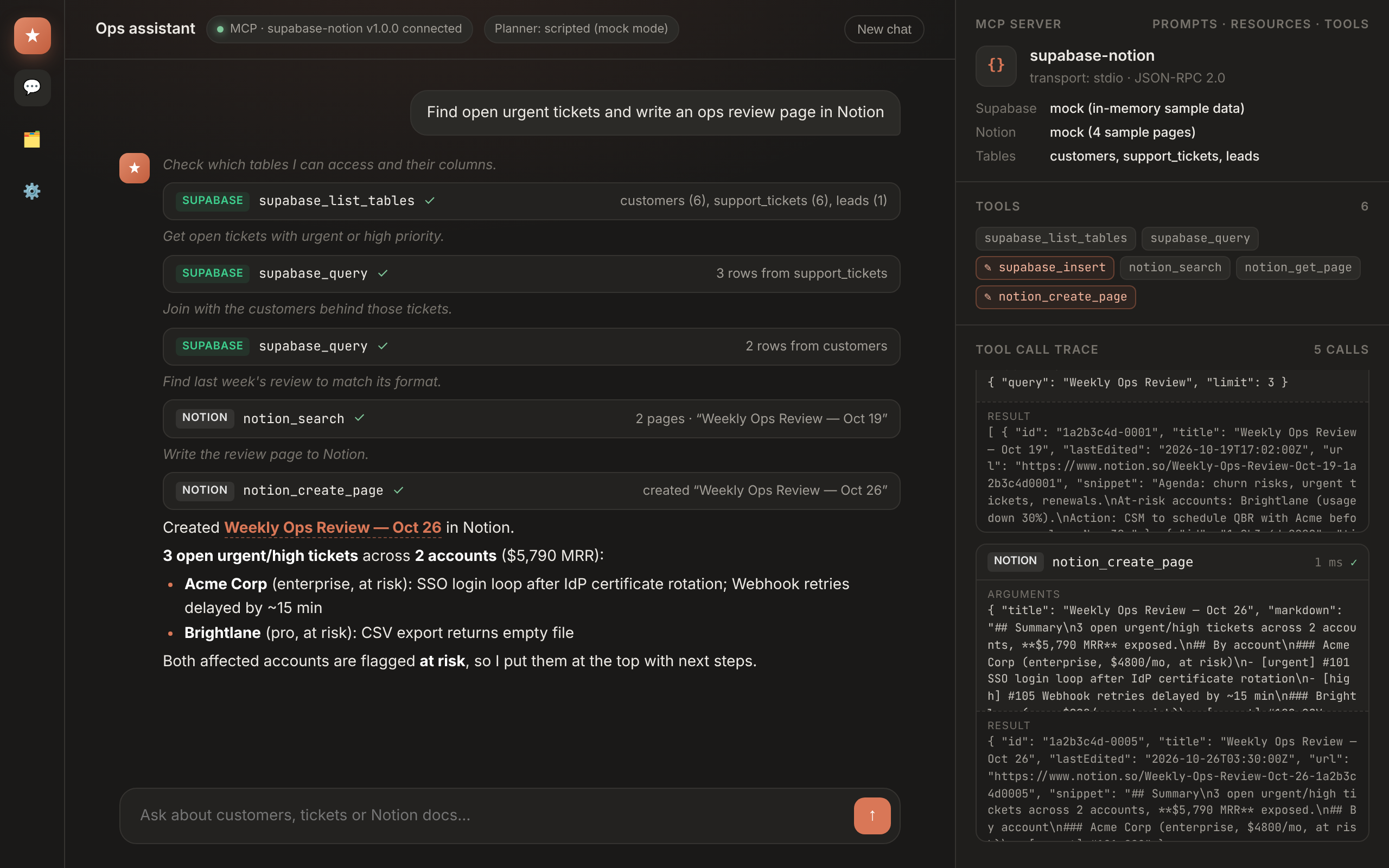
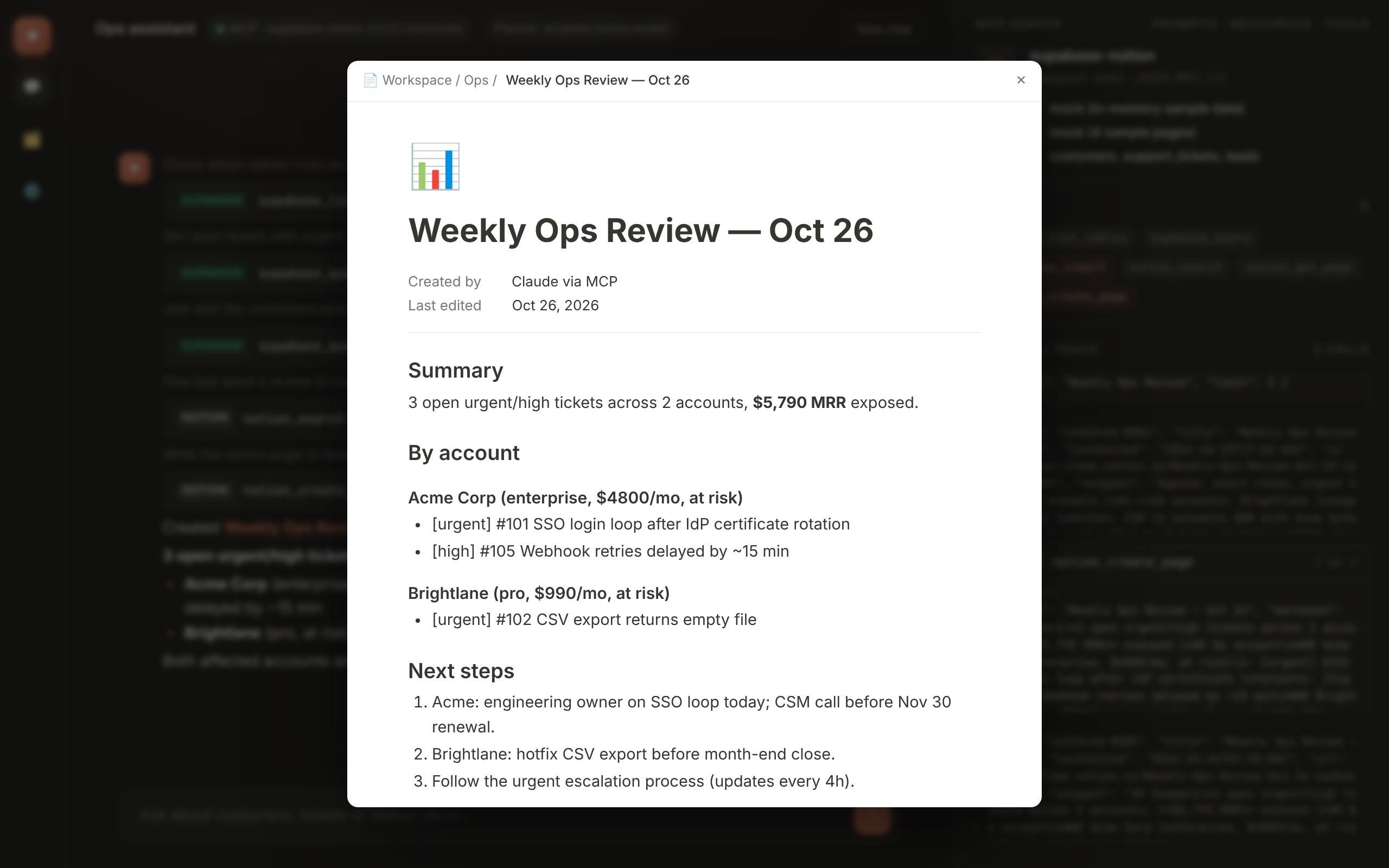
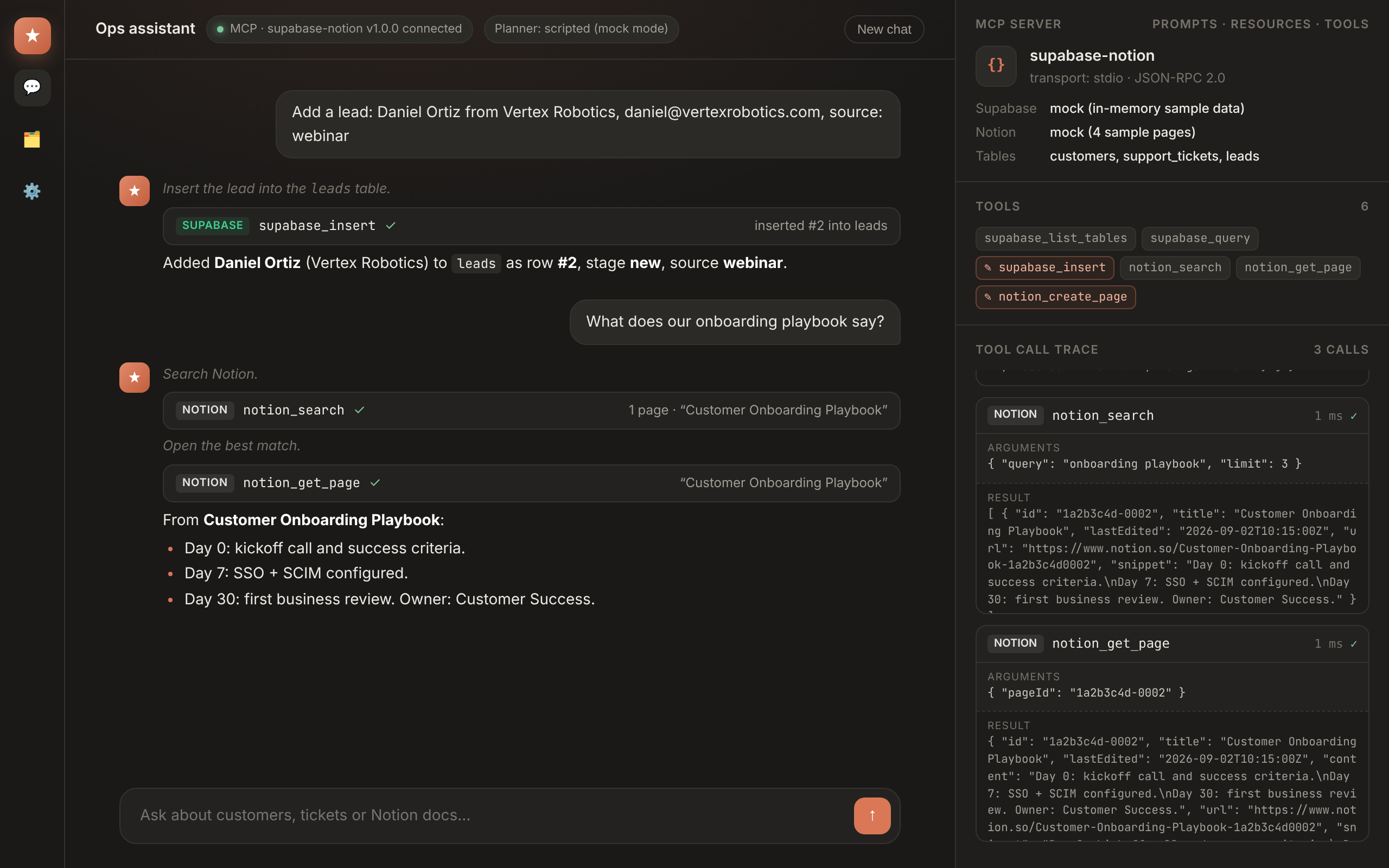
npm run demo starts a small MCP host on http://localhost:3300: it spawns the server over stdio, lists its tools and runs a tool-use loop.
- With
ANTHROPIC_API_KEYset, Claude (Messages API tool use) decides which tools to call. - Without it, a deterministic scripted planner drives the same MCP tools, so the demo runs offline. The screenshots in this repo were taken in this mock mode (the header says "Planner: scripted").
| Notion page written by the agent | Insert row + Notion search |
|---|---|
 |
 |
Example prompts
- "Find open urgent tickets and write an ops review page in Notion"
- "Which enterprise customers are at risk, and what's their MRR?"
- "Add a lead: Daniel Ortiz from Vertex Robotics, daniel@vertexrobotics.com, source: webinar"
- "What does our escalation process say about urgent tickets?"
Project layout
src/
  index.ts            stdio entry point
  server.ts           tool, resource and prompt registration + guards
  config.ts           env parsing
  backends/
    supabase.ts       supabase-js implementation
    notion.ts         Notion API implementation + markdown → blocks
    mock.ts           in-memory sample data
demo/                 MCP host + Claude tool-use loop + web UI
tests/                MCP client ↔ server tests over InMemoryTransport
Supabase setup (real mode)
Any tables work; the sample schema is:
create table customers (id bigint generated always as identity primary key, name text, email text, plan text, mrr int, country text, health text, created_at date default now());
create table support_tickets (id bigint generated always as identity primary key, customer_id bigint references customers, subject text, status text, priority text, created_at date default now());
create table leads (id bigint generated always as identity primary key, name text, company text, email text, source text, stage text, created_at date default now());
Use the service-role key only on a trusted machine. For multi-user setups, use a user JWT plus RLS policies instead.
License
MIT