Toskar Core

Local AI should be as easy to use as SaaS AI.
An open-source control plane that makes local AI feel like a hosted AI service.
Toskar Core is built around one goal: make running AI on hardware you own feel as simple as using a hosted service.
You should not need to understand model formats, runtimes, GPU backends, memory limits, networking, or cluster scheduling just to use local AI.
Toskar detects your hardware, recommends and manages models, starts the right runtime, uses other computers when needed, and exposes a consistent API to your applications. It manages models, runtimes, hardware, and multiple computers behind that API.
Your computers. Your models. Your AI.
The daemon (toskar), the local web UI, and the HTTP API are in this repository. Toskar Pro (the app for your computer) and Toskar (the app for phones, tablets, watches, and TVs) are separate clients, developed outside this repository.
Status: Stable. See the latest GitHub Release.
Quick start · Documentation · Roadmap · Contributing




Design principle
Toskar is not trying to expose every local-AI knob.
It is trying to make those knobs unnecessary.
The default experience should be:
Choose AI → Use AI
Advanced controls should exist when needed, but users should not have to become AI infrastructure engineers to run models locally.
Why Toskar?
Hosted AI is easy:
- Pick a model.
- Send a request.
- Get an answer.
Local AI often is not.
Before you can ask a question, you may need to understand model formats, quantization, runtime backends, GPU support, memory requirements, context sizes, ports, APIs, and which machine can actually run the model.
Toskar's goal is to hide that complexity.
You choose what AI you want to use. Toskar figures out how to run it on the hardware you own.
To make that possible, Core:
- detects the CPU, memory, storage, and accelerators available
- determines which models fit
- installs and manages model runtimes
- downloads and manages models
- starts and stops models when they are needed, and unloads them after they sit idle
- discovers other Toskar computers
- places workloads on machines that can run them
- monitors model and node health
- exposes one consistent OpenAI-compatible API
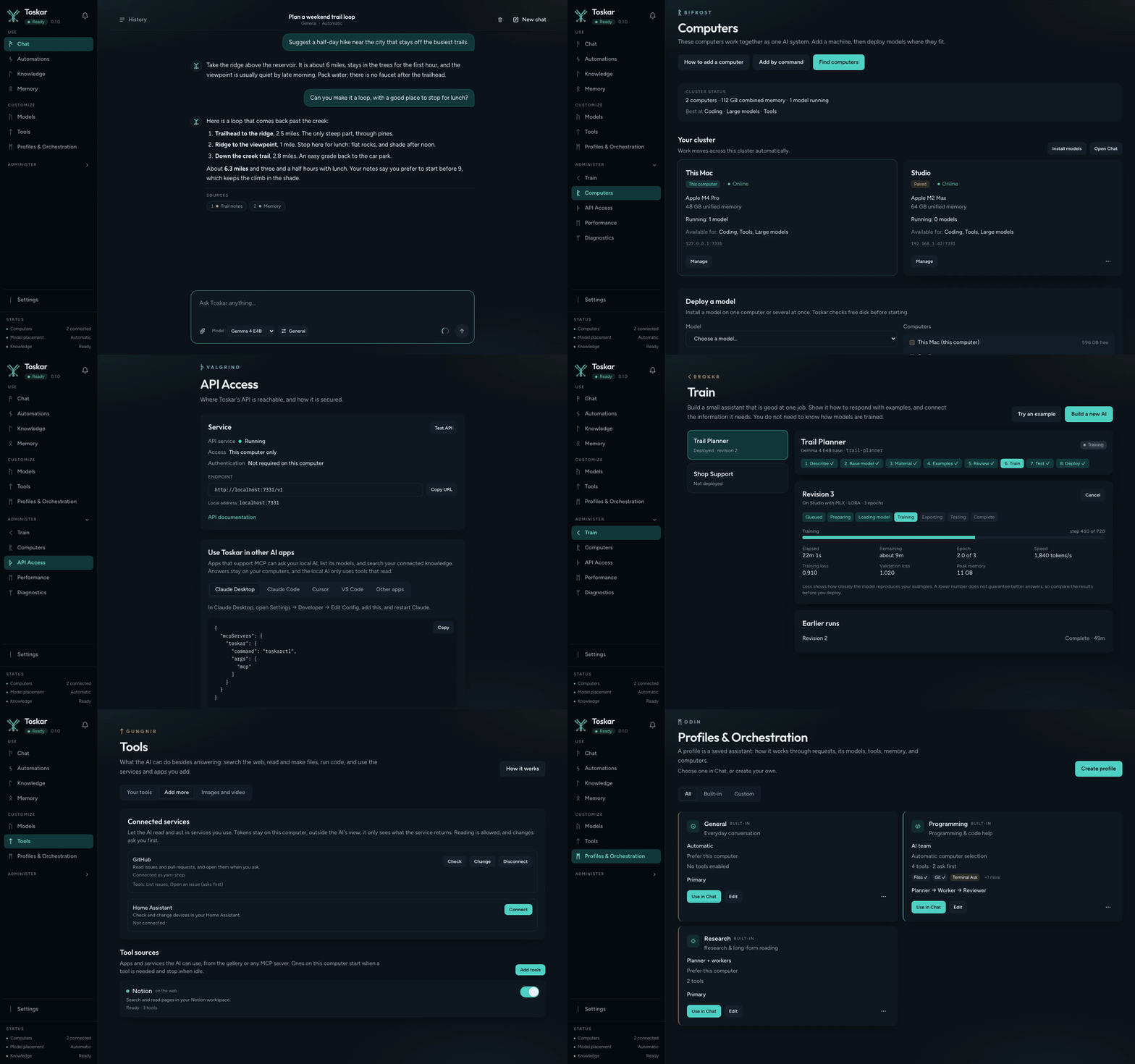
Quick start
Open http://127.0.0.1:7331 after the daemon is running. The API listens on 127.0.0.1:7331. The first page can install a runtime and a GGUF model.
macOS
Homebrew installs the Core daemon from this repository. Toskar Pro is a separate product. The Homebrew cask named yggdrasil is a different project.
brew tap yeixio/toskar https://github.com/yeixio/toskar-core
brew install yeixio/toskar/toskar
toskar
A tagged release writes Formula/toskar.rb and merges it to main. An install from before the rename upgrades on its own: brew upgrade moves the yggdrasil formula to toskar. A tap added before the rename as yeixio/yggdrasil keeps working; there is no need to add the new one. Headless archives are also attached to GitHub Releases. See packaging/release-install.md.
Linux
Debian and Ubuntu use the apt repository on the apt branch. It's signed, and apt checks every update against its key (fingerprint 7124 28C8 E821 E64C D418 32F5 2D28 4623 90D0 C604).
sudo install -d -m 0755 /etc/apt/keyrings
curl -fsSL https://toskar.ai/apt/toskar.asc | sudo tee /etc/apt/keyrings/toskar.asc > /dev/null
echo "deb [signed-by=/etc/apt/keyrings/toskar.asc] https://raw.githubusercontent.com/yeixio/toskar-core/apt stable main" | sudo tee /etc/apt/sources.list.d/toskar.list
sudo apt-get update
sudo apt-get install toskar
Added before 1.8.3 with [trusted=yes], which turns off apt's signature check? Upgrading moves it to the signed form for you; or delete /etc/apt/sources.list.d/yggdrasil.list and run the commands above. The package installs toskar, toskarctl, the web UI, and toskar.service, which also answers to yggdrasil.service. An install from before the rename moves to the toskar package with sudo apt-get upgrade. RPM packages for x86_64 and aarch64 are on the GitHub Release. Install one with sudo rpm -i or sudo dnf install. Details are in packaging/linux/README.md.
Windows
The GitHub Release includes an unsigned toskar-<version>-windows-amd64-headless.tar.gz. A source build is below.
Use it from other devices (optional)
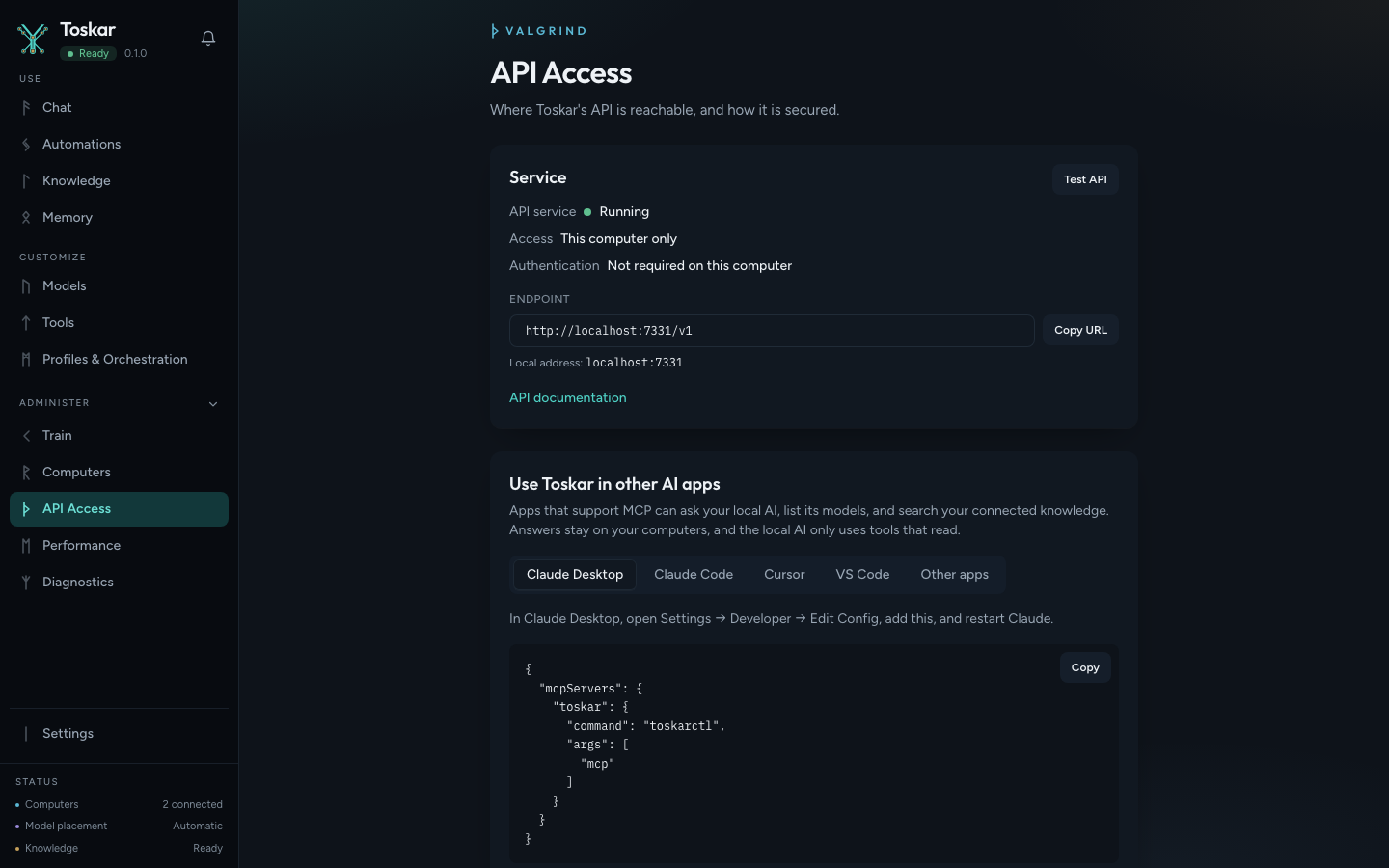
Toskar answers only on this computer until you turn on local network access. To use it from another computer, a phone, or an app on your network:
- Open
http://127.0.0.1:7331, go to API Access, and turn on Local network access. It asks you to create an API key; copy it, because it is shown once. - Restart Toskar so it listens on the network: on macOS press Ctrl+C and run
toskaragain, on Linux runsudo systemctl restart toskar, and on Windows closetoskar.exeand start it again. - On the other device, open
http://<this computer's address>:7331and enter the key. Apps that use the OpenAI API takehttp://<address>:7331/v1and the key. The address is the computer's local IP address:ipconfig getifaddr en0on macOS,hostname -Ion Linux, oripconfigon Windows.
A server without a browser can set it before starting instead. The key must be at least 12 characters, for example from openssl rand -hex 24:
sudo systemctl edit toskar
# add, then save:
#   [Service]
#   Environment=TOSKAR_API_HOST=0.0.0.0
#   Environment=TOSKAR_API_KEY=your-long-random-key
sudo systemctl restart toskar
The key keeps others on the network out. Use https:// with the same port to encrypt traffic: Toskar serves its own certificate, whose fingerprint API Access shows, or yours (HTTPS). Allow port 7331 through any firewall. See API authentication and docs/privacy.md.
Build from source
Go 1.26.3 or newer, Node.js 22, and pnpm 9.
git clone https://github.com/yeixio/toskar-core.git
cd toskar-core
make start
make start installs web dependencies, builds the UI, builds the daemon, and runs it. Open http://127.0.0.1:7331. make help lists the other targets. make frontend is the same UI build plus the web tests. A build from this tree reports 0.1.0-dev unless the version is set with -ldflags. See docs/development.md.
Dockerfiles in this repository are for development and the cluster check. Release archives are the packaged builds.
Features
These exist in this repository today:
- headless daemon, with an optional local web UI
- hardware detection on macOS, Windows, and Linux
- GGUF model catalog, Hugging Face search, download, start, and stop
- llama.cpp (
llama-server) runtime adapter, plus an adapter for an external OpenAI-compatible server - Auto model choice: each request goes to a model that suits it (quick, coding, current information, or detailed), with a retry on another model when one fails
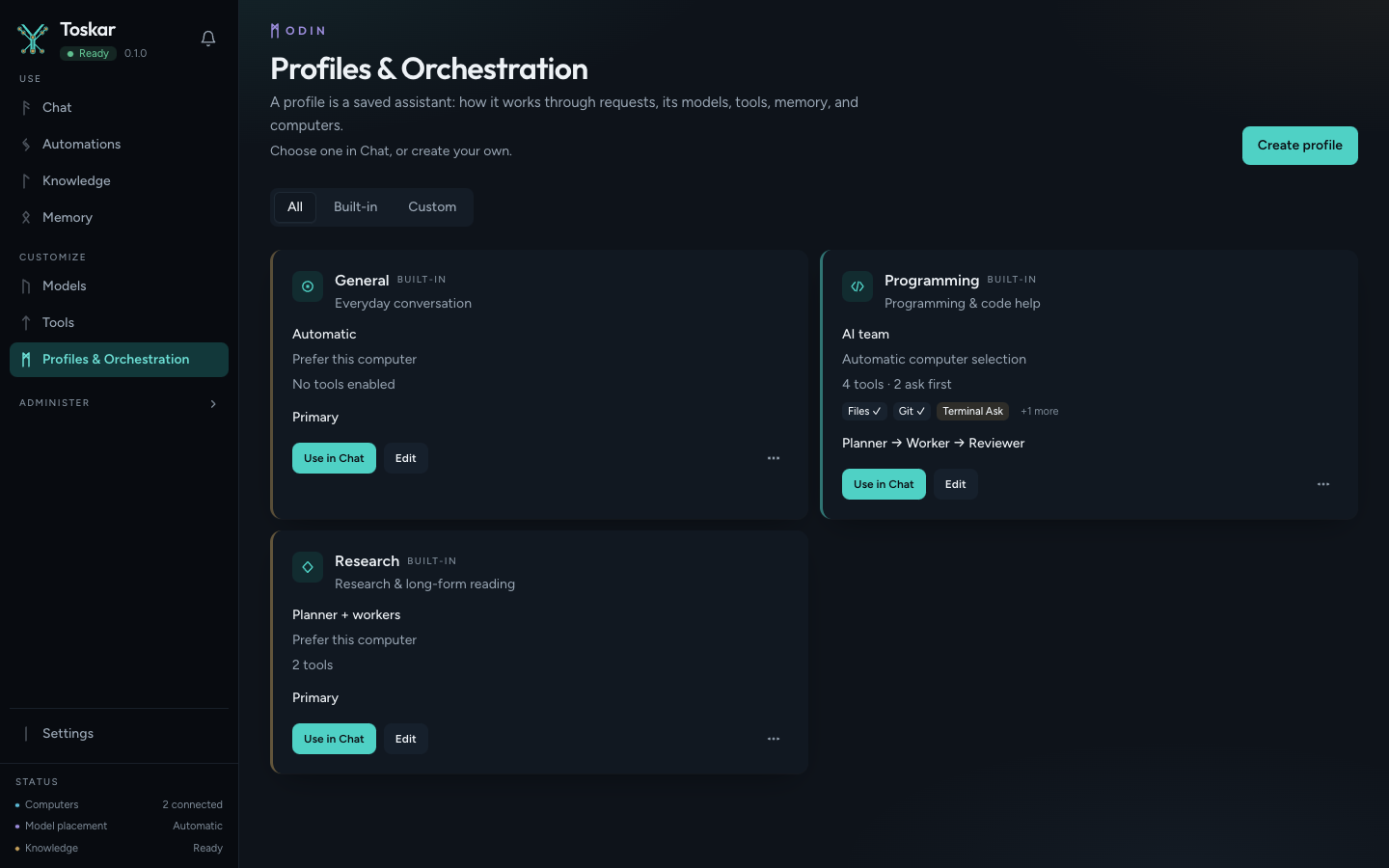
- profiles with a strategy (Auto, single model, planner + workers, or Team: a planner, workers spread over your computers, and a reviewer), model roles, and orchestration controls (effort, planning, verification, tool budget, memory, fallback order)
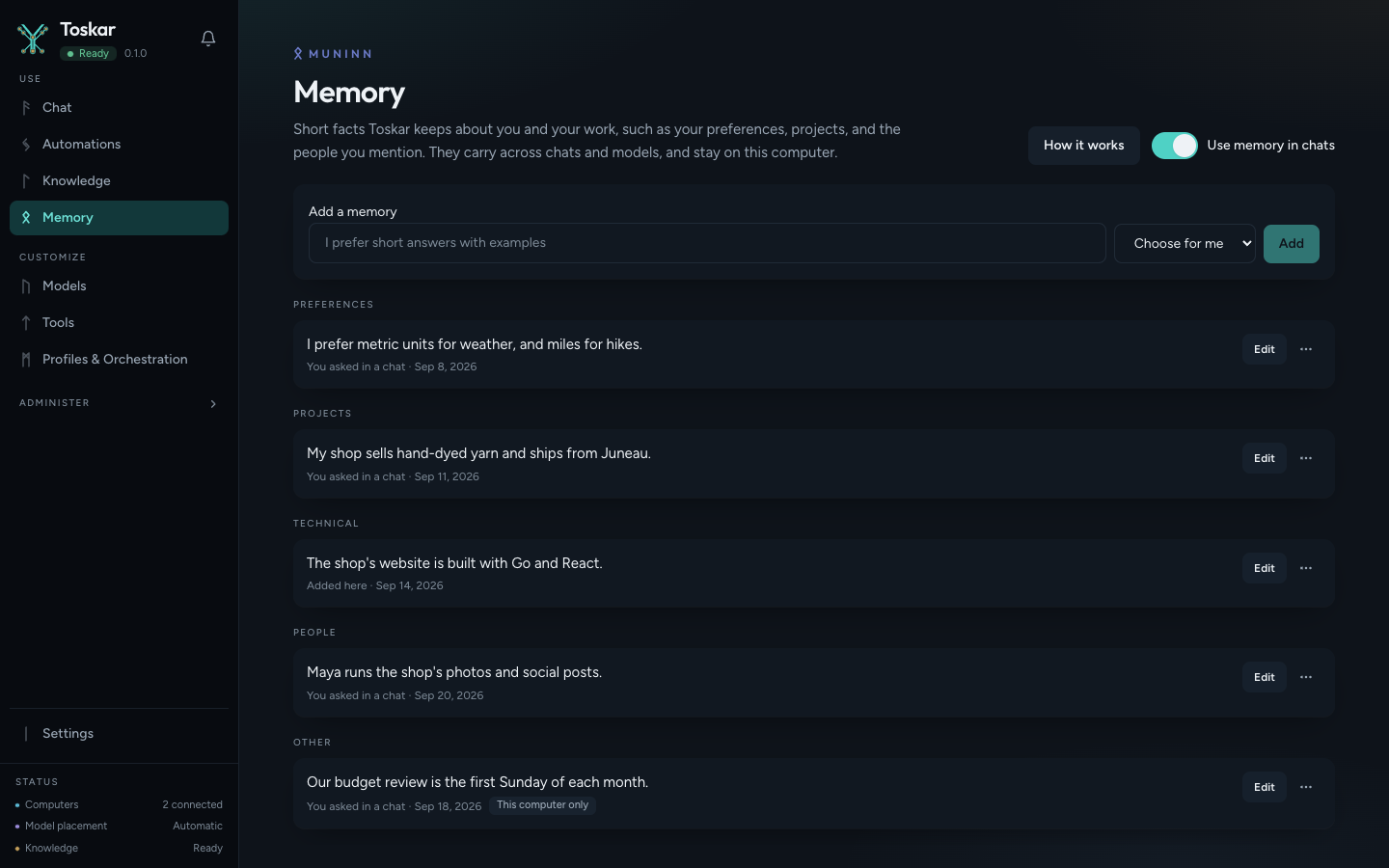
- persistent memory across chats and models, which you can review, edit, and turn off per chat
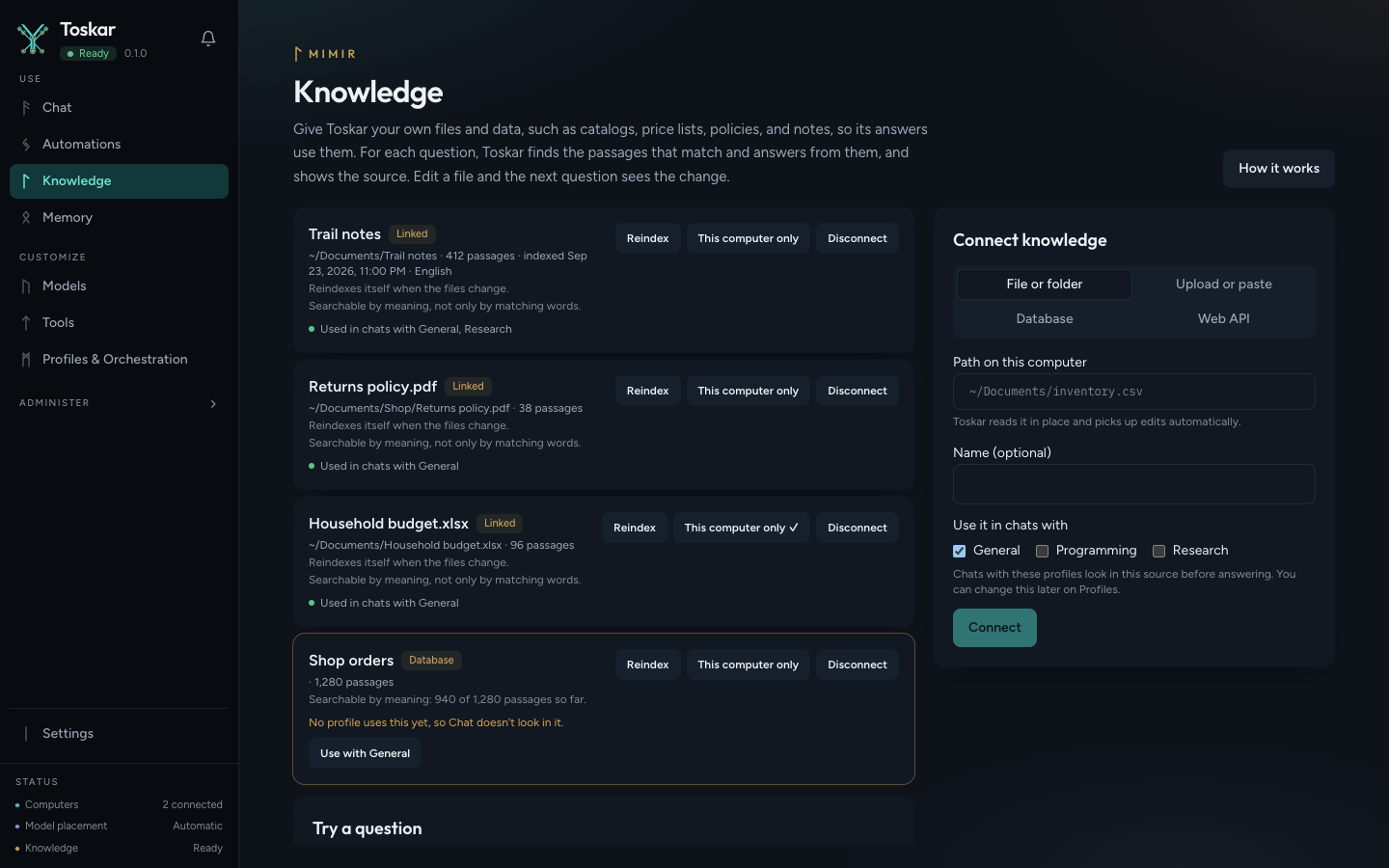
- Mimir connected knowledge: files, folders, uploads, scanned PDFs (text recognition), read-only SQL databases, and web APIs, searched by keyword and, with an embedding model, by meaning
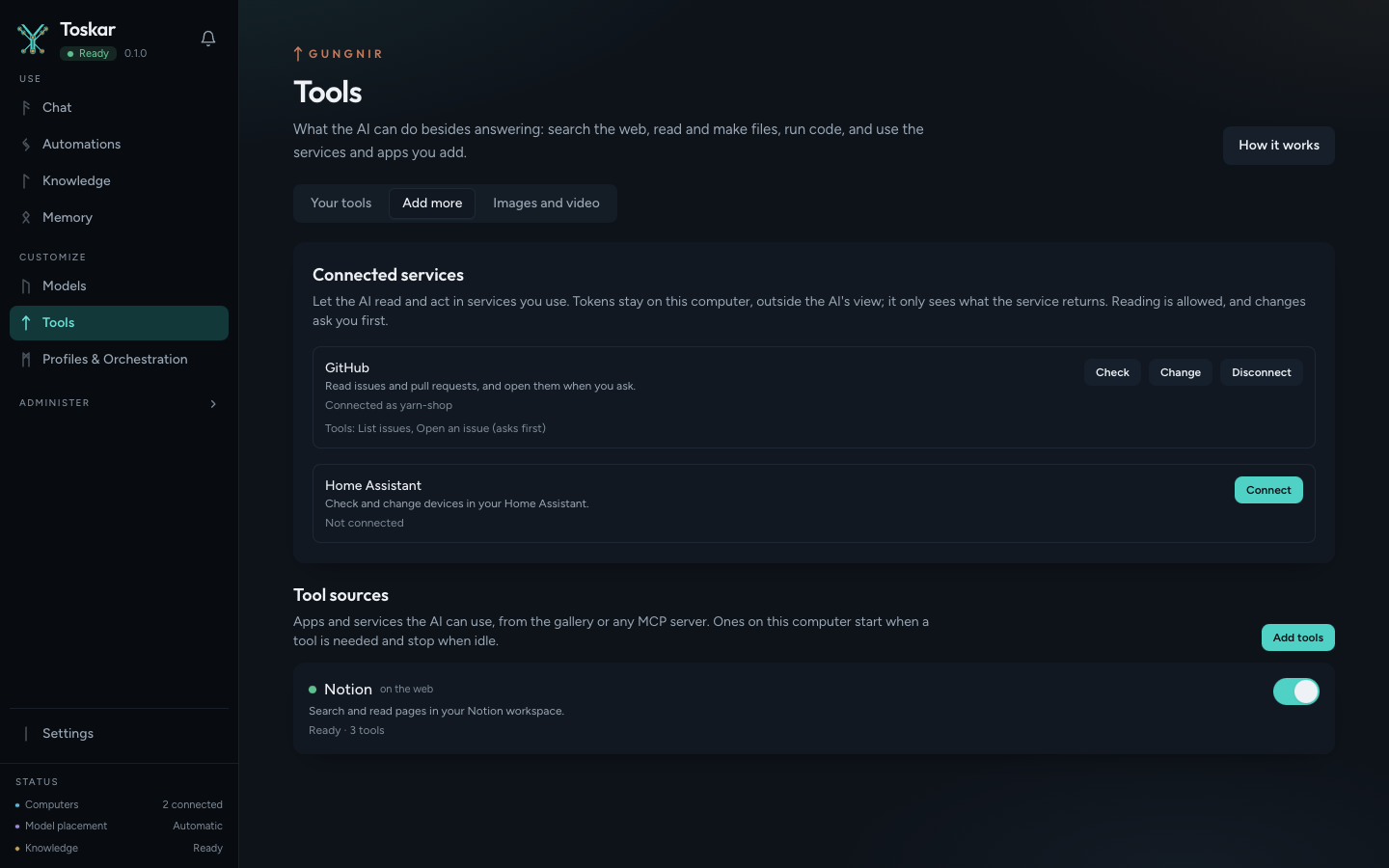
- tools for web search, files, shell, Git, and making files, with per-profile Allow, Ask, and Deny policies; connected services (GitHub, Home Assistant); and tools from MCP servers
- Toskar as an MCP server, so other AI apps can use it (
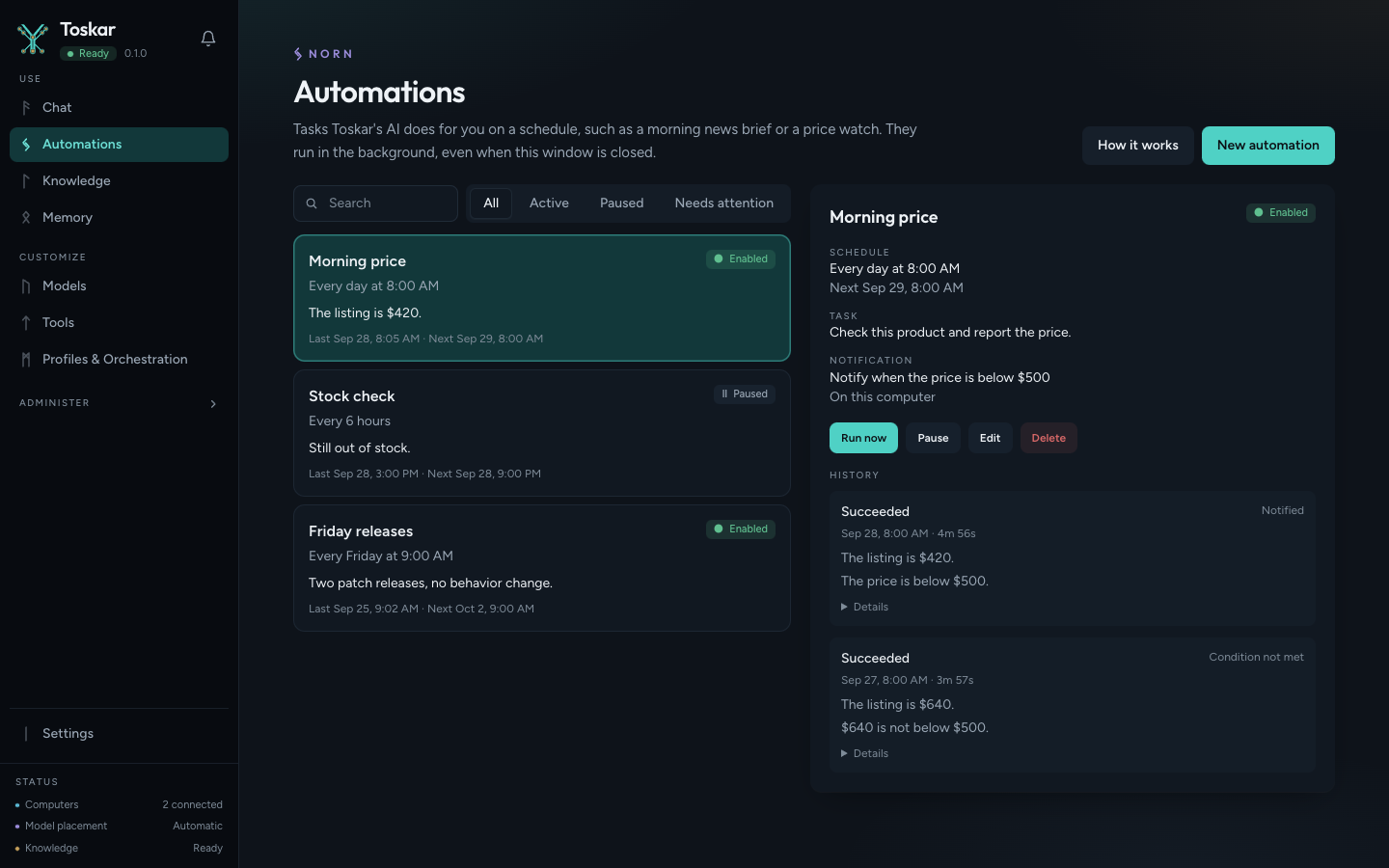
/mcpandtoskarctl mcp) - scheduled automations with conditional notifications, and a notification center
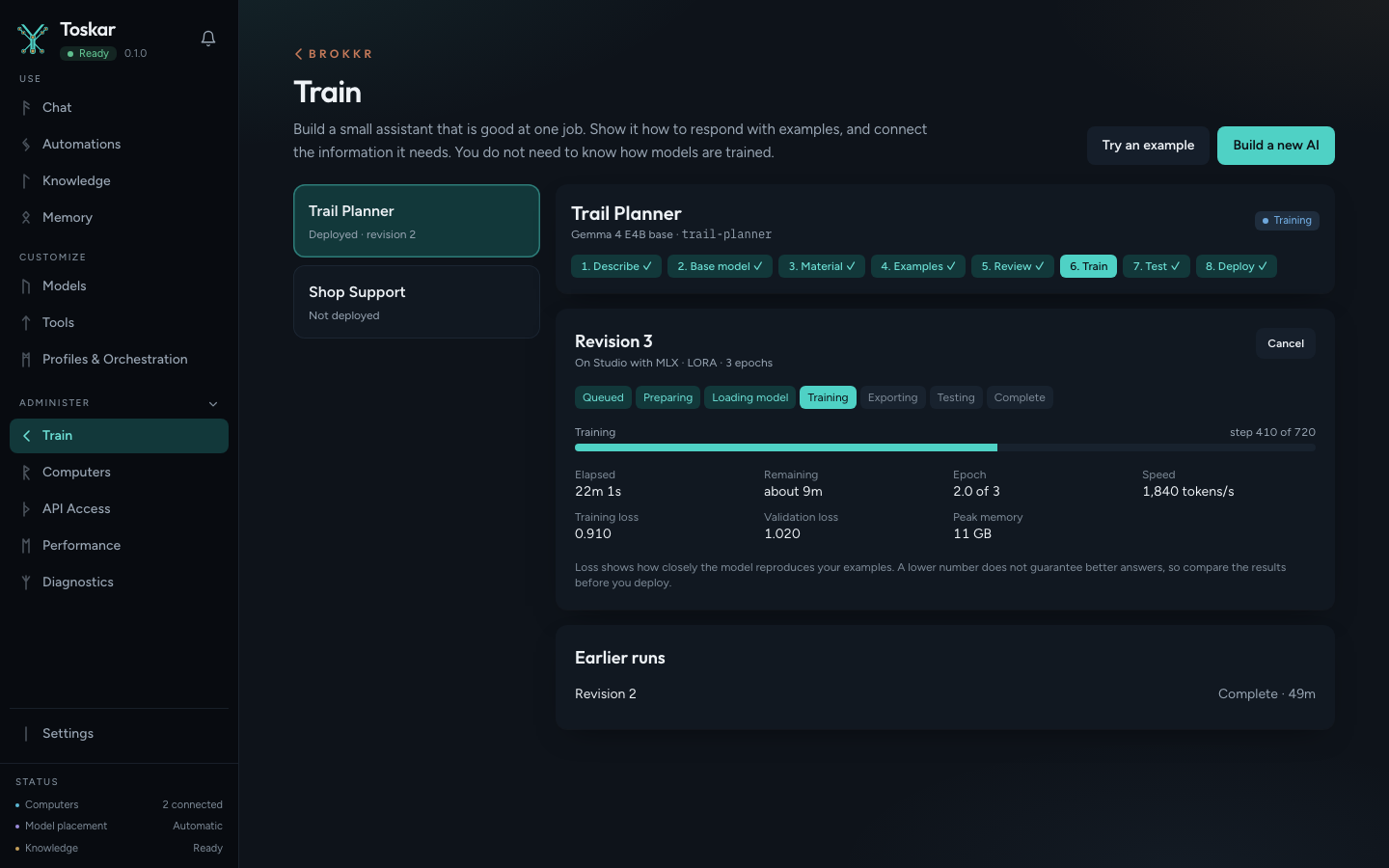
- Train your own AI: a guided build of a specialized assistant from a base model, LoRA training on your examples (MLX on Apple Silicon, PyTorch on NVIDIA GPUs), and connected knowledge, with base-versus-specialized testing before deployment, training on a paired computer, and export as a GGUF file. See docs/features/train-your-own-ai.md.
- Bifrost discovery, pairing, and node-to-node calls, and Norn workload placement across paired nodes
- API keys with per-key permissions, a record of what left this computer, and run-record retention
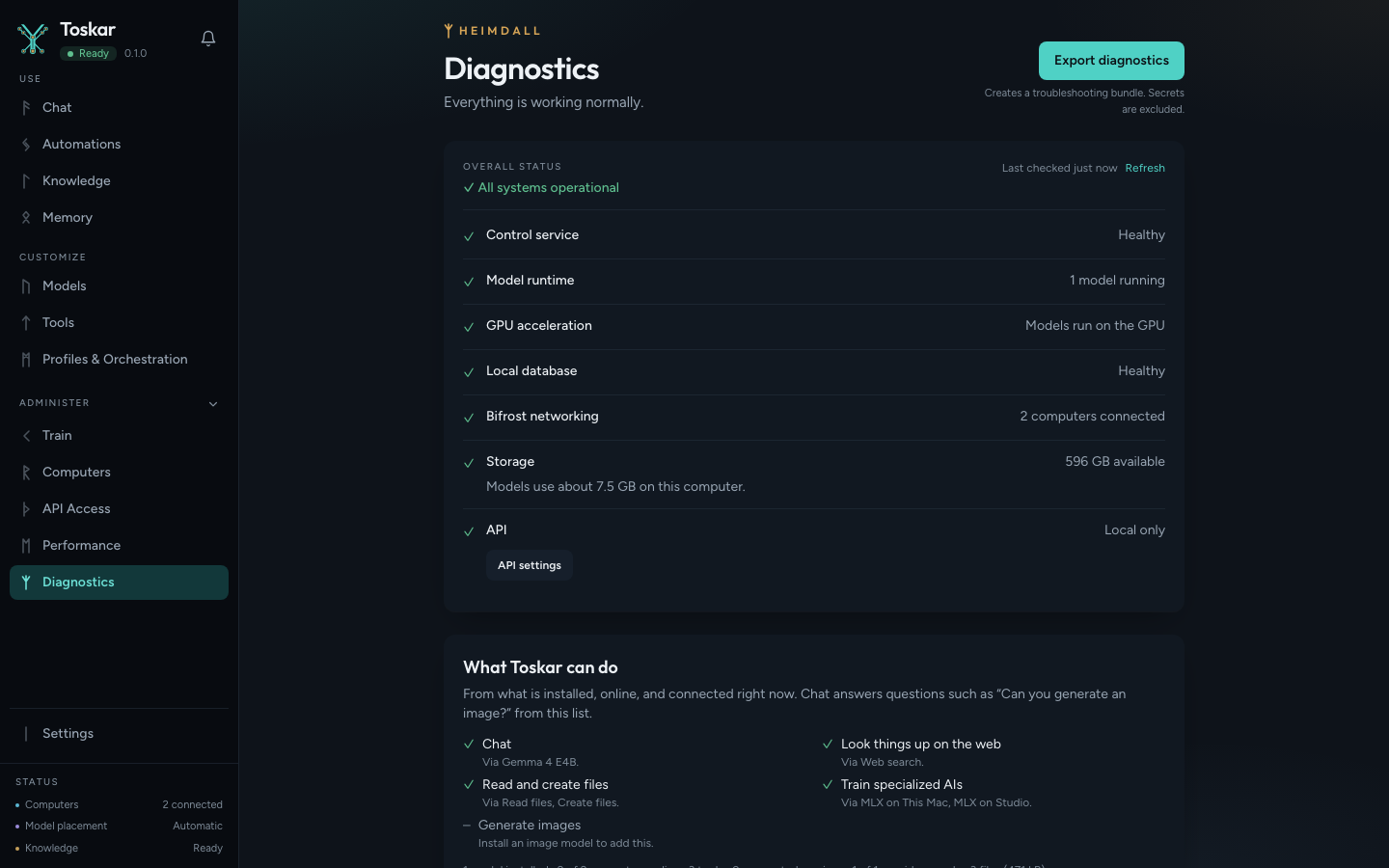
- health endpoint, model health checks, diagnostics bundle, and a local event stream
- benchmarks against a running local model
- OpenAI-compatible
GET /v1/modelsandPOST /v1/chat/completions
Background work is idle model unload, model health checks, periodic peer refresh, and scheduled automations. A scheduled prompt runs in the daemon, including while the desktop window is closed when the app is set to keep running. How to use it is in the user guide. The v1 specification is docs/features/completed/scheduler-and-automations.md.
The interface
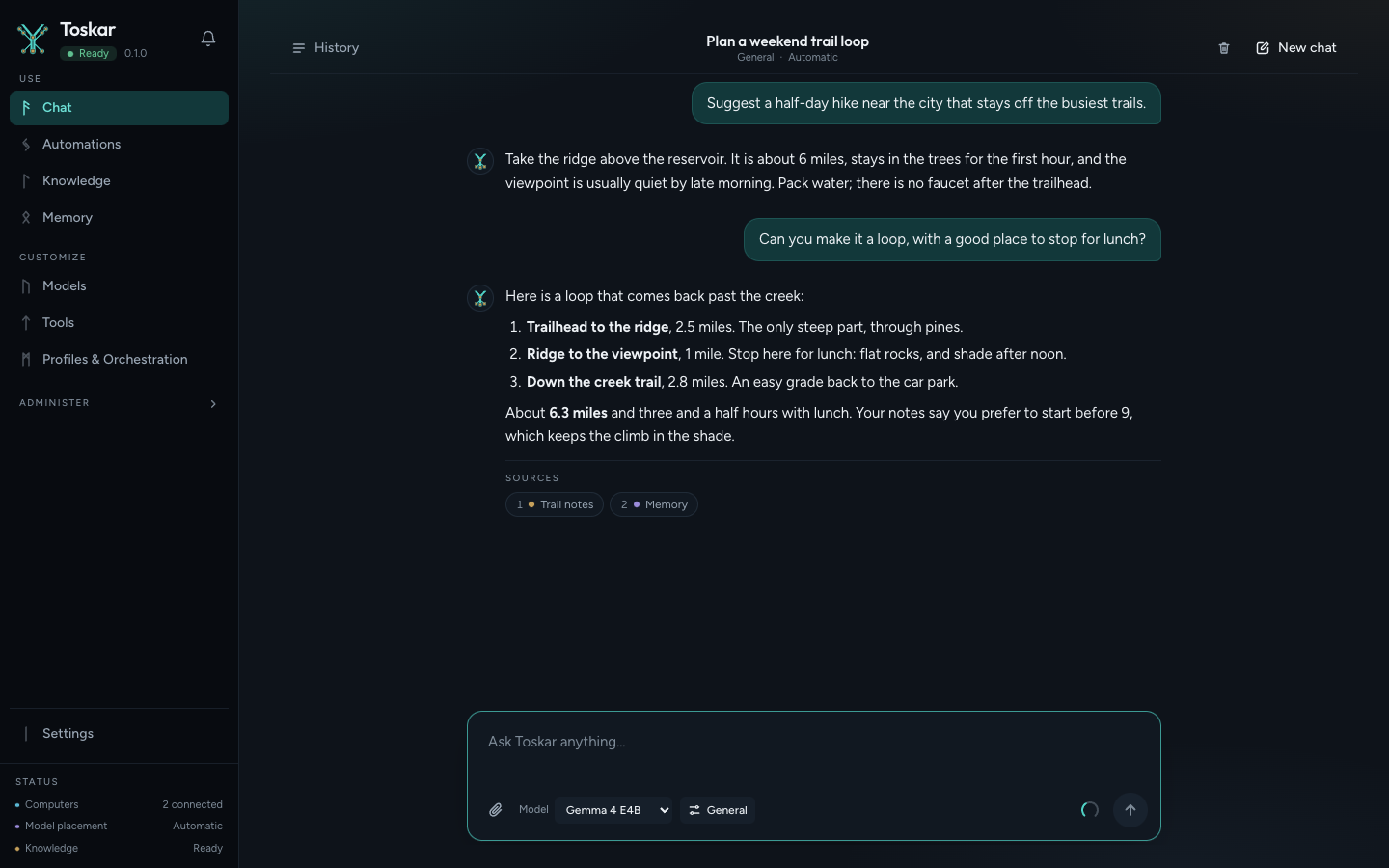 |
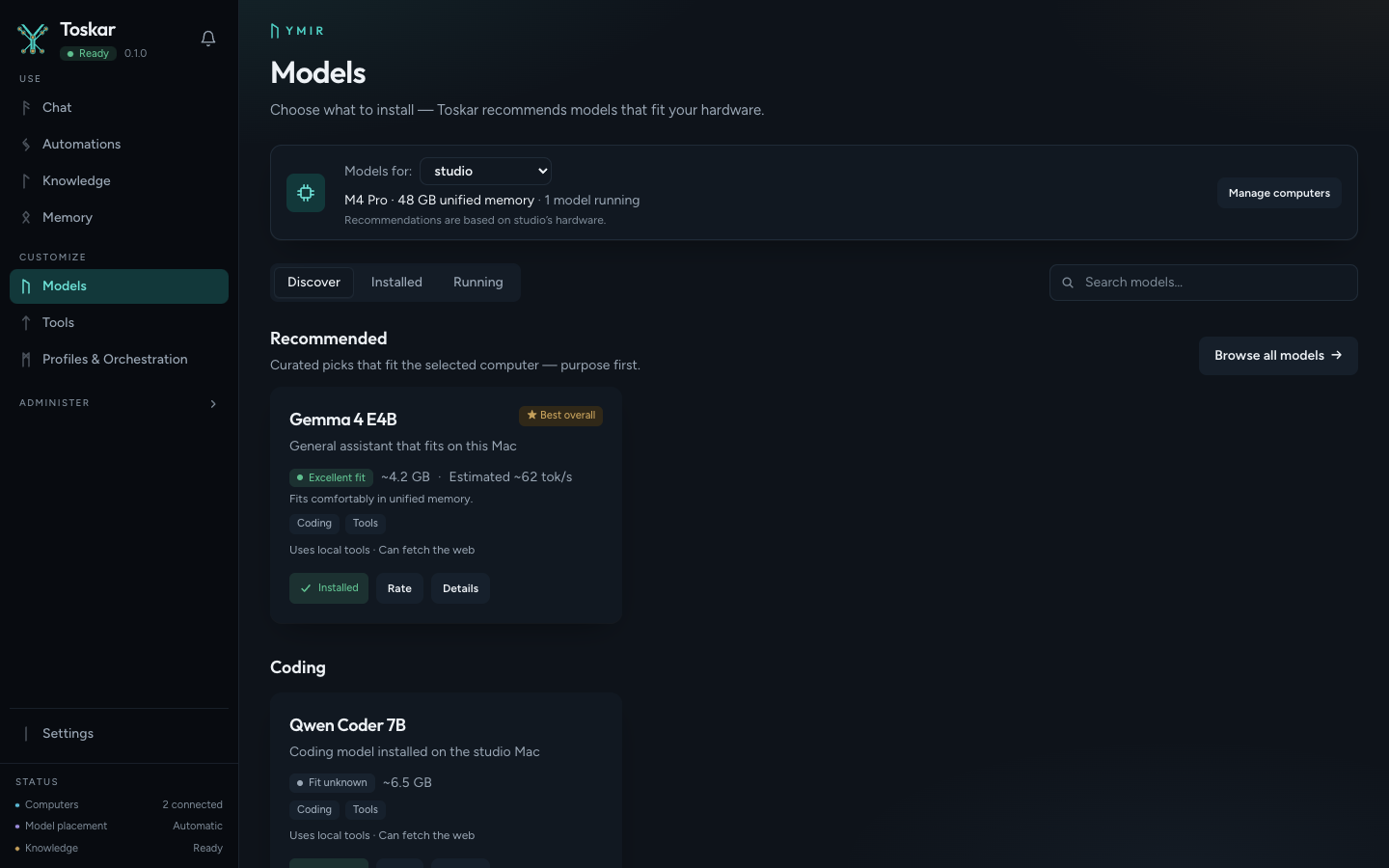 |
| Chat | Models |
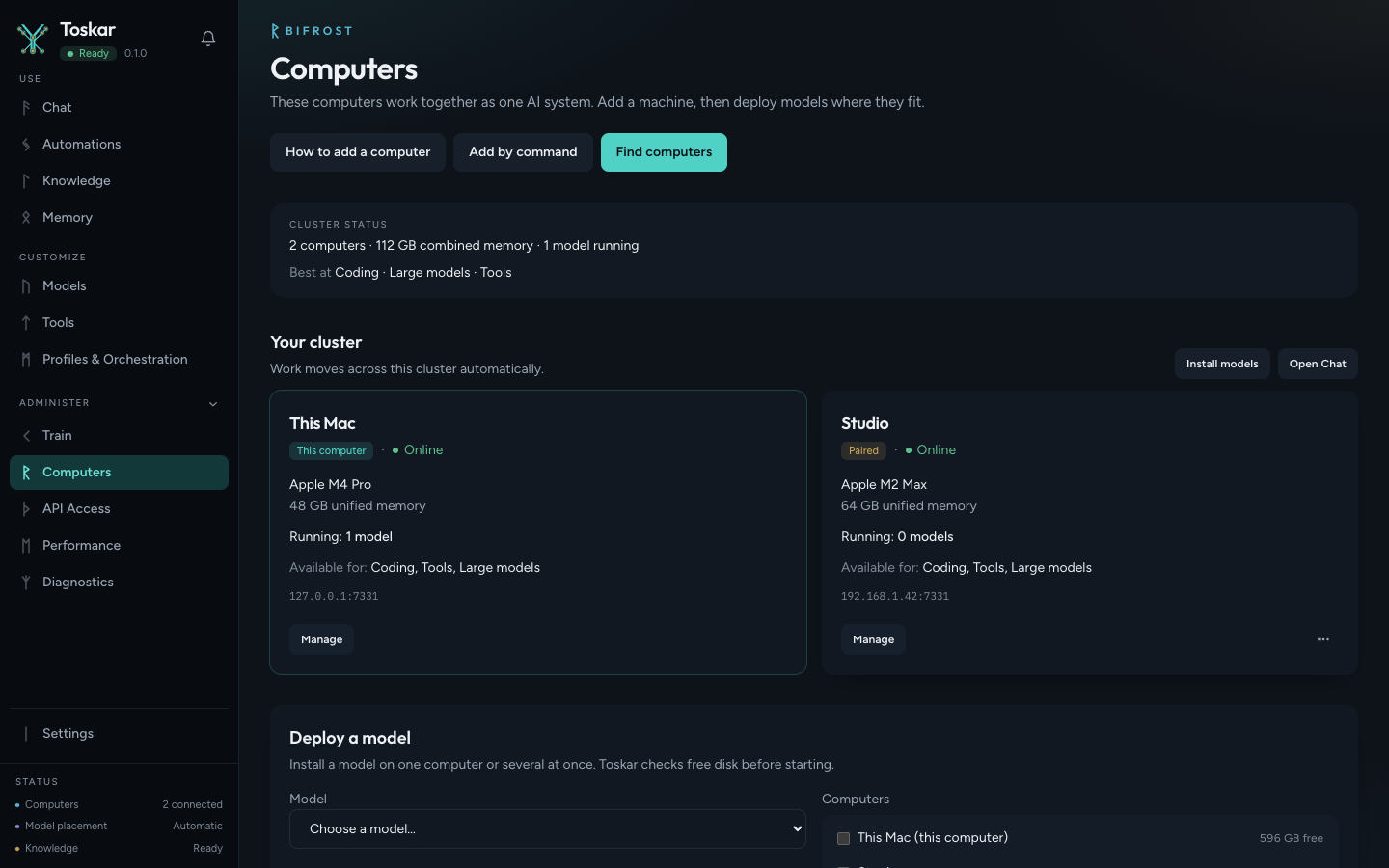 |
 |
| Computers | Performance |
 |
 |
| Diagnostics | API access |
 |
 |
| Train | Knowledge |
 |
 |
| Memory | Tools |
 |
 |
| Profiles & Orchestration | Automations |
make screenshots recaptures these stills and the walkthrough from demo data. It does not start a model. make appstore-screenshots writes the App Store sets from the same demo data: iPhone 6.9-inch at 1320×2868, iPad 13-inch at 2064×2752, and Mac at 2880×1800 and 2560×1600.
How it works
Each computer runs its own daemon. Norn places a role on a machine that can run it. Bifrost discovers and pairs computers on the LAN.
Apps / IDEs / Agents
        │
        ▼
  Toskar Core
   ┌────┴────┐
   │  Norn   │ workload placement
   │ Bifrost │ discovery and pairing
   └────┬────┘
        │
   ┌────┴───────────────┐
   ▼                    ▼
This computer      Paired computers
   │                    │
   └──── local models ──┘
The API defaults to 127.0.0.1:7331. Bifrost uses port 7332. Discovery uses mDNS (_localai._tcp) and can use static peers when mDNS is unavailable. Pairing asks for consent, then later node calls use certificates. Layout and the two-machine check are in docs/architecture.md, docs/clustering.md, and docs/two-machine-team-demo.md.
OpenAI-compatible API
Base URL: http://127.0.0.1:7331
On the default loopback bind these routes do not require a key. If the daemon listens on any other address, send Authorization: Bearer YOUR_API_KEY on /v1 and on /api/v1.
curl http://127.0.0.1:7331/v1/models
curl http://127.0.0.1:7331/v1/chat/completions \
  -H 'Content-Type: application/json' \
  -d '{"model":"profile:general-assistant","messages":[{"role":"user","content":"Hello"}]}'
/v1/models lists auto, profiles as profile:<id>, and deployed specialized AIs as sai:<slug>. Chat accepts any of those or a model id. Streaming uses server-sent events and ends with data: [DONE]. After a model is running, the examples under examples/ call these routes. Compatibility limits are in docs/api.md.
Supported platforms
| Platform | How to run it |
|---|---|
| macOS Apple Silicon and Intel | Homebrew, a darwin headless archive, or a source build |
| Linux amd64 and arm64 | .deb, .rpm, or a source build |
| Windows amd64 | Unsigned headless archive from the GitHub Release, or a source build |
Supported hardware
The daemon inventories the host on macOS, Windows, and Linux, including NVIDIA, AMD, Intel, and Apple GPUs when the platform probes succeed. Detection is not a promise that inference has been measured on every combination. The matrix is in docs/compatibility.md. A hardware report is a useful contribution.
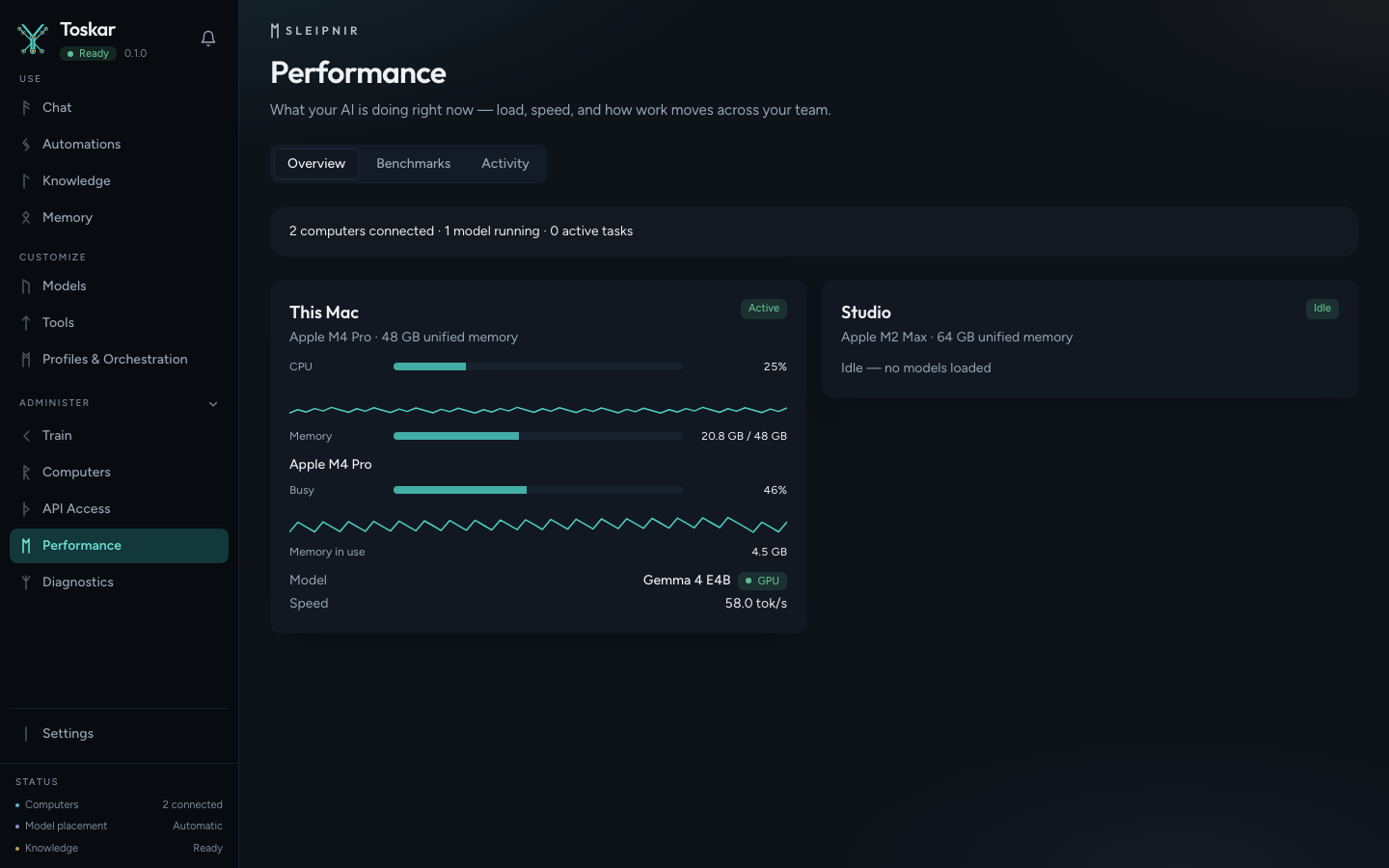
Each running model shows whether it runs on the GPU, partly, or on the CPU, read from llama.cpp's own report, and the Performance page shows live GPU use, memory, temperature, and power. What each computer needs for its GPU, what the installers set up, and how to fix a model stuck on the CPU are in docs/gpu.md.
Supported runtimes
| Runtime id | What it is | Status |
|---|---|---|
llamacpp |
Managed llama-server from llama.cpp GitHub releases. Models are GGUF. |
Implemented |
external-openai |
A remote OpenAI-compatible base URL you configure. It is not installed as a local binary. | Implemented |
Asset selection is per OS and CPU architecture: on Linux and Windows, the Vulkan build (bin-ubuntu-vulkan-x64, bin-win-vulkan-x64) when a usable GPU is found, and the CPU build otherwise. See docs/runtimes.md and docs/gpu.md.
CLI
Installed and source builds both provide toskar and toskarctl.
toskar
toskar -version
toskarctl version
toskarctl about
toskarctl paths
toskarctl automations list
toskarctl version and toskarctl about print the version, the AGPL license, the source URL, and the commit. toskar -version prints that notice and exits. toskarctl paths prints the data, model, runtime, log, and database directories. Status, nodes, and models are HTTP routes under /api/v1/. toskar -data-dir /path/to/dir overrides the data directory. Every command and flag is in docs/cli.md.
Shell completion
toskarctl completes its commands in bash, zsh, and fish. Homebrew and the deb and rpm packages install the completion files, so a new shell picks them up. Bash needs the bash-completion package. The macOS and Linux archives carry the same files in completions/.
A source build prints the script for your shell:
# bash, in ~/.bashrc
eval "$(toskarctl completion bash)"

# zsh. Add fpath=(~/.zfunc $fpath) before compinit in ~/.zshrc, then start a new shell.
mkdir -p ~/.zfunc
toskarctl completion zsh > ~/.zfunc/_toskarctl

# fish
toskarctl completion fish > ~/.config/fish/completions/toskarctl.fish
Configuration
On first start the daemon writes config.json in the data directory.
| API | 127.0.0.1:7331 |
| Bifrost | port 7332, on all interfaces when discovery is on (the default) |
| Web UI | enabled, when a built UI is found |
| LAN API | off |
| Discovery | on |
| OS | Data directory |
|---|---|
| macOS | ~/Library/Application Support/Toskar |
| Windows | %LOCALAPPDATA%\Toskar |
| Linux | $XDG_DATA_HOME/toskar or ~/.local/share/toskar |
Models, runtimes, logs, toskar.db, and secrets/ live under that path. An install from before the rename keeps its Yggdrasil folder and yggdrasil.db; nothing is moved. TOSKAR_* variables override bind addresses, node identity, static peers, and discovery. Every key, variable, and setting is in docs/configuration.md. See also docs/privacy.md.
Security and privacy
Toskar Core does not send usage telemetry by default. A search of this repository found no analytics, crash-reporting, or metrics-upload client.
The control API and the OpenAI-compatible API require a bearer token from other machines whenever the daemon listens beyond loopback. Requests from this computer over loopback never need one, so turning on network access does not break the desktop app or toskarctl; a request with proxy forwarding headers counts as coming from the network. Toskar refuses a non-loopback API until a key is configured. Enabling local network access records 0.0.0.0; the socket changes on the next start, and the key check follows the configured host immediately. The Docker image listens on 0.0.0.0 and needs TOSKAR_API_KEY. A key on plain HTTP does not encrypt traffic; the same port answers HTTPS. Bifrost listens for pairing on the LAN when discovery is enabled. Read docs/privacy.md and SECURITY.md before exposing either port.
Documentation
| User guide | Source for the public guide |
| Troubleshooting | First checks when something fails |
| GPU acceleration | Whether a model runs on the GPU, what each computer needs, and fixes |
| Configuration | Data directory, config.json, environment variables, settings |
| CLI | toskar and toskarctl |
| Capabilities | Internet, Files, Shell, Git, connected services, and MCP |
| Tools | Tool registry, permissions, and which tools a turn is offered |
| MCP | Add tools from MCP servers, and use Toskar from other AI apps |
| Architecture | Subsystems and process layout |
| Glossary | Norse subsystem names and code paths |
| Design | Colors, type, components, states, keyboard patterns, and writing rules for the UI |
| API | Every route, the event stream, and the OpenAI-compatible API |
| Runtimes | llama.cpp and external servers |
| Clustering | Discovery, pairing, placement |
| Compatibility | Hardware matrix |
| Privacy | What stays local and what can leave |
| Development | Build, test, lint, and CI |
The public site is toskar.ai. It reads the version index, guide snapshots, the changelog, the latest GitHub release, and site/highlights.json (the latest minor release's highlights, shown as "New in 1.6") from this repository. Its own text no longer comes from site/content.json.
Feature specifications
Parts of these are built, as listed under Features. Each linked issue tracks what is still open.
- Gjallarhorn notification system (#39)
- Expanded tool platform (#38)
- Orchestration layer refactor (#41)
These are not implemented yet:
- Kubernetes-native model deployment
- Community model ratings
- One-line node join
- Multilingual localization and language routing
Completed: Scheduler and automations, Train your own AI, AI experience platform (follow-ups in #111), Persistent memory and cross-model context.
Research
This brief is not a commitment to build.
Roadmap
ROADMAP.md separates what is in progress from research topics. It does not promise dates.
Contributing
Hardware reports, runtime notes, documentation, and code all help. Read CONTRIBUTING.md before opening a pull request. Code contributions are covered by the Toskar Contributor License Agreement.
New here? Start with a good first issue, or report how Toskar runs on your machine. A hardware report needs no code. Regular contributors can join the core team as triagers, reviewers, and maintainers: see GOVERNANCE.md.
Contributors
Community
- Questions and brainstorming: GitHub Discussions
- Bugs and actionable feature requests: GitHub Issues
- Security vulnerabilities: SECURITY.md
- Contributing code: CONTRIBUTING.md
SUPPORT.md maps each kind of report to a form.
Support Toskar Core
If Toskar Core is useful to you, you can support continued development through GitHub Sponsors. Contributions, testing, bug reports, documentation, and hardware compatibility reports are also valuable ways to support the project.
Nothing in the software is gated on a donation.
Toskar Pro and Toskar
Toskar Core is the open-source engine. You can run the daemon and the web UI in this repository directly.
Toskar Pro and Toskar are separate products. Toskar Pro is the packaged app for your computer, on the Mac App Store; Toskar is the app for phones, tablets, watches, and TVs, on the App Store. This repository does not contain their source, and their release artifacts are built outside this tree. The public site describes both products at toskar.ai.
License
Copyright (C) 2026 YEIXIO LLC. Source code is GNU Affero General Public License v3.0 or later. SPDX identifier: AGPL-3.0-or-later.
The copyright notice is in NOTICE. Brand use is described in TRADEMARKS.md. Trademarks are not included in the license grant.