opus-video-skills


A collection of Claude Code skills for producing videos with Claude Opus 5.5, one skill per visual style.
Overview
Each skill in this repository teaches Claude Opus 5.5 to produce a complete video in a particular visual style, covering storyboarding, animation, review, music and final encoding. All imagery and all music are generated procedurally in code; no image, video or audio generation model is involved. Every frame is a pure function of time, rendered in headless Chrome and encoded with ffmpeg.
Styles
| Skill | Style | Typical use |
|---|---|---|
| painted-animation | Hand-painted watercolour and ink cartoon, with character acting | Animated shorts, music videos, lyric videos with karaoke |
| kinetic-reel | Kinetic typography: condensed display type, HUD micro-type, WebGL layers | Portfolio and work reels, showreels, product and intro films |
painted-animation
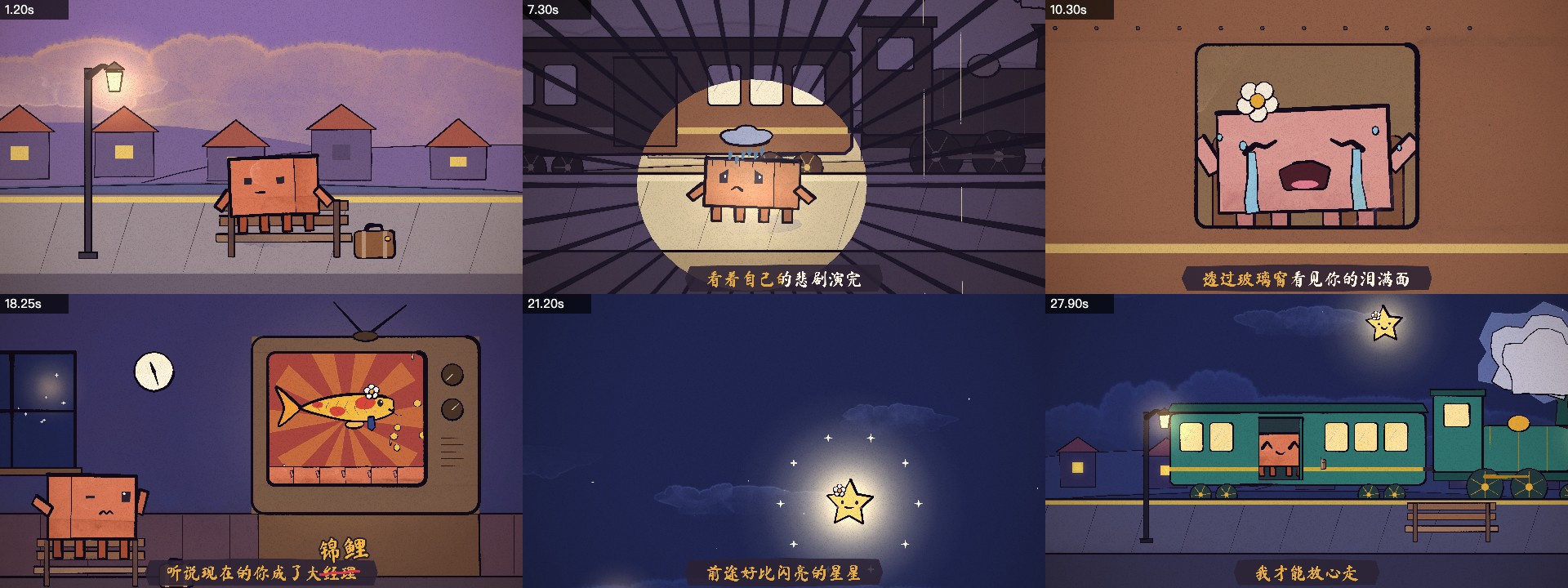
Draws every shot with p5.js and the p5.brush watercolour library. Characters act through a library of expressions and motion principles. Music videos are cut to the measured beat, and lyric videos carry word-by-word karaoke subtitles. Example: a 31-second lyric video for 陶喆《小镇姑娘》. Documentation.
kinetic-reel
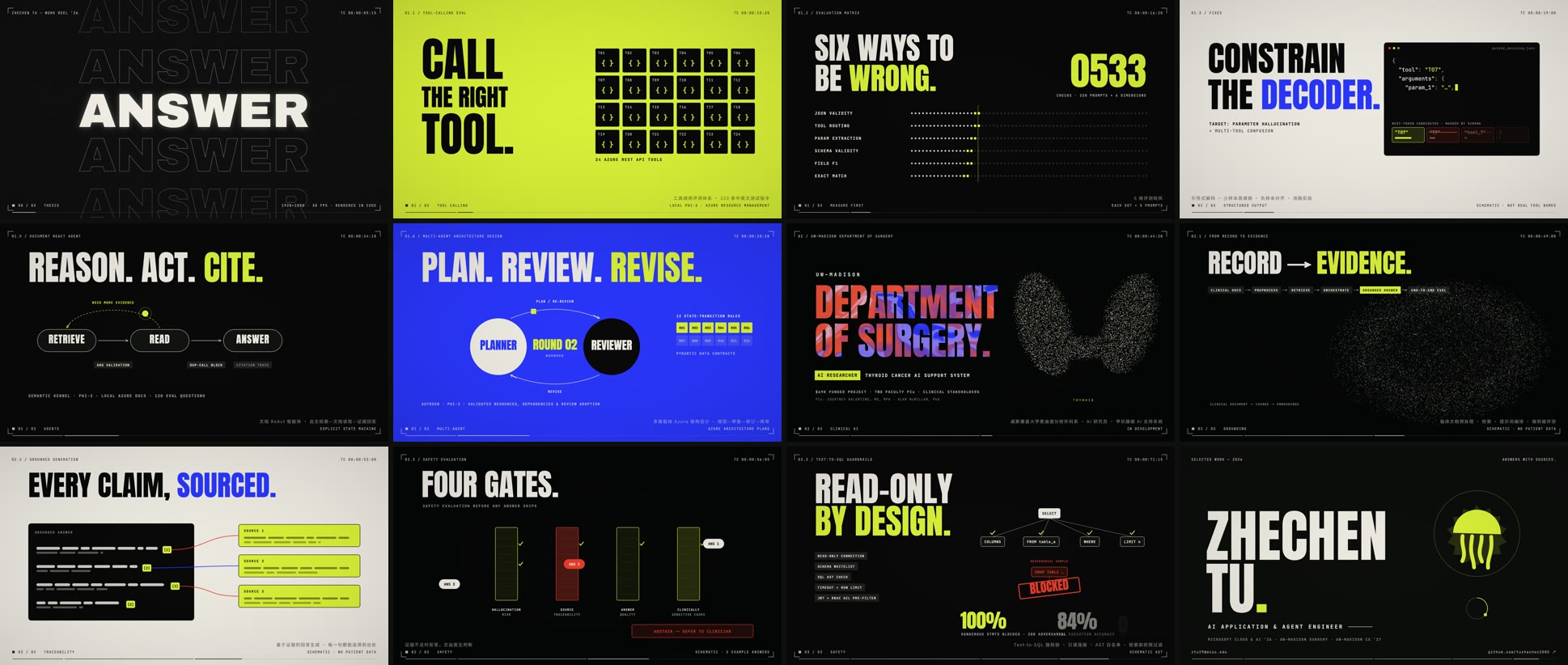
Combines a 2D type canvas with three.js layers (particle terrain, liquid marble, a chrome knot, a particle cloud that condenses into a shape) and a WebGL post pass. Shots are joined by shape-continuity transitions, and the score is synthesized from the same timeline as the picture. Example: "Work Reel ’26", an 84-second portfolio reel. Documentation.
Requirements
- Claude Code with Claude Opus 5.5
- Node.js, Google Chrome, ffmpeg
- Python 3 with numpy (painted-animation tempo detection only)
Installation
As plugins (recommended). In Claude Code:
/plugin marketplace add tuzhechen2005/opus-video-skills
/plugin install painted-animation@opus-video-skills
/plugin install kinetic-reel@opus-video-skills
Install either skill or both. /plugin update fetches new versions.
As personal skills. Clone the repository once and link the skills you want:
git clone https://github.com/tuzhechen2005/opus-video-skills ~/opus-video-skills
ln -s ~/opus-video-skills/skills/painted-animation ~/.claude/skills/painted-animation
ln -s ~/opus-video-skills/skills/kinetic-reel ~/.claude/skills/kinetic-reel
Updating is then a git pull in ~/opus-video-skills.
Upgrading from
painted-animation. This repository was previously the singlepainted-animationskill, cloned directly into~/.claude/skills/painted-animation. That layout no longer works, because the skill now lives inskills/painted-animation/. Remove the old clone and install with either method above.
Usage
Describe the video in Claude Code. The matching skill is selected automatically, or it can be invoked by name:
Make a 15-second video of Clawd trying to catch a butterfly.
Make a 60-second kinetic-type reel of my three projects from this résumé.
Each skill scaffolds a project, presents a storyboard, builds and reviews every shot, and writes the finished MP4 to the project's out/ directory.
Repository Structure
| Path | Description |
|---|---|
.claude-plugin/marketplace.json |
Plugin marketplace manifest (one plugin per skill) |
skills/painted-animation/ |
Watercolour animation skill: engine, guides, examples |
skills/kinetic-reel/ |
Kinetic-typography reel skill: engine, guides, examples |
Adding a Style
A new style is a new directory under skills/ containing a SKILL.md, a runnable template/ and at least one worked example, plus an entry in .claude-plugin/marketplace.json. The two existing skills share a contract: frames are pure functions of time, render.mjs produces contact sheets and parallel frame renders, and every shot is reviewed from rendered images before the final encode.
Acknowledgements
The painted-animation engine and guide are adapted from ClaudeAnimationBase by John Heibel (MIT License), and the method follows his PDoomVideo. The kinetic-reel renderer is derived from the same kit. The projects use p5.js, p5.brush, three.js, Puppeteer and ffmpeg. The skills and examples were produced with Claude Opus 5.5 in Claude Code.
License
MIT. See LICENSE.